
Table of Contents
- What Makes WordPress Sites Perfect for Featured Snippets
- Engineering Paragraph Snippets That Google Can’t Ignore
- List Snippets: The Format That Dominates How-To Queries
- Table Snippets for Comparison Queries
- Schema Markup: The Signal Google Uses to Verify Snippet Candidates
- Internal Linking: The Hidden Snippet Ranking Factor
- Testing and Iteration: How to Actually Win the Snippet
- Why Snippet Optimization Compounds Over Time
Featured snippets occupy position zero — above every other organic result. They grab 35% of clicks on desktop and drive traffic even when you’re ranking #4 or #5. Yet most WordPress creators treat them like lottery tickets instead of what they really are: a winnable format you can engineer.
Here’s the counterintuitive truth: winning snippets isn’t about writing better content than your competitors. It’s about writing content that matches how Google wants to display answers. The sites that dominate position zero aren’t necessarily the most authoritative — they’re the ones that structure their answers to be snippet-ready.
What Makes WordPress Sites Perfect for Featured Snippets
WordPress gives you control most platforms don’t: granular HTML editing, schema plugins, and complete flexibility over content structure. This matters because Google pulls snippets from specific HTML patterns — ordered lists, definition paragraphs, tables with certain markup.
Your competitor on Wix or Squarespace? They’re locked into templates that weren’t built for snippet optimization. You’re not. Every heading tag, every list structure, every table you create can be precisely tuned for how Google’s algorithm scans pages.
The challenge isn’t capability — it’s knowing which structure matches which query type.
The Four Snippet Formats Google Actually Uses
Google doesn’t pull random text for featured snippets. It looks for four distinct patterns:
- Paragraph snippets — short definitions or explanations (40-60 words)
- List snippets — numbered steps or bulleted options
- Table snippets — comparison data in rows and columns
- Video snippets — embedded YouTube with key moments markup
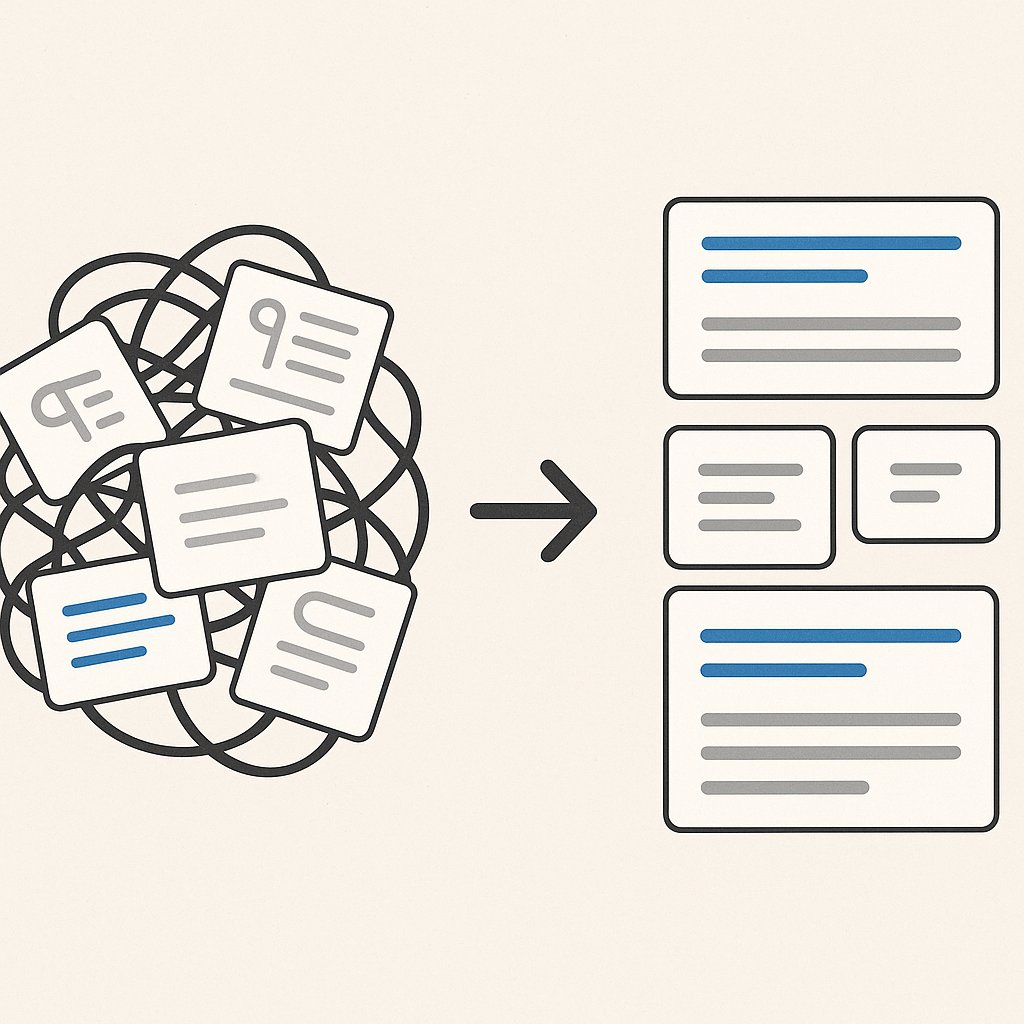
Most WordPress posts already contain these formats. The problem? They’re buried in long-form content where Google can’t easily extract them.
Why Most WordPress Content Fails at Snippets
You’ve probably written dozens of posts that could win snippets but don’t. The reason is almost always the same: your answer is there, but it’s not isolated.
Google’s algorithm scans for clean, extractable blocks. When your definition is split across three paragraphs with tangents in between, it can’t pull a clean snippet. When your step-by-step process is written in flowing prose instead of a numbered list, it gets skipped.
The fix isn’t writing different content. It’s restructuring what you already have.
Engineering Paragraph Snippets That Google Can’t Ignore
Paragraph snippets answer definition queries — what is X, who is Y, why does Z happen. They’re typically 40-60 words and appear directly below the search bar.
Here’s the pattern Google looks for: one concise paragraph, immediately after an H2 or H3 heading, that directly answers the question in the heading.
The Inverted Pyramid Answer Structure
Start with the direct answer in the first sentence. Then add one layer of context. Then stop.
Bad snippet structure:
Internal linking is an important part of SEO. It helps with many things including user experience and crawlability. When done correctly, it can improve your rankings. Let’s explore why this matters…
Good snippet structure:
Internal linking is the practice of connecting pages on your site through hyperlinks. It helps search engines discover content and signals which pages are most important. This improves both crawlability and topical authority.
Notice the difference? The good version front-loads the definition, adds essential context, and ends cleanly. No throat-clearing, no teasing what comes next.
The H2 Question Trigger
Your heading should mirror how people actually search. If the query is ‘what is schema markup,’ your H2 should be ‘What Is Schema Markup’ or ‘What Schema Markup Means for SEO.’
Google’s algorithm looks for this alignment. When your heading matches the query structure and the paragraph below delivers a clean answer, you’ve engineered a snippet trap.
List Snippets: The Format That Dominates How-To Queries
List snippets own the how-to and best-of space. They appear for queries like ‘how to optimize images’ or ‘best caching plugins.’ And they’re the easiest snippet type to win because the format is so rigid.
Google pulls list snippets from ordered or unordered lists with 3-8 items. Each list item should be a complete thought — not a fragment that requires the surrounding paragraph to make sense.
Numbered Lists vs. Bullet Points
Use <ol> for processes with a specific order. Use <ul> for options or features with no hierarchy.
Google treats them differently. For ‘how to speed up WordPress,’ an ordered list signals a step-by-step process. For ‘best WordPress caching plugins,’ bullets signal comparable alternatives.
The Seven-Item Sweet Spot
Google rarely pulls lists longer than 8 items or shorter than 3. Five to seven is the pattern you see most often in position zero.
If your process has 12 steps, group them into phases. If your comparison has 15 options, narrow to your top 7. This isn’t dumbing down — it’s matching the format Google actually displays.
Here’s the brutal truth: nobody clicking a featured snippet wants to read your complete 4,000-word guide. They want the answer, fast. Give them that first, then expand below.
Table Snippets for Comparison Queries
When someone searches ‘WordPress hosting comparison’ or ‘caching plugin features,’ Google often pulls a table. These snippets are powerful because they’re visual, scannable, and hard to replicate without proper HTML structure.
Your table needs three things: clean markup, consistent data types, and meaningful row/column labels.
Building Snippet-Ready Tables in WordPress
Most WordPress table plugins generate bloated code that Google ignores. Use the native block editor’s table block or a lightweight plugin that outputs semantic HTML.
Your table structure should look like this:
- First column: names of items being compared
- Top row: features or criteria
- Data cells: short, consistent values (not paragraphs)
Google’s algorithm scans for this pattern. When it finds a properly structured table under a comparison-style heading, it often pulls it automatically.
When Tables Beat Lists
Use tables when you’re comparing multiple items across multiple dimensions. If you’re just listing features of one thing, use bullets. If you’re comparing three plugins across five criteria, use a table.
The rule: two dimensions = table, one dimension = list.
Schema Markup: The Signal Google Uses to Verify Snippet Candidates
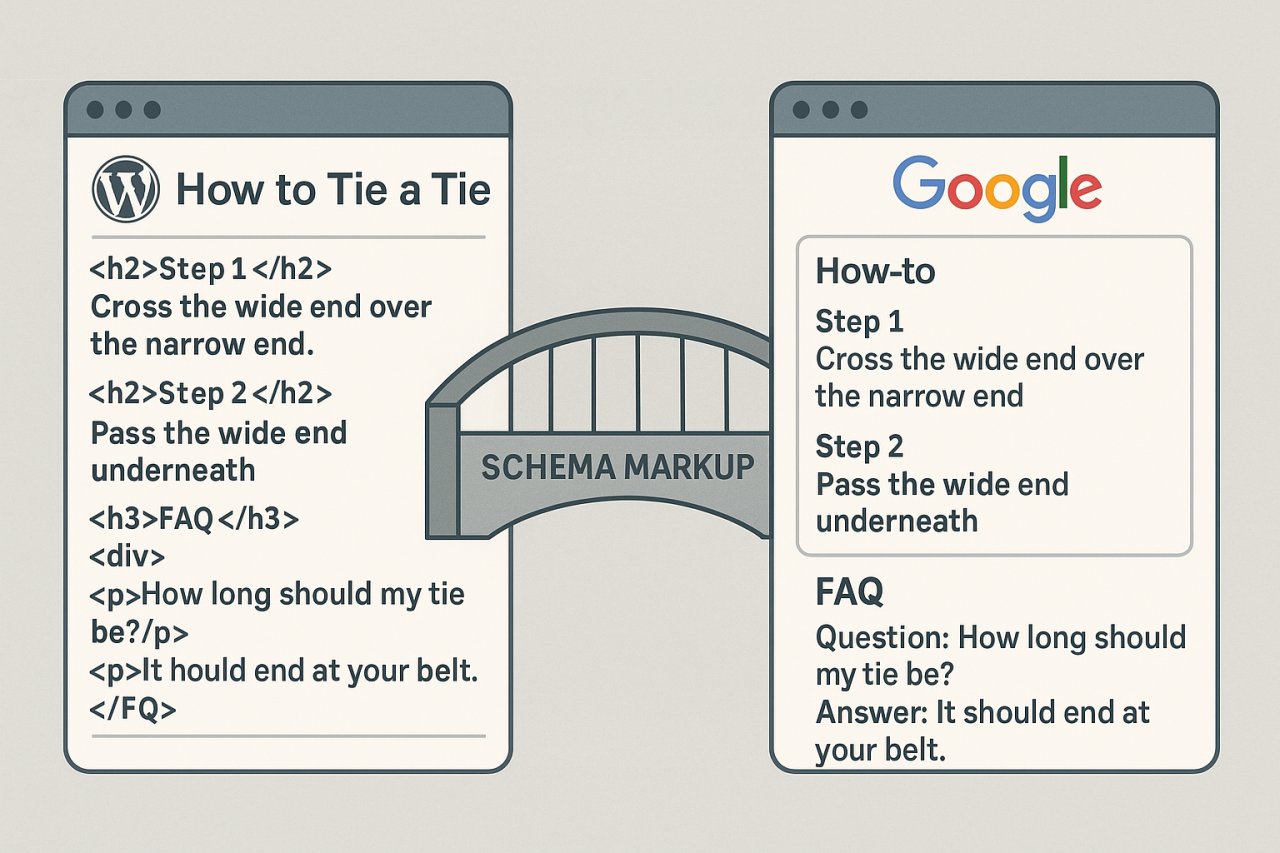
Schema doesn’t directly trigger snippets, but it increases your chances by giving Google more context about your content type. HowTo schema, FAQ schema, and Article schema all signal that your content is structured for quick answers.
WordPress makes this easy. Plugins like Rank Math and Yoast SEO generate schema automatically from your content. But you still need to structure that content correctly first — schema won’t fix a poorly formatted answer.
HowTo Schema for Process Content
If your post walks through a process, add HowTo schema. This markup tells Google exactly where each step begins and ends, making it trivial to extract a list snippet.
Most SEO plugins let you add this without touching code. Just map your H3 headings to schema steps, and the plugin generates the JSON-LD.
FAQ Schema for Question-Based Content
FAQ schema works when your post answers multiple related questions. Each Q&A pair becomes a snippet candidate. Google often pulls these for ‘people also ask’ boxes, which can lead to featured snippet wins.
The catch: each answer needs to be self-contained. If your FAQ answer says ‘as mentioned above,’ it won’t get pulled.
Schema is not a magic bullet, but it’s the difference between Google guessing what your content is about and you telling it directly.
Internal Linking: The Hidden Snippet Ranking Factor
Here’s what most guides don’t tell you: Google is more likely to pull snippets from pages it sees as authoritative within your site. And one of the clearest authority signals is internal link structure.
When multiple pages on your site link to a specific post with relevant anchor text, Google interprets that as a signal of importance. Your snippet candidate needs to be well-connected to related content.
This is where tools like AI Internal Links become practical. Instead of manually auditing which pages should link to your snippet-optimized posts, the plugin scans your content and automates contextually relevant connections. For sites with hundreds of posts, this turns a weeks-long project into an automated background process.
Anchor Text That Supports Snippet Wins
Your internal links to snippet candidates should use question-based or keyword-rich anchor text. If you’re targeting ‘what is keyword cannibalization,’ your internal links should use phrases like ‘learn what keyword cannibalization means’ — not ‘click here’ or ‘this post.’
Google uses anchor text to understand page topics. When your internal link graph reinforces the same query you’re targeting with your snippet structure, both signals align.
Hub Pages and Topical Authority
Google favors snippets from sites that demonstrate topical depth. If you’re going after a snippet on ‘best image optimization plugins,’ you’re more likely to win if you have related posts on image SEO, Core Web Vitals, and page speed.
Internal linking ties this ecosystem together. Your hub page on WordPress performance should link to all related subtopic posts, and those posts should link back to the hub. This creates a topical cluster that Google recognizes as comprehensive coverage.
You don’t need a massive site. You need a tightly interlinked cluster around the topic where you’re competing for snippets.
Testing and Iteration: How to Actually Win the Snippet
Optimizing for featured snippets isn’t a one-shot effort. You publish the structured content, monitor performance, and adjust based on what Google actually pulls.
Track Current Snippet Ownership
Use Google Search Console to find queries where you rank #1-5 but don’t own the snippet. These are your easiest wins. You already have relevance — you just need better formatting.
Filter Search Console for high-impression queries, check which ones have snippets in the SERP, and compare your content to the current snippet holder. Often you’ll find they’re just using a cleaner list or a tighter definition paragraph.
A/B Test Snippet Structures
Sometimes the difference between winning and losing a snippet is moving your answer from the third paragraph to the first. Or changing a bulleted list to a numbered list. Or adding an H2 question heading.
Make one structural change at a time, wait a week, and check if Google re-crawls and updates the SERP. Snippet optimization is empirical — what works for one query type might not work for another.
The sites winning the most snippets aren’t guessing. They’re testing.
Why Snippet Optimization Compounds Over Time
Every snippet you win sends a signal to Google that your site delivers clean, useful answers. This builds cumulative authority that makes future snippet wins easier.
Snippets also drive engagement metrics that reinforce rankings. When someone clicks your snippet, gets their answer, and then explores related posts on your site, Google sees that as a satisfaction signal. Your dwell time goes up, your pogo-sticking goes down.
This creates a flywheel: snippets drive traffic, traffic drives engagement, engagement drives more snippet wins.
Start with five posts. Optimize them for snippet formats, add schema, tighten your internal linking, and track results. Once you win your first snippet, replicate the pattern across your content library. WordPress gives you the tools — you just need to use them with intention.