

Table of Contents
- Why Featured Snippets Are Worth the Fight
- Structuring Your WordPress Content for Snippet Success
- Schema Markup: The Technical Edge
- Content Hierarchy and Internal Linking Strategy
- Testing and Auditing Your Snippet Potential
- Common Snippet Mistakes WordPress Sites Make
- Winning Snippets Is a Process, Not a One-Time Fix
Why Featured Snippets Are Worth the Fight
Featured snippets occupy the most valuable real estate in search results. They sit above the traditional #1 organic result, which means you can rank first without technically ranking first.
The numbers tell the story. Sites holding featured snippets see click-through rates between 35-40% for that query. Meanwhile, the regular #1 result below the snippet often drops to 15-20%. That’s a massive traffic shift for the same keyword.
But here’s what most WordPress site owners miss: you don’t need to rank #1 to win a snippet. Google frequently pulls snippets from positions 2-5. That changes the game entirely.
What Google Actually Wants in a Snippet
Google’s algorithm looks for direct answers formatted for quick consumption. Think of snippets as Google’s attempt to answer a question without making the user click at all — even though they often click anyway.
The three main snippet formats are:
- Paragraph snippets — concise 40-60 word answers to specific questions
- List snippets — numbered or bulleted steps, items, or rankings
- Table snippets — comparison data, pricing, or specifications
Your WordPress content needs to match the format Google already shows for your target keyword. Search your keyword. If Google displays a list snippet, your content better have a list. If it’s showing a table, create a table.
The Question Format Advantage
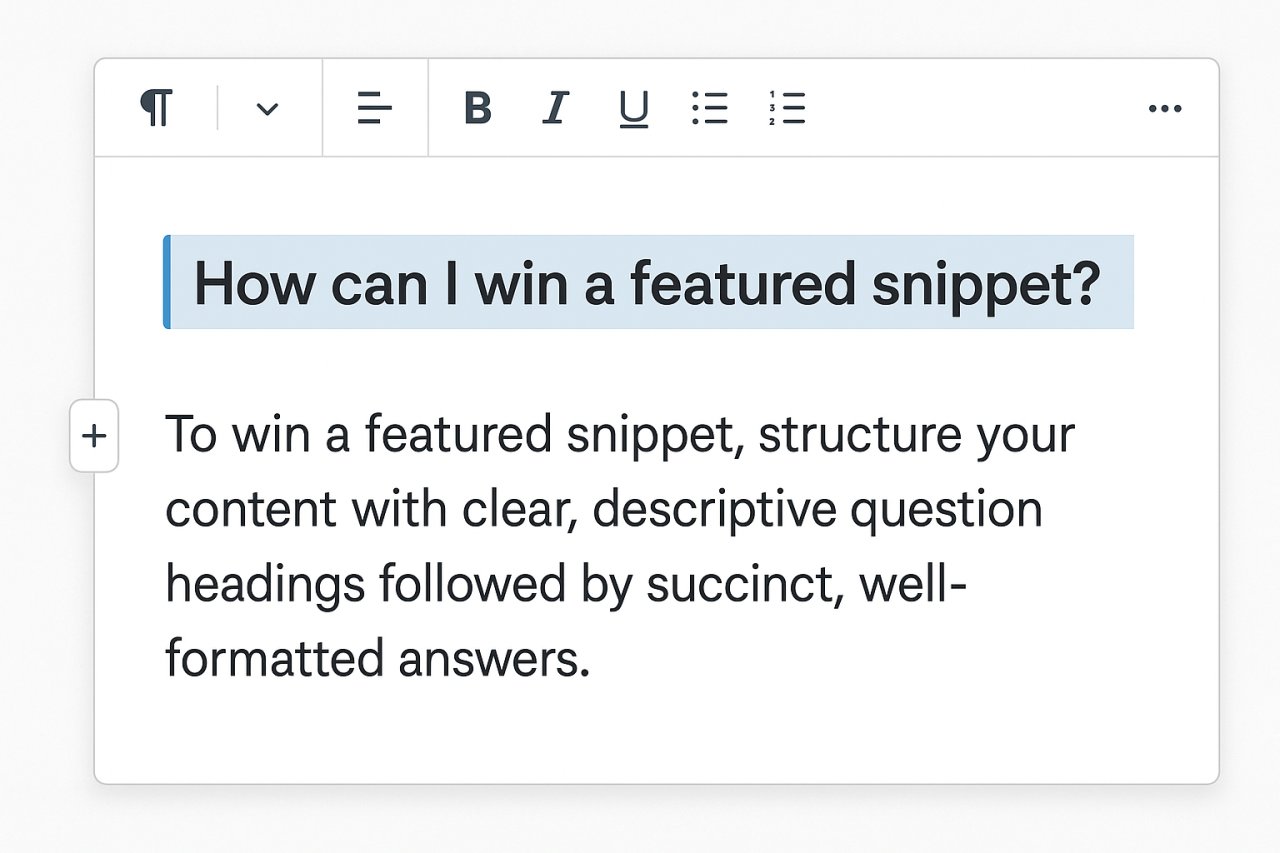
Here’s a counterintuitive insight: questions make terrible H2 headings but excellent H3 subheadings.
Google loves pulling snippet content from sections that directly answer a user’s question. When you use a question as an H3, you’re creating a clear trigger. The paragraph immediately after that H3 becomes snippet-worthy.
Example structure:
<h3>How Long Does It Take to Rank in Google?</h3>
Most sites rank in Google within 3-6 months for low-competition keywords. High-competition terms typically require 6-12 months of consistent optimization and link building. The timeline depends heavily on your domain authority and content quality.
That first sentence? That’s snippet gold. It’s specific, concise, and directly answers the question.
Structuring Your WordPress Content for Snippet Success
Most WordPress editors make this harder than it needs to be. You’re probably overthinking the technical side while ignoring the formatting basics that actually matter.
The 40-60 Word Sweet Spot
Google’s paragraph snippets rarely exceed 60 words. That’s roughly 2-3 sentences max. If your answer rambles for 200 words before getting to the point, you’ve already lost.
Write your snippet-worthy answer first. Then add the supporting details and context after. This inverted pyramid approach works because Google can extract the first paragraph without breaking the logic.
Bad approach: Starting with background, building up to the answer
Good approach: Answer immediately, then explain why
Lists That Actually Convert to Snippets
Not all lists are created equal. Google heavily favors numbered lists for process-based queries and bulleted lists for feature comparisons.
Your list needs parallel structure. Each item should start the same way — either all with verbs, all with nouns, or all with descriptive phrases. Inconsistent formatting confuses Google’s extraction algorithm.
Here’s what works:
- Install a caching plugin like WP Rocket or W3 Total Cache
- Enable GZIP compression in your .htaccess file
- Optimize images using ShortPixel or Smush
- Minimize CSS and JavaScript with Autoptimize
Notice how each item starts with an action verb. That’s deliberate. Google can cleanly extract this into a snippet because the pattern is obvious.
Tables for Comparison Queries
Tables are criminally underused on WordPress sites. Yet they dominate snippet results for comparison keywords like “best,” “vs,” “comparison,” and “differences.”
The Gutenberg editor makes tables easy. The Classic Editor requires a bit more HTML. Either way, the payoff is massive for competitive keywords.
Basic table structure:
| Plugin | Price | Best For |
|---|---|---|
| Yoast SEO | Free / $99/year | Beginners, content analysis |
| Rank Math | Free / $59/year | Advanced users, features |
Google loves this format because it’s structured data in its purest form.
Schema Markup: The Technical Edge
Schema markup isn’t required for featured snippets, but it definitely helps. Think of it as underlining the important parts for Google.
FAQ Schema for Question-Based Snippets
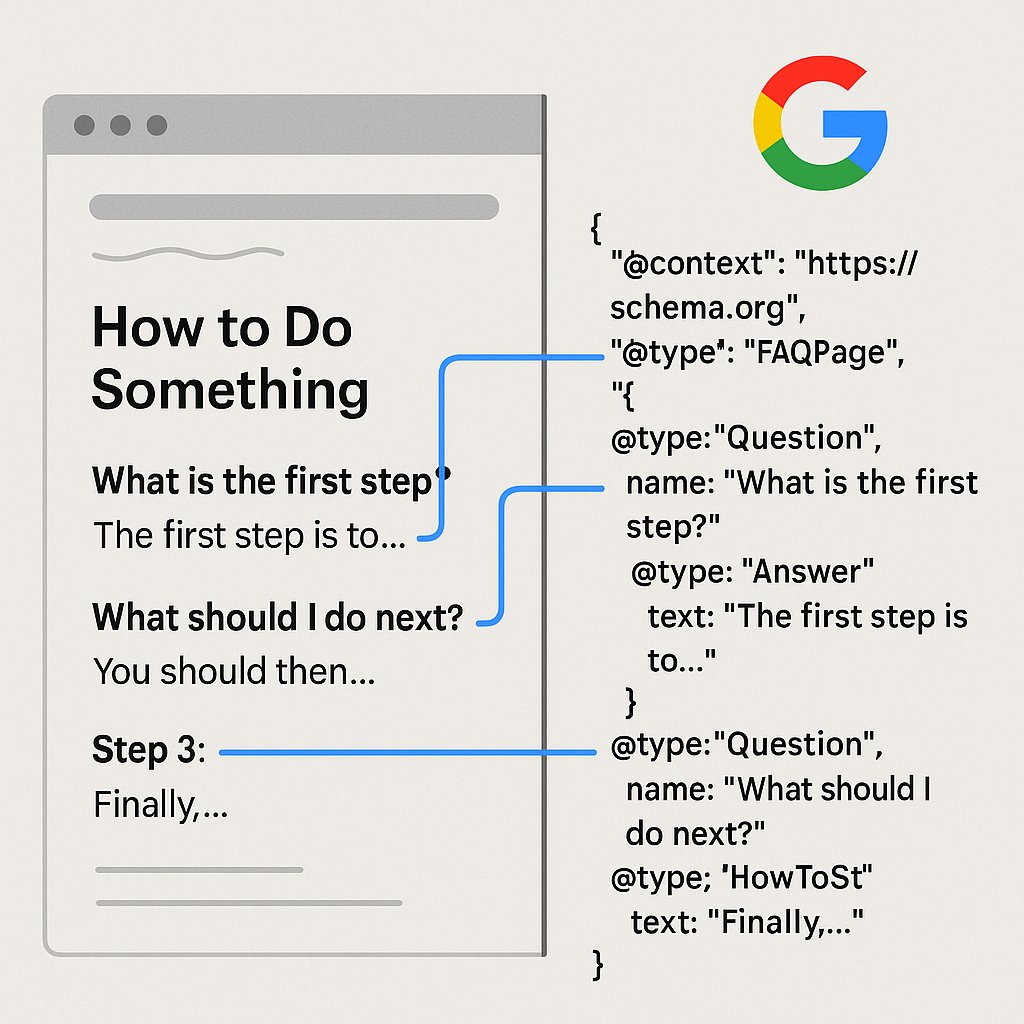
If you’re targeting question keywords, FAQ schema is your best friend. It tells Google exactly which parts of your content are questions and which are answers.
Most WordPress SEO plugins now include FAQ schema blocks. Yoast has one. Rank Math has one. Schema Pro specializes in it. The implementation is straightforward — just fill in the question-answer pairs.
The catch? Your FAQ answers still need to be snippet-worthy. Schema alone won’t save poorly formatted content.
HowTo Schema for Process Content
Tutorials and guides benefit massively from HowTo schema. This markup highlights your step-by-step instructions and often triggers rich results with images.
The requirements are simple:
- A clear title for the process
- At least three distinct steps
- Optional images for each step
WordPress plugins like Schema & Structured Data make this a five-minute task. No coding required.
Content Hierarchy and Internal Linking Strategy
Here’s where most WordPress sites fumble the snippet opportunity. You’ve got great content, perfect formatting, even schema markup. But Google doesn’t trust your page enough to feature it.
Internal linking is the trust signal Google uses to understand your content hierarchy.
When you properly link related pages, you’re telling Google which pages are authoritative pillars and which are supporting details. Pages with strong internal link profiles have a significantly higher chance of winning snippets.
Hub-and-Spoke Linking for Topic Authority
Create pillar pages for your main topics. These are comprehensive guides that cover a subject broadly. Then create cluster content — detailed articles on specific subtopics that link back to the pillar.
The pillar page should link out to all cluster articles. Each cluster article should link back to the pillar and to related clusters. This creates a web of topical authority that Google recognizes.
For example: Your pillar page on “WordPress SEO” should link to cluster articles on featured snippets, schema markup, page speed, and internal linking. Each cluster links back and cross-links where relevant.
Automating the Linking Process
Manual internal linking is tedious and inconsistent. You’ll miss opportunities, create orphan pages, and waste hours tracking which pages link where.
Tools like AI Internal Links can automate this entire process. The plugin analyzes your content, identifies relevant connections, and adds contextual links automatically. It’s particularly effective for maintaining snippet-worthy pages within a strong topical cluster.
The AI understands semantic relationships between your articles, so it links “featured snippets” content to related pieces on schema markup, position zero strategies, and SERP optimization. That interconnected structure helps Google see your site as an authority.
Anchor Text That Supports Snippet Goals
Your internal link anchor text matters for snippet optimization. Use descriptive, keyword-rich anchors that tell Google exactly what the linked page covers.
Weak anchor: “Click here to learn more”
Strong anchor: “optimize your content for featured snippets”
The strong anchor reinforces the target page’s relevance for snippet queries. It’s a small detail with compounding effects across hundreds of internal links.
Testing and Auditing Your Snippet Potential
You can’t optimize what you don’t measure. WordPress makes it easy to get sloppy with formatting because the visual editor hides the underlying structure.
The Manual Snippet Check
Search your target keyword in an incognito window. Look at the current featured snippet. Ask yourself:
- What format is Google using? (paragraph, list, table)
- How long is the snippet text?
- What’s the reading level? (technical vs. accessible)
- Is there a clear question being answered?
Your content needs to match or exceed the current snippet’s format and clarity. If Google’s showing a 5-item list, your 10-item list gives you an edge. If the current snippet is vague, your specific answer wins.
Using Google Search Console Data
Search Console shows you which queries already trigger impressions for your pages. Filter for question-based keywords or high-impression, low-CTR terms.
Those low-CTR queries with high impressions? You’re ranking but not getting clicks. That’s a snippet opportunity. Someone else owns position zero for that query.
Go back to those pages. Reformat the content to target the snippet. Add the question as an H3. Write a 40-60 word answer. Implement relevant schema. Then wait 2-4 weeks and check again.
Competitive Snippet Analysis
Your competitors who own snippets are doing something right. Don’t copy them — study their patterns.
Look at:
- Content length (surprisingly, shorter often wins)
- Heading structure and keyword placement
- Use of lists, tables, or special formatting
- Internal links pointing to and from the page
Most snippet winners have strong internal link profiles and clear content hierarchy. They’re not isolated blog posts — they’re part of a topical cluster.
Common Snippet Mistakes WordPress Sites Make
Even experienced WordPress users sabotage their snippet chances with these errors.
Burying the Answer Too Deep
Your intro rambles for 300 words before getting to the actual answer. Google won’t extract a snippet from paragraph eight. Answer the question in the first 100 words or it doesn’t count.
Inconsistent Formatting Across Posts
One post uses H3s for questions. Another uses H2s. A third uses bold text. Google struggles to identify a consistent pattern across your site.
Pick a format and stick with it sitewide. This is where a content template in your WordPress editor pays off.
Ignoring Mobile Formatting
Google pulls snippets based on mobile content first. If your tables break on mobile or your lists get cut off, you’re invisible for snippet extraction.
Test every snippet-targeted page on mobile. If the formatting fails, fix it before optimizing anything else.
Winning Snippets Is a Process, Not a One-Time Fix
You won’t claim every snippet you target. But you don’t need to. Even capturing 20-30% of your target snippets can double your organic traffic from those queries.
Start with low-hanging fruit: questions you already rank in positions 2-5 for. Reformat those pages first. Add schema. Strengthen internal links. Monitor Search Console for changes.
Then expand to competitive terms where you rank on page two or three. Build topical authority through cluster content and strategic linking. Over time, Google will start recognizing your site as the go-to source for specific query types.
Featured snippets reward sites that make Google’s job easier. Give clear answers in clean formats. Use schema to highlight structure. Build internal links that demonstrate expertise. The snippet will follow.