
Table of Contents
- Understanding Featured Snippet Mechanics in Modern Search
- Content Structure That Wins Snippets
- Internal Linking’s Hidden Role in Snippet Rankings
- WordPress-Specific Optimization Tactics
- Tracking and Iterating on Snippet Performance
- Long-Term Snippet Strategy: Building Topic Authority
- Why Featured Snippets Are Worth the Effort
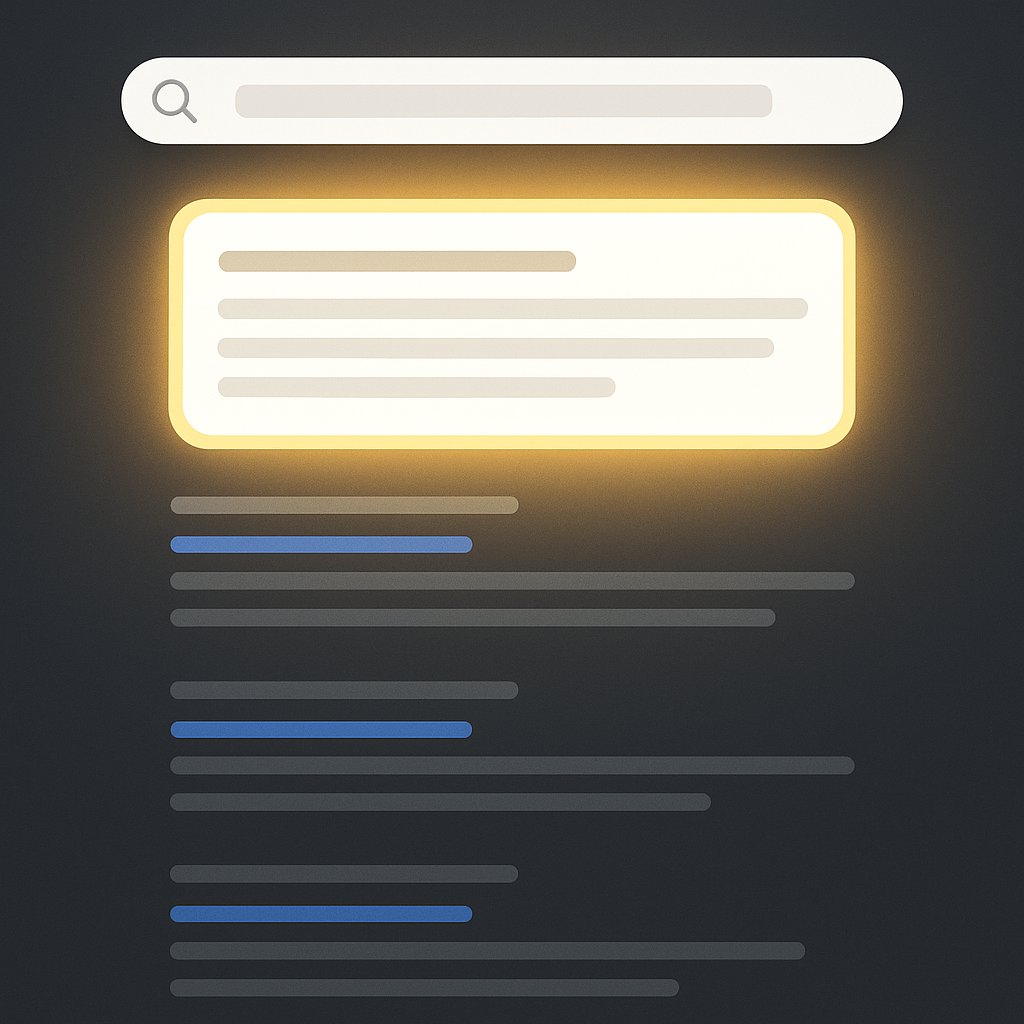
Featured snippets aren’t just vanity metrics. They’re real estate at the top of search results that capture attention before users even see your organic listing. And here’s the thing most WordPress site owners miss: getting into that coveted box isn’t about having the highest domain authority or the most backlinks. It’s about structure, clarity, and strategic internal signals.
The snippet game has evolved. Google’s algorithms now prioritize content that directly answers questions in formats they can easily extract and display. If your content rambles or hides the answer three paragraphs deep, you’re out. If it’s structured like a conversation with clear takeaways, you’re in.
Let me show you exactly how to optimize your WordPress content for featured snippets — the tactics that actually work, not the generic advice you’ll find everywhere else.
Understanding Featured Snippet Mechanics in Modern Search
Google pulls featured snippets from pages already ranking on page one — usually positions 1-5. But here’s what trips people up: the page with the snippet isn’t always the #1 organic result. I’ve seen sites ranking #6 claim the snippet over the actual top result.
Why? Because Google’s snippet algorithm looks for different signals than traditional ranking factors. It wants:
- Direct, concise answers that match the query intent exactly
- Content formatted in extractable structures (paragraphs, lists, tables)
- Clear topical authority signals across your site
- Supporting context that proves the answer is comprehensive
The snippet opportunity sits at the intersection of your content quality and your information architecture. You can nail the content but lose the snippet if Google doesn’t trust your topical depth.
The Three Snippet Formats That Dominate Results
Featured snippets appear in three primary formats, and your content structure must match the query type:
Paragraph snippets answer “what is,” “who is,” or “why” questions. They pull 40-60 words that define or explain a concept. Your job: put the clearest definition or explanation in a single, standalone paragraph right after your H2.
List snippets tackle “how to” queries and process questions. Google extracts your H3 headings or list items directly. If your listicle has vague headings like “Step One” instead of descriptive actions, you won’t get picked.
Table snippets compare options, prices, or specifications. If you’re writing comparison content without an HTML table, you’re leaving snippet opportunities on the table. Literally.
The format you target should mirror how searchers naturally phrase their query. Someone asking “what is internal linking” wants a paragraph. Someone asking “how to build internal links” wants steps.
Content Structure That Wins Snippets
Here’s where most WordPress content fails: the answer exists somewhere in the post, but it’s buried, diluted, or formatted in a way Google can’t easily extract. Structure is your snippet advantage.
Start with your target query as an H2 heading. Not a creative interpretation — the actual question people type. If you’re targeting “how to reduce bounce rate,” that exact phrase should be an H2 in your content.
Immediately below that heading, deliver the answer. One paragraph, 40-60 words, written like you’re explaining it to someone who has 10 seconds. Then expand on the details in subsequent paragraphs or subheadings.
This inverted pyramid approach works because Google’s snippet algorithm scans for the most concise, complete answer near relevant headings. If you make it search through three paragraphs of context before finding the actual answer, it’ll move on to a competitor who front-loads it.
The Power of Question-First Headings
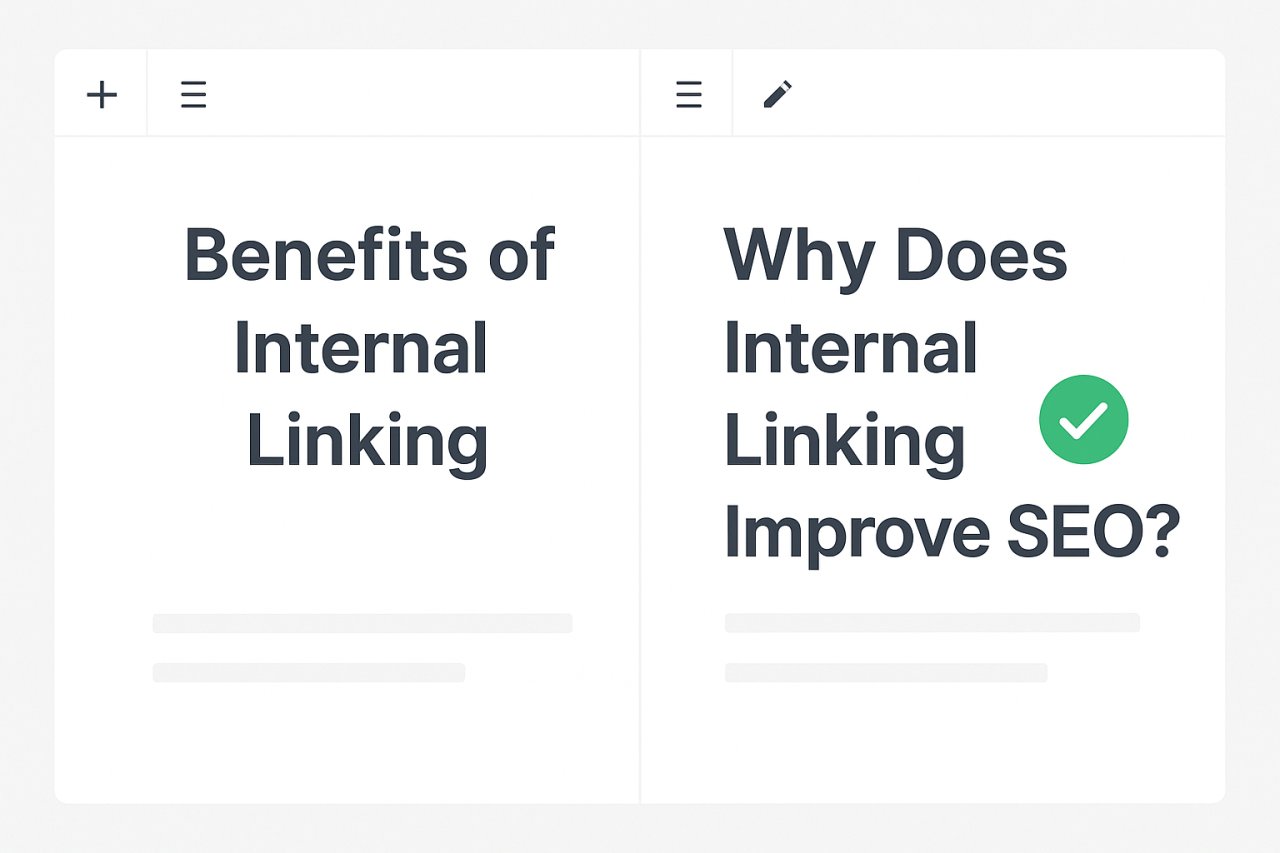
Google increasingly pulls snippets from content that structures headings as questions. Instead of “Benefits of Internal Linking,” write “Why Does Internal Linking Improve SEO?” The second version matches natural language queries and signals to Google that what follows is a direct answer.
Scan your existing top-performing posts. Find the questions readers are asking (check “People Also Ask” boxes for your keywords). Then restructure sections to address those questions explicitly.
List Formatting That Google Can Parse
When you’re targeting list snippets, every list item must be independently meaningful. Avoid:
- Vague items like “First, prepare your site” (prepare it how?)
- Items that require reading previous items to make sense
- Inconsistent formatting where some items are full sentences and others are fragments
Instead, write list items as standalone micro-answers. “Audit your existing internal links using Screaming Frog or Ahrefs” works. “Audit your links” doesn’t.
For how-to lists, front-load the action verb. “Install an SEO plugin like Yoast or Rank Math” beats “An SEO plugin like Yoast should be installed.”
Internal Linking’s Hidden Role in Snippet Rankings
Here’s what nobody talks about: Google doesn’t just evaluate the target page when choosing snippets. It looks at your site’s overall topical authority and how well you’ve connected related concepts through internal links.
Think about it from Google’s perspective. If you have one great page answering “what is keyword research” but no supporting content explaining keyword tools, long-tail keywords, or search intent, your authority on that topic is thin. Google might show a snippet from a site with deeper topical coverage.
Internal linking signals topical relationships. When you link from your keyword research guide to posts about search volume analysis, competitor research, and keyword mapping, you’re building a content cluster that says: “We know this topic deeply.”
The sites consistently winning snippets aren’t just optimizing individual pages. They’re building interconnected content ecosystems where every page reinforces the others.
Strategic Linking to Snippet-Targeted Pages
If you’re targeting a snippet for a specific page, build internal links to it from related content using descriptive anchor text. The anchor text should include semantic variations of your target query.
Let’s say you want a snippet for “how to speed up WordPress.” Your internal links from other posts should use anchors like:
- “Learn how to speed up WordPress” (exact match)
- “WordPress performance optimization techniques” (semantic variation)
- “Strategies to reduce page load time” (related concept)
This variety tells Google your target page covers the topic comprehensively, not just one narrow angle. And here’s the practical problem: doing this manually across dozens or hundreds of posts is tedious.
Tools like AI Internal Links can automate this process, analyzing your content to suggest and implement contextually relevant internal links that strengthen topical authority. Instead of hunting through your content library to find linking opportunities, the plugin identifies them based on semantic relationships.
The Snippet-Killing Mistake Most Sites Make
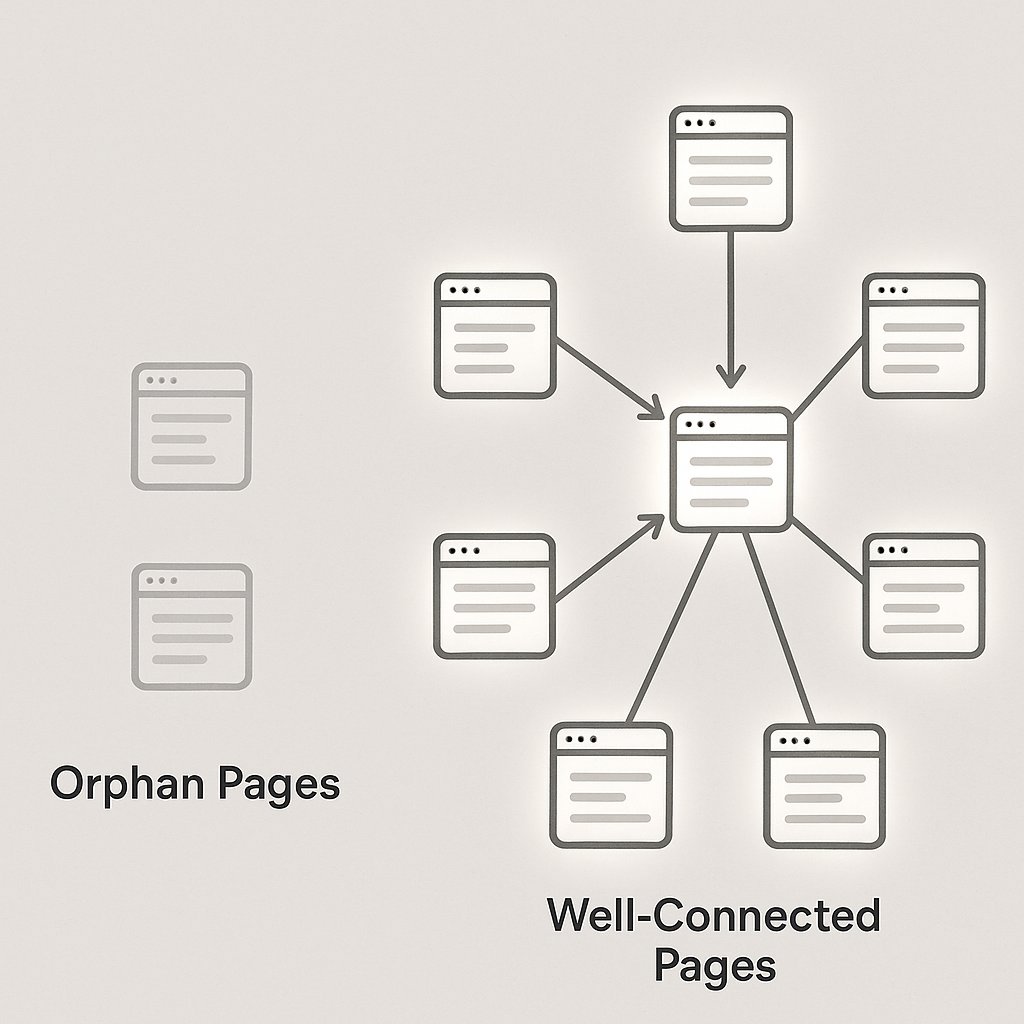
Orphan pages — content with few or no internal links pointing to them — rarely win featured snippets, even if the content quality is excellent. Google interprets lack of internal links as a signal that even you don’t think this page is important.
Audit your snippet target pages. How many internal links do they have from other relevant content? If it’s fewer than five, you’ve found your problem. The content might be perfect, but the site architecture is working against you.
WordPress-Specific Optimization Tactics
WordPress gives you structural advantages for snippet optimization if you use them correctly. Your theme’s heading hierarchy matters more than you think.
Make sure your H1 is reserved for the post title, and use H2s and H3s in logical order. Google’s snippet algorithm relies on heading structure to understand content hierarchy. If you skip from H2 to H4, or use headings decoratively rather than structurally, you’re confusing the algorithm.
Check your theme’s HTML output. Some WordPress themes wrap headings in extra divs or use CSS classes that obscure semantic meaning. Use browser inspector tools to verify your headings are clean <h2> and <h3> tags without unnecessary nested elements.
Schema Markup Isn’t Required But It Helps
Contrary to popular belief, featured snippets don’t require schema markup. Google pulls snippets from well-structured HTML alone. But schema can reinforce your snippet chances by providing explicit structured data.
For FAQ content targeting question-based snippets, use FAQ schema. For how-to guides, use HowTo schema. Plugins like Yoast or Rank Math make adding this markup straightforward in WordPress.
The real benefit? Schema helps Google understand content context even when your HTML structure isn’t perfect. It’s insurance, not a requirement.
Table Blocks for Comparison Snippets
WordPress’s block editor includes a native table block that outputs clean, accessible HTML tables. If you’re writing comparison content — “Yoast vs Rank Math,” “best caching plugins,” product specifications — put key comparison points in an HTML table.
Google loves pulling these into featured snippet tables. But here’s the catch: your table needs to be genuinely useful as a standalone element. Include column headers, keep data concise, and make sure the table answers the comparison question without requiring readers to reference surrounding text.
Tracking and Iterating on Snippet Performance
You won’t win every snippet on the first try. Snippet optimization is an iterative process where you test, measure, and refine.
Google Search Console shows which queries trigger featured snippets, even if you don’t own them. Filter your performance report for queries where you rank positions 2-10, then manually search those terms. If a competitor has the snippet, analyze their content structure.
What format are they using? How is their answer structured? What does their internal linking profile look like? You’re not copying — you’re identifying the structural patterns Google rewards.
Once you’ve optimized a page for a snippet, give Google 2-4 weeks to recrawl and reassess. Snippet updates don’t happen instantly. Track the target query in Search Console and watch for changes in impressions and click-through rate.
When You Lose a Snippet You Once Had
Snippet rankings are volatile. A competitor might publish a better-structured answer, or Google might change which format it prefers for a query. If you lose a snippet, don’t panic — diagnose and adapt.
Re-search the query and examine the new snippet holder. Did Google switch from a paragraph to a list format? Did the competitor add schema you’re missing? Did they build more internal linking support?
The answer tells you what to fix. Snippet loss is usually about structure or supporting signals, not content quality.
Long-Term Snippet Strategy: Building Topic Authority
Winning one snippet is tactical. Winning multiple snippets in your niche requires strategic topic coverage. Google trusts sites that demonstrate comprehensive knowledge through interconnected content clusters.
Map your primary topics and identify sub-topics that support them. If your primary topic is “WordPress SEO,” your cluster includes on-page optimization, technical SEO, link building, content strategy, and performance optimization.
Create pillar content for each cluster, then build supporting posts that go deep on specific questions. Link them all together deliberately, with your pillar page at the center receiving links from supporting posts, and supporting posts linking to related supporting posts.
This structure does two things: it helps users navigate related concepts, and it tells Google you’re an authority worth trusting with featured snippets across multiple related queries.
The sites winning multiple featured snippets aren’t just optimizing for keywords — they’re building interconnected knowledge bases where every page reinforces topical expertise.
Your internal linking strategy matters as much as your content strategy. They’re not separate efforts — they’re two sides of the same snippet optimization process.
Why Featured Snippets Are Worth the Effort
Beyond the ego boost of seeing your content in position zero, featured snippets deliver measurable traffic and authority benefits.
Click-through rates vary, but studies show snippets can capture 20-35% of clicks for informational queries, even when the organic #1 result is displayed below. For branded searches, owning the snippet reinforces authority. For commercial terms, it pre-qualifies traffic by answering their questions before they click.
And here’s the compounding effect: once you win a snippet, Google tends to test you for related snippets in the same topic cluster. Winning one opens doors to winning more, as long as your content structure and internal linking support broad topical authority.
The effort you put into structuring content for snippets also makes your content better for readers. Clear answers, logical formatting, and well-connected information improve user experience whether Google awards you a snippet or not.
Start with your highest-traffic pages ranking positions 2-8. Restructure them using the tactics in this guide. Build internal links from related content. Track your progress. The snippet opportunity is there — you just need to structure your content so Google can find it.