

Table of Contents
- Why Most Content Briefs Fail Before You Even Start Writing
- Building Your Content Brief: The Components That Actually Matter
- From Brief to Published: The Workflow That Prevents Ranking Failures
- Common Brief Mistakes Even Experienced Writers Make
- Scale Your Content Without Losing Quality
- Your Next Article Should Start With a Brief
Most WordPress bloggers treat content briefs like optional homework. They skip straight to writing, then wonder why their articles don’t rank. Here’s what they’re missing: a content brief isn’t just a planning document. It’s a roadmap that tells you exactly what Google wants to see, what your readers need to know, and how to structure it all so both parties are happy.
The best SEO writers don’t start with an outline. They start with research.
Why Most Content Briefs Fail Before You Even Start Writing
Let’s get real about what doesn’t work. A content brief that says write 1500 words about keyword research is useless. That’s not a brief — that’s a word count target with delusions of grandeur.
A real content brief answers three questions: What is the searcher trying to accomplish? What format does Google reward for this query? What do I need to include to outrank the current top 10?
Most briefs fail because they’re built on assumptions instead of data. You think the searcher wants a comprehensive guide when they actually want a quick checklist. You imagine they need an advanced tutorial when they’re still learning the basics. Your job is to kill those assumptions with research.
Search Intent Is Not a Guessing Game
Open an incognito window. Type your target keyword. Look at the top 5 results.
Are they all listicles? That’s a pattern. Are they all showing comparison tables? Another pattern. Is position zero showing a definition snippet? That’s Google telling you exactly what format works.
Search intent reveals itself in the SERP. If every ranking article is a step-by-step guide, your 2000-word think piece isn’t going to cut it. If they’re all using tables to compare options, a wall of text won’t compete.
Here’s the framework: Look at the titles. Look at the content format. Look at what type of featured snippet appears. Then ask yourself — can I deliver the same value in a better, clearer way?
SERP Deconstruction: Reverse Engineer What’s Already Working
Pick the top 3 ranking articles. Open them in separate tabs. Now extract:
- Their H2 structure — what major topics are they covering?
- Their word count range — are they hitting 800 words or 3000?
- Visual elements — screenshots, tables, lists, videos?
- Unique angles — what did one site cover that the others missed?
You’re not copying. You’re identifying the baseline. If all three articles cover keyword research tools and search volume analysis, those topics are non-negotiable. Miss them and you’re not competitive.
But here’s where the opportunity lives: find the gap they all missed. Maybe none of them explain how to prioritize keywords based on business value. Maybe they skip the workflow part. That gap is your edge.

Building Your Content Brief: The Components That Actually Matter
A content brief isn’t a novel. It’s a checklist with context. Every brief I create has five sections, and each one serves a specific purpose.
Section One: Target Keyword and Intent
Start with the obvious: what keyword are you targeting, and what does the searcher want?
But go deeper than just labeling it informational or transactional. Write one sentence describing the reader’s goal. For example:
The searcher wants to understand how to create an SEO content brief so they can produce articles that rank without guessing what to include.
That clarity changes everything. It tells you the article needs to be instructional, not theoretical. It needs examples, not just concepts.
Section Two: Required Topics and Heading Structure
List every H2 and H3 that needs to appear based on your SERP analysis. But don’t just copy what’s ranking — arrange them in a better order.
Most ranking articles front-load definitions when readers want process first. Flip that. Start with the how, then explain the why.
Your heading structure should create a logical flow. Each section should naturally lead to the next. If a reader could skip section three and still understand section four, your structure is broken.
Section Three: Questions to Answer
Go to AnswerThePublic, People Also Ask boxes, and Reddit. Find every question related to your topic. Not every question needs its own section, but every question should be answered somewhere in your article.
This is where you beat the competition. They answer the obvious questions. You answer the follow-up questions that people ask after reading those articles.
For an article about content briefs, the obvious question is what should a content brief include? The follow-up is how detailed should it be? or do I need a brief for every article?
Answer both and you’ve just increased time on page.
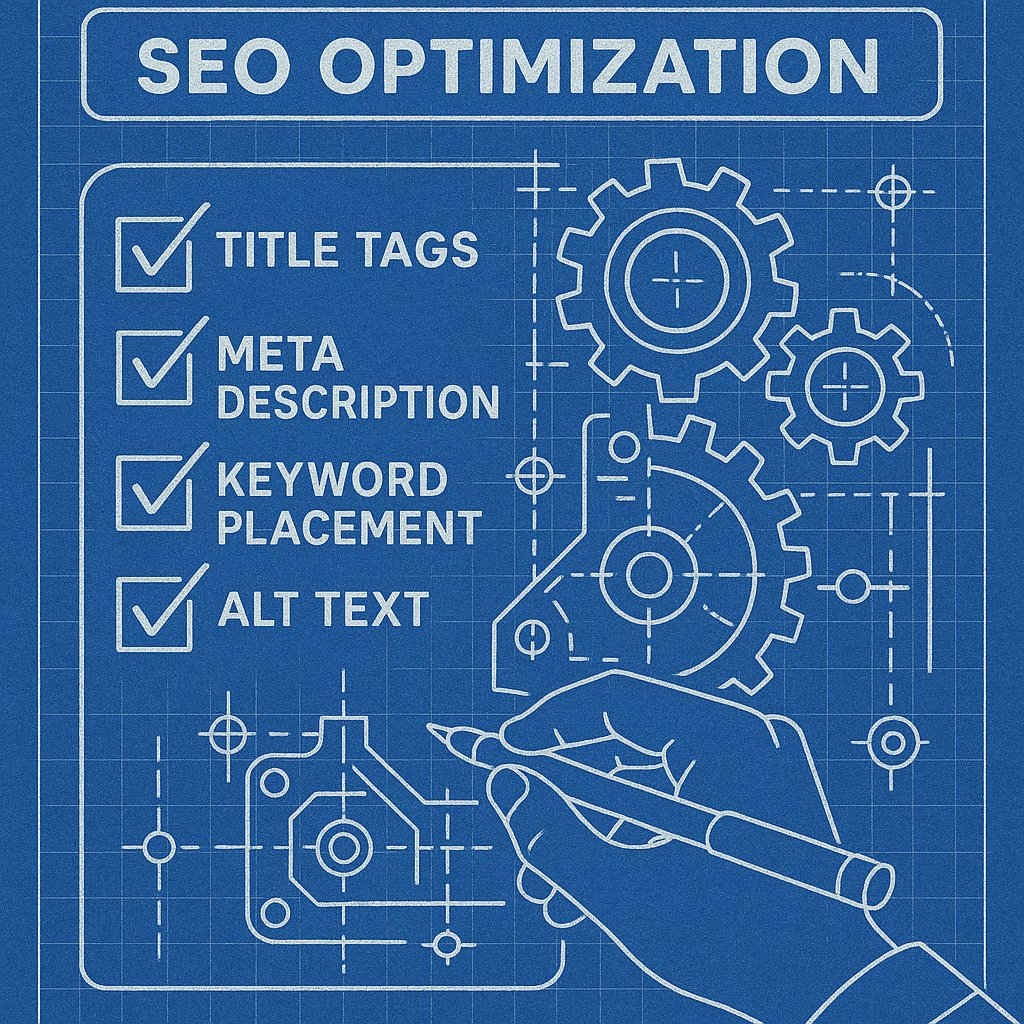
Section Four: On-Page Optimization Requirements
This is where you get tactical:
- Title tag formula — how will you include the keyword?
- Meta description — what’s the hook?
- First 100 words — does it include the keyword naturally?
- Image alt text — what describes each visual?
Don’t leave these decisions for later. Decide them in the brief. When you’re in writing mode, you want to focus on quality, not SEO mechanics.
Section Five: Internal Linking Requirements
Here’s what separates amateur briefs from professional ones: internal linking isn’t an afterthought.
Before you write a single word, identify which existing articles should link to this new piece and which articles this piece should link to. List them by URL and suggested anchor text.
If you’re writing about content briefs, you should probably link to your article about keyword research, your guide on SERP analysis, and your tutorial on WordPress SEO plugins. Plan those connections before you write.
Here’s the reality: most WordPress bloggers forget internal links until they’re hitting publish. By then, they’re tired and they add two generic links at the bottom. That’s why their new content sits in isolation, waiting for Google to notice it.
Tools like AI Internal Links solve this by automatically connecting new articles to relevant existing pages based on context, which means your internal linking structure stays strong even as your site grows.
From Brief to Published: The Workflow That Prevents Ranking Failures
A brief is worthless if nobody follows it. Here’s the workflow I use:
Step one: Create the brief (30-45 minutes of research).
Step two: Write the first draft following the brief structure exactly.
Step three: Edit for clarity and voice, but don’t change the structure.
Step four: Verify every on-page element from the brief is present.
Step five: Implement internal links as specified.
The brief keeps you honest. It prevents scope creep. It stops you from adding a 500-word tangent about something that doesn’t serve search intent.
When to Skip the Brief
Not every article needs a full brief. If you’re writing a 400-word news update or a personal opinion piece, you don’t need SERP analysis.
But for any article where you care about ranking, the brief is non-negotiable. It’s the difference between hoping something works and knowing it will.
Common Brief Mistakes Even Experienced Writers Make
You’d think experienced SEO writers never mess up briefs. They do. Here are the patterns I see:
Mistake one: Overcomplicating the structure. A brief with 15 H2 sections and 40 H3s isn’t detailed — it’s overwhelming. If you can’t remember the structure without looking at the brief, it’s too complex.
Mistake two: Forgetting to brief for snippets. If there’s a featured snippet opportunity, your brief should explicitly call out how to structure that section. Otherwise, you’ll write a great paragraph that’s two sentences too long to win position zero.
Mistake three: Not updating briefs when SERPs change. Google doesn’t freeze search results the day you create your brief. If a new article type starts dominating the SERP, revise your approach before you publish.
The Brief Is Your Quality Control
Here’s what nobody tells you: a good brief makes editing easier. When you review your draft, you’re not asking is this good? — you’re asking does this match the brief?
That’s a checklist question. It has a yes or no answer. It removes the subjective panic of wondering if your article is good enough.
Scale Your Content Without Losing Quality
Once you have a brief template that works, you can replicate it. Train a writer, use AI for initial drafts, or hand it to a VA — the brief ensures consistency.
But scaling creates a new problem: maintaining internal linking architecture as your site grows. When you have 50 articles, you can manually link them. When you have 500, that breaks down.
This is where automation stops being optional. An AI-powered internal linking plugin can maintain your linking structure without manual updates every time you publish. It identifies contextual opportunities and suggests or adds relevant links based on the content itself, which means your new articles get connected to your existing authority pages automatically.
Templates Speed Up Briefs, But Don’t Automate Thinking
You can absolutely create a brief template with sections for intent, headings, questions, and optimization. I recommend it.
But the research part can’t be templated. You still need to look at the SERP. You still need to identify what’s working. The template just organizes your findings — it doesn’t replace the work.
Your Next Article Should Start With a Brief
If you’ve been writing WordPress content without briefs, you’re not alone. Most people skip them because they seem like extra work.
Here’s the truth: the brief is the work. Writing is just execution. Research, intent analysis, SERP deconstruction, structure — that’s where rankings are won or lost.
Start with one brief. Pick your next article topic, spend 45 minutes researching it properly, and document everything you find. Then write from that brief and compare the result to what you usually produce.
The difference will be obvious.