
Table of Contents
- Why Most WooCommerce Stores Fail at On-Page SEO
- Product Page Optimization That Converts and Ranks
- Category Structure That Builds Topical Authority
- Internal Linking Strategy for E-Commerce Sites
- Technical SEO Essentials for WooCommerce
- Measuring What Matters in E-Commerce SEO
- Long-Term E-Commerce SEO Thinking
Most e-commerce sites treat SEO like an afterthought. They slap up product descriptions copied from manufacturers, use category names like ‘Shop’ and ‘Products,’ then wonder why they’re stuck on page 5. The difference between a WooCommerce store that gets 50 organic visits a month and one that gets 5,000 isn’t the size of the catalog. It’s on-page optimization done right.
Here’s what actually moves the needle: treating every product page like a landing page Google wants to rank, building category structures that make crawling effortless, and connecting your content in ways that tell search engines exactly what you’re an authority on. Let’s break down how.
Why Most WooCommerce Stores Fail at On-Page SEO
Walk into any WooCommerce backend and you’ll see the same mistakes. Product titles stuffed with every possible keyword variation. Meta descriptions that are just the first 160 characters of a product description. Categories organized by what made sense to the store owner, not what people actually search for.
The problem isn’t laziness. It’s that e-commerce SEO requires a different mindset than blog SEO. You’re not writing one epic guide that ranks for ‘best running shoes’ — you’re optimizing 500 product pages that each need to rank for their own specific terms while supporting each other’s authority.
Google doesn’t see your products the way you do. It sees a collection of pages that either form a coherent topical structure or look like random inventory dumped on a domain. Your job is to make the structure obvious.
The Product Page Problem
Here’s the brutal truth: your manufacturer’s product description is already on 47 other websites. Google has zero reason to rank yours. Generic specs copied from a wholesale catalog don’t prove expertise. They prove you’re one more reseller in a sea of identical listings.
Unique product content isn’t optional anymore. But it also doesn’t mean writing 800-word essays for every SKU. It means answering the questions your buyers actually have — the ones Amazon reviews are full of, the ones your support team hears daily.
Category Pages That Google Ignores
Category pages should be your highest-ranking assets. They target broader commercial intent keywords and funnel buyers to specific products. But most WooCommerce stores treat them like filtered product grids with a generic paragraph at the top.
A category page optimized for ‘women’s trail running shoes’ should tell Google — and shoppers — why this collection exists, what makes these products different from road running shoes, and which scenarios they’re built for. It’s a buying guide disguised as a category page.
Product Page Optimization That Converts and Ranks
Start with the product title. Not the WooCommerce product name — the SEO title that appears in search results. This needs to include your target keyword, a differentiator, and if relevant, your brand.
Bad: ‘Trail Runner Pro’
Better: ‘Trail Runner Pro – Waterproof Women’s Hiking Shoe | YourBrand’
The formula: [Product Name] – [Key Feature] [Product Type] [Modifier]. You’re giving Google context while telling searchers what makes this product worth clicking.
Writing Product Descriptions Google Rewards
Your product description has two audiences: the buyer skimming on mobile and the Googlebot trying to understand relevance. Satisfy both by frontloading the unique value proposition in the first 100 words, then getting into specs.
Open with the problem this product solves. ‘Tired of soggy socks on muddy trails? These waterproof trail runners keep your feet dry through creek crossings and downpours without the sweatbox feeling of rubber boots.’ Now you’ve established context before listing the gore-tex membrane specs.
Break specs into scannable sections: materials, sizing notes, care instructions, what’s in the box. Use descriptive headers for each section — not just ‘Specifications’ but ‘Why This Sole Grips Wet Rocks Better.’
Image Optimization That Most Stores Skip
Your product images are ranking opportunities. Every alt tag should describe what’s in the image using natural language that includes your target keyword when relevant.
Bad alt text: ‘product-image-1.jpg’
Good alt text: ‘side view of blue waterproof trail running shoe on rocky terrain’
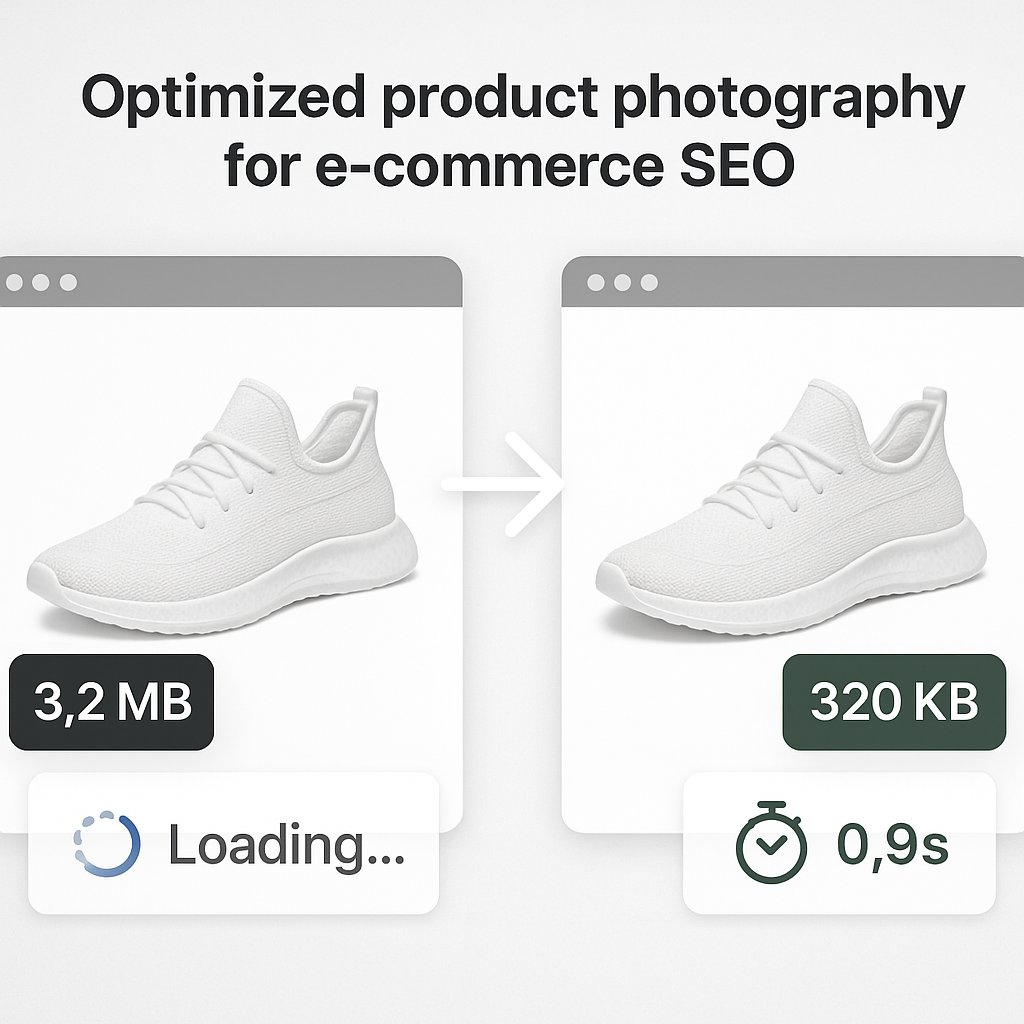
Compress images before uploading. A 3MB product photo might look crisp, but it’s killing your Core Web Vitals. Tools like ShortPixel or Imagify handle this automatically in WooCommerce, cutting file sizes by 60-80% without visible quality loss.
Schema Markup for Product Pages
WooCommerce adds basic product schema by default, but it’s incomplete. You want to include: price, availability, review ratings, brand, SKU, and product condition. Plugins like Schema Pro or Rank Math extend this, giving Google the structured data that powers rich snippets.
Rich snippets — the star ratings and price displays in search results — don’t directly improve rankings, but they dramatically improve click-through rates. Going from 2% CTR to 5% CTR sends a quality signal Google notices.
Category Structure That Builds Topical Authority
Your category hierarchy needs to mirror how people search and how Google understands product relationships. This means thinking in clusters, not just organizing by inventory.
If you sell outdoor gear, ‘Footwear’ is a weak category. ‘Trail Running Shoes,’ ‘Hiking Boots,’ and ‘Approach Shoes’ are stronger because they match specific search intent. Each becomes a topical hub that can rank for its own keyword cluster.
Category Page Content Structure
Don’t bury your category description below the product grid where Google barely sees it. Place 150-300 words of optimized content above the products, explaining what this category is, who it’s for, and how to choose within it.
Then add a deeper buying guide below the products — 500-1000 words covering common questions, feature comparisons, and use cases. This satisfies informational intent while keeping commercial intent visible.
Example structure for a ‘Women’s Trail Running Shoes’ category:
– Intro paragraph (above products): What makes trail runners different from road shoes, key features to look for
– Product grid
– Buying guide (below products): Terrain types, waterproof vs breathable trade-offs, sizing considerations
URL Structure for Categories and Products
WooCommerce defaults to messy URL structures. Fix this immediately. Go to Settings → Permalinks and choose ‘Post name.’ Then set your product base to ‘/shop/’ and category base to ‘/category/’ — or remove them entirely for cleaner URLs.
Ideal product URL: yourstore.com/waterproof-trail-running-shoes-women
Ideal category URL: yourstore.com/trail-running-shoes
Never let product URLs include the category path. URLs like ‘/footwear/trail-running/product-name/’ create duplicate content issues when products appear in multiple categories.
Internal Linking Strategy for E-Commerce Sites
This is where most WooCommerce stores leave massive authority on the table. Your internal link structure should accomplish two things: help Google discover and understand product relationships, and guide shoppers from informational content to purchase pages.
Linking Categories to Products
Every category page should link to its products (WooCommerce does this), but also to related categories and informational content. If you have a blog post about ‘choosing trail running shoes for beginners,’ link it from your trail running category page. You’re connecting commercial intent with informational intent.
Within product descriptions, link to related products where genuinely relevant. Not ‘you might also like’ widgets — contextual links. In a tent description, link to ‘waterproof sleeping bags’ when discussing weather protection.
Hub-and-Spoke Content Architecture
Create pillar pages for your main product categories, then build supporting content that links back. For trail running shoes, your pillar might be an ultimate buying guide. Supporting content could cover: best shoes for rocky terrain, waterproofing technologies explained, sizing tips for wide feet.
Each supporting page links to the pillar and to relevant product pages. The pillar links to all supporting pages and to your category page. This creates a tight topical cluster Google interprets as expertise.
Automating Internal Links at Scale
Manually maintaining internal links across hundreds of products and blog posts becomes impossible. Links break when you update content, new products don’t get connected to existing guides, and orphaned pages pile up.
Tools like AI Internal Links solve this by automatically identifying contextual linking opportunities across your WooCommerce site. The plugin analyzes your content and suggests relevant internal links based on semantic relationships — connecting products to categories, blog posts to product pages, and related products to each other without manual intervention.
This isn’t just convenient. It’s how you maintain link equity distribution as your catalog grows. Every new product page gets automatically connected to your existing content structure instead of starting as an orphan with zero internal links.
Technical SEO Essentials for WooCommerce
On-page optimization means nothing if technical issues block Google from crawling or indexing your pages properly. WooCommerce has specific technical challenges that need addressing.
Pagination and Crawl Efficiency
Category pages with 500 products paginated across 25 pages create crawl bloat. Google wastes budget clicking through pagination instead of discovering your best content. Solutions: increase products per page to 48-60, implement ‘load more’ with proper URL parameters, or use rel=’next’ and rel=’prev’ tags.
Never noindex paginated pages — that creates orphaned products. Instead, ensure your XML sitemap includes all product URLs directly so Google can discover them without pagination crawling.
Handling Product Variations
Product variations (size, color) shouldn’t create separate URLs. Use WooCommerce’s variation system where one product URL serves all variations dynamically. If you must have separate URLs for different colors, use canonical tags pointing to a primary version.
Avoid thin content issues by requiring minimum description length for variable products. Don’t let ‘Blue Medium T-Shirt’ and ‘Red Medium T-Shirt’ become near-duplicate pages.
Out-of-Stock Product Management
When products go out of stock, don’t delete pages that have built authority and backlinks. Keep them live with clear ‘out of stock’ messaging and schema markup indicating unavailability. Add an email notification signup and link to similar alternative products.
If a product is permanently discontinued, 301 redirect to the closest alternative or to the category page. Preserve the link equity rather than letting it 404.
Measuring What Matters in E-Commerce SEO
Organic traffic is a vanity metric if it doesn’t convert. Track these instead: organic revenue, assisted conversions from organic sessions, and rankings for commercial intent keywords.
Set up enhanced e-commerce tracking in Google Analytics 4 to see which organic landing pages drive purchases. You might discover your blog content ranks well but converts poorly, while a category page gets less traffic but higher-value buyers. That insight reshapes where you invest optimization effort.
Category and Product Performance Tracking
Create separate Google Search Console property sets for product pages versus categories versus blog content. This lets you spot patterns: maybe product pages have great impressions but low CTR (fix titles and descriptions), or categories rank well but have high bounce rates (improve content quality).
Track internal link metrics using Screaming Frog or Ahrefs Site Audit. Identify orphaned products, pages with excessive outbound links diluting authority, and opportunities to strengthen your hub pages with more supporting content.
Long-Term E-Commerce SEO Thinking
On-page optimization isn’t a one-time setup. Your catalog changes, Google’s algorithm evolves, and competitor strategies shift. Build systems that scale.
Schedule quarterly audits of your top 20 revenue-generating product pages. Refresh descriptions, update images, add new customer questions to FAQs. Fresh content signals matter more for e-commerce than most niches because Google wants to show current availability and accurate information.
Expand your category pages with seasonal content. A ‘winter hiking boots’ category can add a section about snow traction ratings in November, then rotate to ‘spring mud performance’ in March. Same page, evolving to match search intent throughout the year.
The WooCommerce stores winning organic traffic in 2026 aren’t necessarily the biggest or oldest. They’re the ones treating every product page like a piece of content worth ranking, building category structures that demonstrate topical mastery, and connecting everything through intelligent internal linking that makes Google’s job effortless.
Start with your top 10 products. Optimize those completely using this framework. Track rankings and revenue for 60 days. Then scale the process across your catalog. That’s how you turn a WooCommerce store into an organic traffic engine.