
Table of Contents
- Why Standard WordPress SEO Advice Fails for E-commerce
- Product Page Optimization That Actually Works
- Technical SEO Fixes That Kill E-commerce Rankings
- Internal Linking Architecture for E-commerce Authority
- Content Marketing That Drives E-commerce SEO
- Measuring What Matters for E-commerce SEO
- The E-commerce SEO Strategy That Scales
Your product pages aren’t competing with blog posts. They’re competing with Amazon, established retailers, and marketplace aggregators with domain authority you can’t match overnight. That’s the bad news.
The good news? Most e-commerce sites make the same structural mistakes, and fixing them gives you an edge that compounds over time. We’re talking about category architecture, internal linking patterns, and technical optimizations that tell Google your store deserves to rank.
Let’s get into what actually moves the needle.
Why Standard WordPress SEO Advice Fails for E-commerce
Blog-focused SEO plugins optimize for the wrong signals. They want you to hit a keyword density target in your product descriptions. They penalize you for “thin content” on product pages that legitimately don’t need 800 words.
Here’s what they miss: e-commerce SEO prioritizes structured data, faceted navigation, and authority flow through internal linking. A 150-word product page with perfect schema markup and strategic internal links will outrank a keyword-stuffed 1000-word description every time.
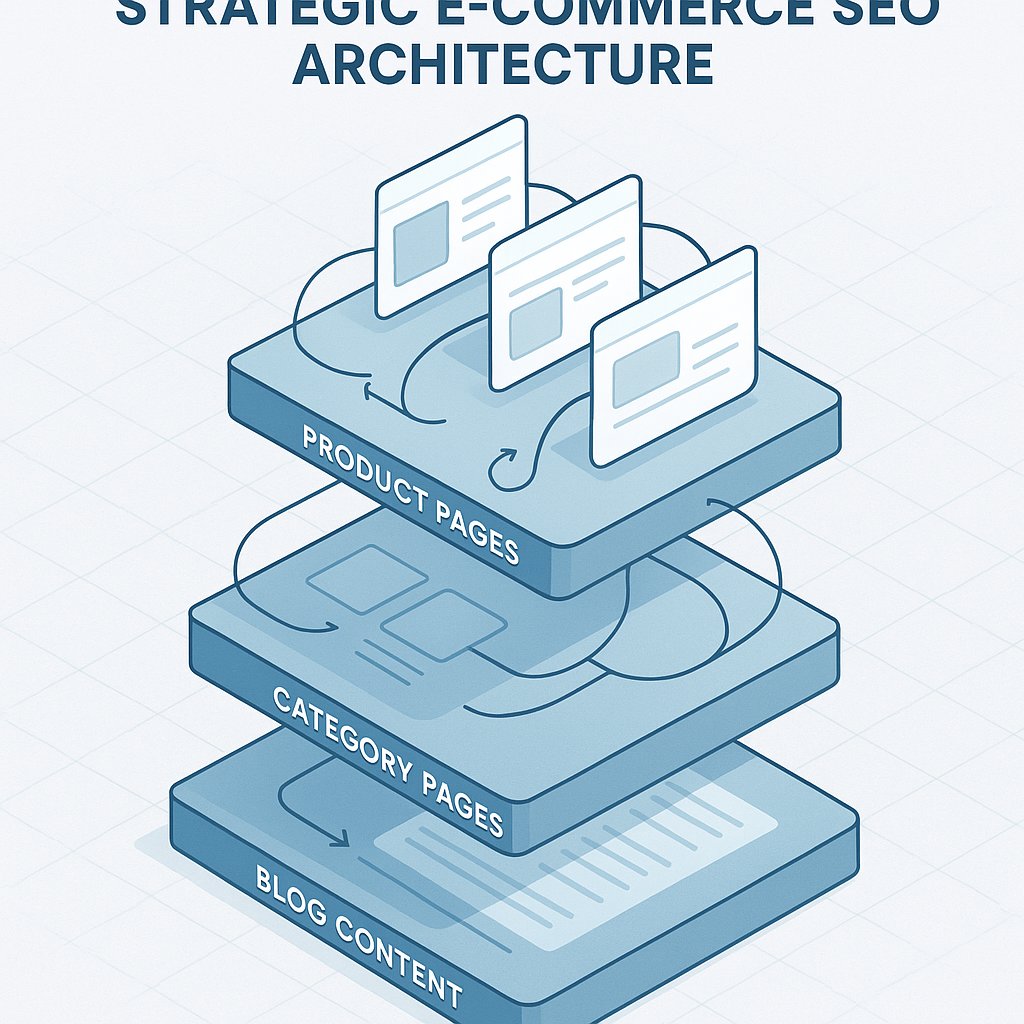
Your store has a different content ecosystem than a blog. You’ve got:
- Product pages that need to rank for commercial terms
- Category pages competing for broader keywords
- Blog content building topical authority
- Informational pages answering pre-purchase questions
The magic happens when these pieces connect properly.
The Internal Linking Problem Nobody Talks About
Most WooCommerce stores have orphaned products — items with zero internal links pointing to them except from the shop page. Google sees these as less important than products with strong internal link profiles.
Check your own store right now. Pick a product from page three of a category. How many internal links point to it from blog posts, related products, or category descriptions? If the answer is “just the category listing,” you’ve found the problem.
Category Pages Are Your Secret Weapon
Category pages should be your primary ranking targets for commercial keywords. Not individual products.
Think about search behavior. Someone searching “men’s running shoes” wants options, not a single product page. Google knows this. That’s why category pages from Nike, Zappos, and Running Warehouse dominate these terms.
Your category pages need three things:
Unique, helpful content above the product grid. Not keyword stuffing — actual guidance. “Best running shoes for flat feet vs. high arches” beats “Welcome to our running shoes category” every time.
Strategic internal links to subcategories and related products. Guide users deeper into your catalog while spreading link equity.
Proper schema markup. CollectionPage schema tells Google this is a curated selection, not a random product dump.
Most stores skip the first point entirely. Their category pages are just product grids with a generated H1. That’s leaving money on the table.
Product Page Optimization That Actually Works
Forget the 300-word minimum. Product pages need clarity, not word count.
Start with what customers actually need to make a decision. For physical products, that’s usually:
- Clear, benefit-focused product titles (in your H1)
- High-quality images with descriptive alt text
- Key specifications in scannable format
- Social proof (reviews, ratings)
- Clear pricing and availability
Then add unique content where it helps. Don’t regurgitate manufacturer descriptions — everyone else is doing that. Answer questions your customer service team hears repeatedly. Explain use cases. Compare to similar products.
A 200-word product description that answers real questions beats a 600-word essay padded with keywords.
Product Titles: The Biggest Missed Opportunity
Your product title does double duty as your H1 and your page title. Most stores blow this completely.
Bad: “Pro Series XR-5000”
Better: “Pro Series XR-5000 Wireless Gaming Headset with 50mm Drivers”
The second version includes searchable terms people actually use. Nobody searches for “XR-5000” unless they already know your brand. They search for “wireless gaming headset” or “gaming headset 50mm drivers.”
Balance brand names with descriptive terms. Your SEO title can be longer than your display title if needed — just keep it under 60 characters to avoid truncation in search results.
Schema Markup Isn’t Optional
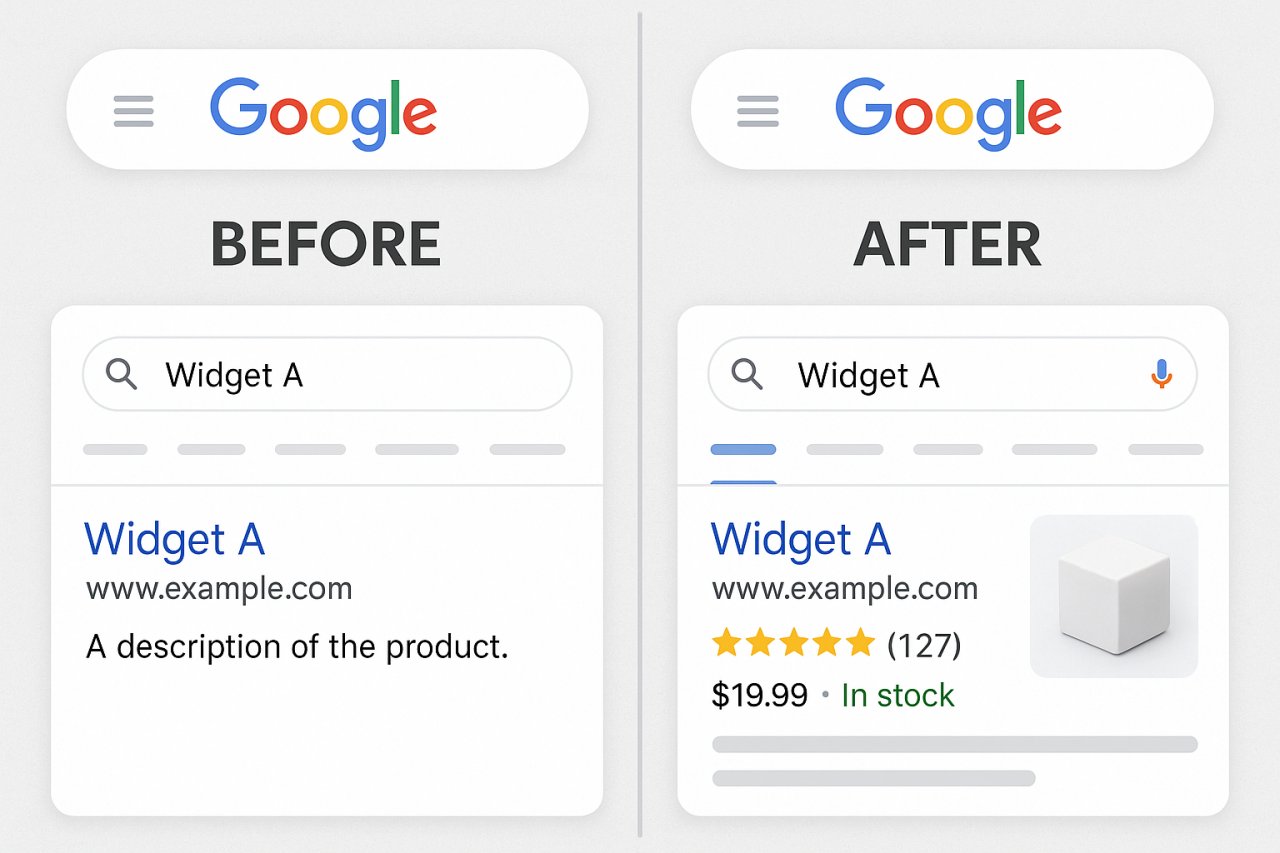
Product schema gives Google structured data about price, availability, reviews, and SKU. This powers rich snippets in search results — those star ratings and price displays that drastically improve click-through rates.
WooCommerce doesn’t add this automatically. You need either:
- A plugin like Schema Pro or Rank Math Pro
- Your theme to handle it (some premium themes do)
- Custom implementation (hire a developer)
Rich snippets can double your organic CTR on product pages. This isn’t theoretical — it’s measurable in Search Console once you implement proper schema.
Technical SEO Fixes That Kill E-commerce Rankings
E-commerce sites have unique technical challenges. Fix these before worrying about content optimization.
Faceted Navigation Creates Duplicate Content Nightmares
Let users filter by size, color, and price? Great for UX. Terrible for SEO if not handled properly.
Each filter combination can create a unique URL:
- yourstore.com/shoes/
- yourstore.com/shoes/?color=red
- yourstore.com/shoes/?color=red&size=10
- yourstore.com/shoes/?size=10&color=red
That’s four URLs with nearly identical content. Multiply by every filter option and you’ve got thousands of low-value pages diluting your crawl budget.
The fix: Canonicalize filtered pages back to the main category, or use parameter handling in Search Console to tell Google which parameters to ignore. For Shopify, this is handled automatically. WooCommerce requires configuration.
Out-of-Stock Products Need a Strategy
What happens to a product page when inventory hits zero? Most stores either:
- Return a 404 (terrible — you lose any link equity)
- Keep it live with “out of stock” (better, but not ideal)
- Redirect to the category (loses specific keyword targeting)
Best approach: Keep the page live with clear out-of-stock messaging and a notification signup. Add related product recommendations. Maintain the URL structure so any backlinks continue to count.
If the product is discontinued permanently, 301 redirect to the most similar current product or the parent category.
Site Speed Matters More for E-commerce
E-commerce sites are image-heavy by nature. High-resolution product photos are non-negotiable, but they’ll tank your Core Web Vitals if not optimized properly.
Critical speed fixes:
Lazy load images below the fold. WooCommerce 5.5+ does this natively, but verify it’s working.
Use WebP format with fallbacks. Plugins like ShortPixel or Imagify automate this conversion.
Implement a quality CDN. Cloudflare’s free tier works, but Bunny CDN or KeyCDN are better for serious stores.
Minimize plugin bloat. Every WooCommerce extension adds queries and scripts. Audit ruthlessly.
Google treats slow e-commerce sites as poor user experiences. Fair or not, it’s measurable in rankings.
Internal Linking Architecture for E-commerce Authority
This is where most stores leave the biggest opportunity on the table. Strategic internal linking distributes authority from your strong pages to products that need ranking help.
Your blog posts and guides accumulate backlinks over time. Those pages have authority. But they’re not your money pages — products are.
The solution: connect content and commerce systematically.
From Blog Posts to Product Collections
Every blog post should link to relevant products or categories. Not with spammy anchor text, but naturally within the content flow.
Example: A blog post titled “How to Choose Running Shoes for Marathon Training” should link to:
- Your “Marathon Running Shoes” category
- Specific product models mentioned in the guide
- Related gear categories (running apparel, GPS watches)
This does two things: it sends users toward conversion paths, and it tells Google which products are relevant for the topics you’re covering.
Most stores handle this manually, which means it doesn’t happen consistently. Tools like AI Internal Links can automate this process, analyzing your content and suggesting contextually relevant product links that strengthen your internal linking architecture without manual effort.
Category to Subcategory Hierarchies
Your category structure should flow naturally with strong internal links:
“Athletic Shoes” (parent category) → “Running Shoes” → “Marathon Running Shoes” → “Stability Running Shoes”
Each level should link to both its parent and its most popular children. This creates a clear hierarchy Google can understand.
Many WooCommerce stores create flat category structures where everything is at the same level. This misses the topical authority signal that hierarchical organization provides.
Related Products That Actually Relate
WooCommerce’s default related products logic is weak. It matches by tags and categories, which often produces irrelevant suggestions.
Better approach: manually curate related products for your top sellers. Link products that customers actually buy together, or items that solve related problems.
For stores with hundreds of products, plugins like WOOF or YITH WooCommerce Advanced Reviews can improve the related product algorithm based on purchase behavior and attributes.
Content Marketing That Drives E-commerce SEO
Blogs aren’t just for filling space. Done right, they’re topical authority engines that pull products into ranking positions.
The key: align content with the customer journey.
Top-of-Funnel Content That Builds Authority
Create guides, comparisons, and educational content around the problems your products solve. Not product-focused — problem-focused.
If you sell camping gear, write:
- “How to Stay Warm Camping in Freezing Temperatures”
- “Choosing the Right Tent for Desert vs Mountain Camping”
- “Essential Gear for First-Time Backpackers”
These posts target informational queries, build links naturally, and create opportunities to link to relevant product categories.
Bottom-of-Funnel Content That Converts
Comparison posts and buying guides targeting commercial intent:
- “Best Trail Running Shoes for Wide Feet in 2026”
- “Garmin Forerunner 945 vs 955: Which Should You Buy?”
- “5 Ultralight Tents Under 2 Pounds Compared”
These target people ready to buy. Optimize for commercial keywords, include detailed comparisons, and link heavily to the products you’re covering.
Measuring What Matters for E-commerce SEO
Vanity metrics kill e-commerce SEO strategies. Total traffic doesn’t matter if it’s not converting.
Track these instead:
Organic traffic to product and category pages specifically. Blog traffic is nice, but product page traffic converts.
Rankings for commercial keywords. “Buy X” and “best X” terms matter more than informational keywords.
Organic conversion rate. If SEO traffic converts at 0.5% and paid traffic converts at 2%, your targeting is off.
Revenue per organic session. The ultimate metric. Combine Google Analytics e-commerce tracking with Search Console data to see which keywords drive actual revenue.
Adjust your strategy based on what converts, not what ranks.
The E-commerce SEO Strategy That Scales
Tactics change, but the principles don’t.
Build a strong category architecture that targets commercial keywords. Optimize product pages for clarity and schema markup. Create content that builds topical authority and links systematically to products. Fix technical issues that uniquely plague e-commerce sites.
Most importantly: internal linking is your competitive advantage. Large retailers often have messy internal link structures because they’re hard to manage at scale. Small to mid-size WooCommerce stores can be more strategic, connecting content and products in ways that concentrate authority where it matters.
Start with your top 20 products by revenue. Audit how many internal links point to each. Build content and link structures that strengthen their ranking potential. Then expand systematically.
E-commerce SEO isn’t about gaming algorithms. It’s about making your store’s value obvious to both users and search engines. Do that consistently and the traffic follows.