

Table of Contents
- Why E-commerce SEO Demands a Different Approach
- Optimizing Product Pages That Actually Rank
- Category Pages: Your Secret Ranking Weapon
- Internal Linking: The Authority Distribution Game
- Technical SEO Foundations for Online Stores
- Content Marketing for E-commerce Authority
- Tracking What Actually Matters
Most online store owners treat SEO as an afterthought. They install WooCommerce, upload products, maybe add Yoast, and call it done. Then they wonder why organic traffic never materializes. Here’s the truth: e-commerce SEO is fundamentally different from blog SEO, and the stakes are higher because every ranking position directly impacts revenue.
This guide walks you through the exact tactics that separate thriving online stores from digital ghost towns. We’re talking about practical, implementable strategies for WordPress and WooCommerce sites — not theoretical best practices that sound good but don’t move the needle.
Why E-commerce SEO Demands a Different Approach
Blog posts aim for traffic. Product pages aim for conversions. That distinction changes everything about how you optimize.
The Conversion Intent Difference
When someone searches best noise-canceling headphones under $200, they’re shopping. They want specific details: battery life, comfort, noise reduction specs. Your product page needs to answer those questions immediately, not bury them below the fold. Commercial intent keywords require commercial-focused content.
Bloggers can rank with 2,000-word think pieces. E-commerce pages need tight, scannable content that gets users to the buy button. Every word must justify its existence.
The Duplicate Content Challenge Nobody Talks About
Here’s where most stores shoot themselves in the foot: manufacturer descriptions. If you’re copying specs from the brand, so are 50 other retailers. Google sees identical content across dozens of domains and picks one to rank — rarely yours.
Rewrite every product description. Yes, all of them. Focus on unique value propositions and user benefits, not just technical specifications. Instead of Bluetooth 5.0 connectivity, write Pairs with your phone in 3 seconds flat — no fiddling with settings.
Site Architecture Makes or Breaks Rankings
E-commerce sites have hundreds or thousands of pages. Poor structure means Google wastes crawl budget on filters, pagination, and low-value pages instead of your money pages. We’ll fix that.
Optimizing Product Pages That Actually Rank
Product pages are your revenue generators. Get these right, and everything else becomes easier.
Title Tags: The First Conversion Opportunity
Your product page title tag isn’t just for Google — it’s the first copy potential customers read in search results. Bad title tags look like this: Sony WH-1000XM5 | Your Store Name. Boring. Generic. Forgettable.
Better approach: Include the target keyword, a compelling benefit, and price signals when relevant. Sony WH-1000XM5 Noise Cancelling Headphones – 30Hr Battery, Premium Audio. Specific. Benefit-driven. Clickable.
Keep titles under 60 characters. Front-load your primary keyword. Skip the store name unless you’re a recognized brand — you need that character space for selling points.
Product Descriptions That Sell and Rank
Write for humans first, search engines second. Start with the problem your product solves, then explain how. Use bullet points for features, flowing paragraphs for benefits.
Length matters, but context matters more. A $2,000 camera needs 800+ words explaining features, use cases, and what’s included. A $15 phone case needs 200 words max. Match depth to purchase consideration.
Include these elements in every description:
- Primary use case (who is this for?)
- Top 3-5 features with benefit explanations
- What’s included in the box
- Dimensions, compatibility, or specs critical to the buying decision
- Natural keyword inclusion without stuffing
Image Optimization Beyond Alt Text
E-commerce SEO lives and dies by images. But most stores get this wrong by only focusing on alt text.
File names matter first. Before uploading, rename IMG_4829.jpg to sony-wh1000xm5-black-side-view.jpg. Descriptive file names give Google context before the image even loads.
Then write alt text that describes what’s actually in the image: Sony WH-1000XM5 headphones in black showing padded ear cups and adjustable headband. This helps visually impaired users and gives Google more signals.
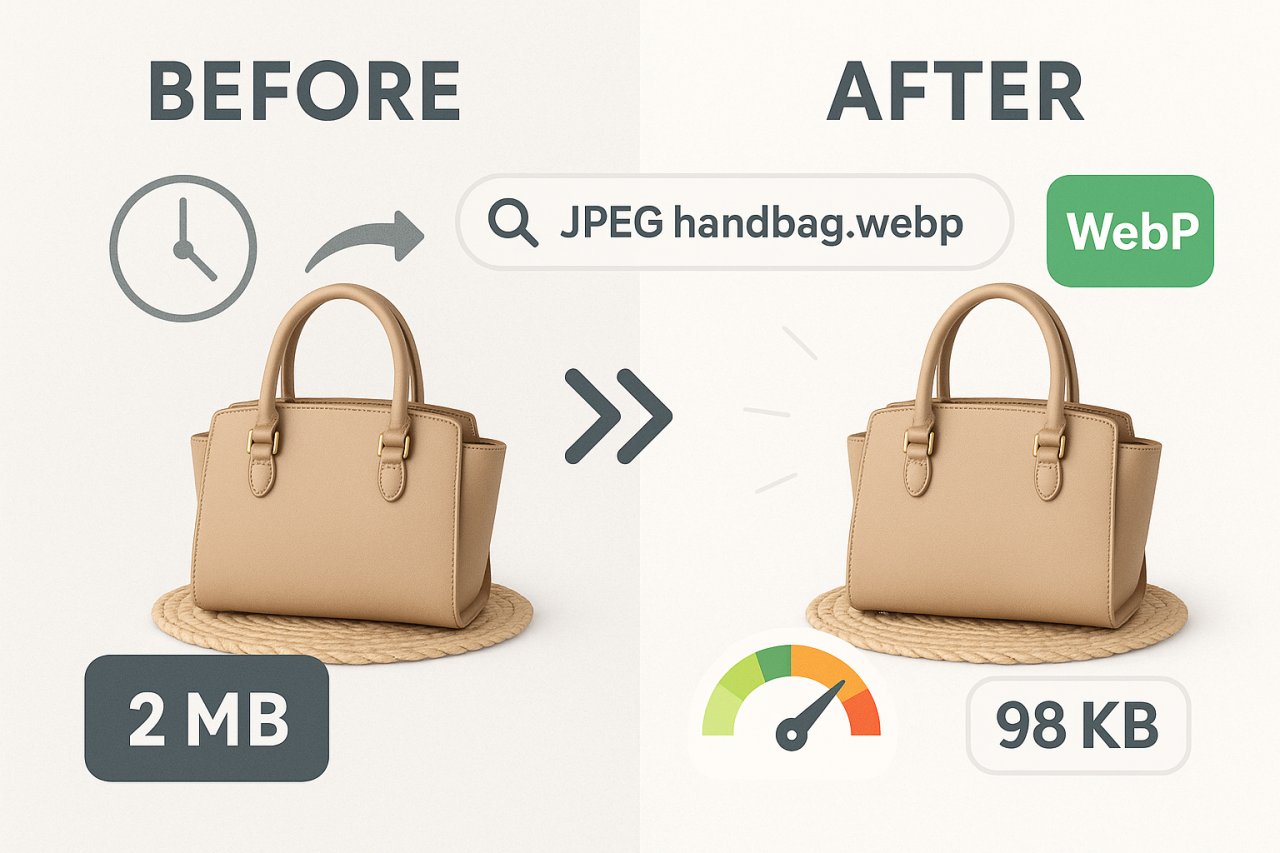
Compress images aggressively. A 2MB product photo might look pristine, but it kills page speed. Use WebP format and aim for under 100KB per image without visible quality loss. Tools like ShortPixel or Imagify handle this automatically for WooCommerce.
Schema Markup: The Competitive Edge Most Stores Miss
Product schema tells Google exactly what you’re selling: price, availability, ratings, brand. This unlocks rich results in search — those product cards with star ratings and prices that dominate mobile search.
WooCommerce adds basic schema automatically, but it’s bare minimum. Enhance it with additional properties: aggregate ratings, review count, SKU, product condition. Plugins like Schema Pro or Rank Math let you add these without touching code.
The payoff? Higher click-through rates even when you’re not ranking #1. A position 3 result with rich snippets often outperforms a plain position 1 result.
Category Pages: Your Secret Ranking Weapon
Here’s what separates amateur e-commerce SEO from professional: category pages are your most valuable real estate. Product pages target long-tail, high-intent searches. Category pages target broader, higher-volume keywords.
Why Categories Outrank Individual Products
Search running shoes for women — notice how category pages dominate the first page, not individual product listings. Google understands users want options at this stage, not a single product.
Your category pages should rank for wireless headphones, yoga mats, protein powder — those juicy mid-funnel keywords with volume. Let individual products rank for specific model searches.
Category Page Content Strategy
Don’t just list products. Add 300-500 words of useful content above or below the product grid. Answer common questions, explain how to choose between options, highlight what makes your selection unique.
Example for a running shoes category: Discuss different running styles (trail vs. road), explain pronation, create a simple decision matrix. Give users a reason to bookmark your category page as a resource, not just a shopping list.
Update this content quarterly. Add seasonal buying guides, new product highlights, trending styles. Fresh content signals to Google that your category is actively maintained.
Filter and Facet SEO
Filters create massive duplicate content issues. yourstore.com/shoes, yourstore.com/shoes?color=black, and yourstore.com/shoes?size=10&color=black show nearly identical content.
Solution: use canonical tags religiously. Point all filtered versions back to the main category URL. Or use noindex tags on filter combinations. WooCommerce doesn’t handle this well by default — you’ll need Yoast or Rank Math to configure properly.
Internal Linking: The Authority Distribution Game
Here’s where most e-commerce sites leave money on the table. You’re sitting on hundreds of pages, each with link equity, but they exist in isolation. Strategic internal linking transfers authority to your highest-margin products and categories.
Prioritize High-Value Pages
Not all products deserve equal linking love. Your $1,200 laptop should receive more internal links than your $15 laptop sleeve. Identify your top 20% of products by margin and revenue, then build an internal linking strategy that funnels authority to those pages.
Link from blog posts, related products, category pages, and homepage features. Every internal link is a vote of importance in Google’s eyes.
Contextual Links Beat Navigational Links
Your main navigation links to categories — that’s table stakes. What moves the needle is contextual links within content. In-content links carry more weight because they’re editorial endorsements, not just site structure.
Example: In a blog post about home office setups, link to your ergonomic chair category with anchor text like office chairs designed for 8-hour workdays. That’s contextual, keyword-rich, and valuable.
Automating Smart Internal Links
Manually adding internal links across hundreds of products is unsustainable. This is where automation helps — but only if it’s intelligent automation.
Tools like AI Internal Links analyze your content and suggest relevant connections automatically. Instead of random related products, you get strategic links based on semantic relevance and your authority distribution goals. It’s particularly powerful for agencies managing multiple WooCommerce stores where manual linking doesn’t scale.
Technical SEO Foundations for Online Stores
All the content optimization in the world won’t help if technical issues block Google from crawling and indexing properly.
Site Speed Is Non-Negotiable
E-commerce sites are heavy by nature. High-res images, product galleries, dynamic filters — they all slow things down. But a one-second delay in load time can drop conversions by 7%. Google knows this and factors speed into rankings.
Priority fixes:
- Install a quality caching plugin (WP Rocket, LiteSpeed Cache)
- Use a CDN for images and static assets (Cloudflare, BunnyCDN)
- Lazy load images below the fold
- Minimize CSS and JavaScript
- Upgrade to PHP 8.1+ (it’s significantly faster than older versions)
Test with PageSpeed Insights and aim for scores above 80 on mobile. Anything lower needs immediate attention.
Mobile Optimization Isn’t Optional
Over 60% of e-commerce searches happen on mobile. If your product pages aren’t mobile-optimized, you’re losing rankings and sales.
Critical mobile checks: Tap targets are large enough (buttons, links). Text is readable without zooming. Forms are simple and auto-fill friendly. Checkout process works smoothly on small screens.
Use Google’s Mobile-Friendly Test tool. Fix any issues it flags immediately.
XML Sitemaps and Crawl Priority
Generate separate XML sitemaps for products, categories, and content. This helps Google understand your site structure. In your sitemap settings, assign higher priority values (0.8-1.0) to key categories and top products. Lower priority (0.4-0.6) to individual product pages with less strategic importance.
Exclude from sitemaps: cart pages, checkout, account pages, search result pages, filtered category variations. These waste crawl budget.
Content Marketing for E-commerce Authority
Product and category pages alone won’t build topical authority. You need supporting content that answers questions earlier in the buyer journey.
Buying Guides and Comparison Content
Create comprehensive guides for your main product categories. Best Yoga Mats for Beginners, How to Choose a Standing Desk, Laptop Buying Guide 2026. These target informational keywords with high search volume.
The strategy: Rank for informational queries, build trust with helpful content, then link to your products naturally within the guide. Users who read your buying guide are pre-sold by the time they reach your product pages.
Update Existing Content Ruthlessly
Stale content tanks rankings. Set a quarterly review schedule for your top-performing blog posts and guides. Update statistics, add new products, remove discontinued items, refresh screenshots.
Google rewards fresh, maintained content. A 2024 article updated in early 2026 with new data often outranks brand new articles on the same topic.
Tracking What Actually Matters
Vanity metrics kill e-commerce businesses. Traffic is meaningless if it doesn’t convert.
Revenue-Focused KPIs
Track these metrics weekly:
- Organic revenue (not just traffic)
- Conversion rate by traffic source (organic vs. paid)
- Average order value from organic
- Rankings for product categories (your bread and butter)
- Click-through rate in search results (are your titles working?)
Use Google Analytics 4’s e-commerce tracking. Connect Search Console. Build a dashboard that shows revenue impact, not just position changes.
Competitive Intelligence
Your competitors are studying you. Return the favor. Use tools like Ahrefs or Semrush to monitor:
- Which keywords they’re ranking for that you’re not
- New content they publish
- Backlink acquisition patterns
- Product page structures that work
Steal what works. Improve what doesn’t. That’s competitive SEO.
SEO e-commerce success isn’t about following a checklist — it’s about understanding your customer journey and optimizing every touchpoint where search visibility impacts revenue.
The stores that win in 2026 and beyond aren’t the ones with the biggest budgets. They’re the ones that treat SEO as a revenue channel, not a marketing cost. They optimize for conversions, not just rankings. They build authority through helpful content, not just product descriptions.
Start with your highest-value pages. Fix technical issues blocking Google. Build contextual internal links. Create content that earns trust earlier in the buying journey. Measure what matters.
Your products deserve to be found. Now you know how to make it happen.