
Table of Contents
- What Content Clusters Actually Are (And Why They’re Not Just Categories)
- Most Sites Get Clusters Wrong — Here’s How to Do It Right
- Internal Linking Is Where Clusters Live or Die
- Scaling Clusters Across Your Entire Site
- How to Know If Your Clusters Are Working
- Common Cluster Mistakes That Kill Results
- Start Small, Scale Smart
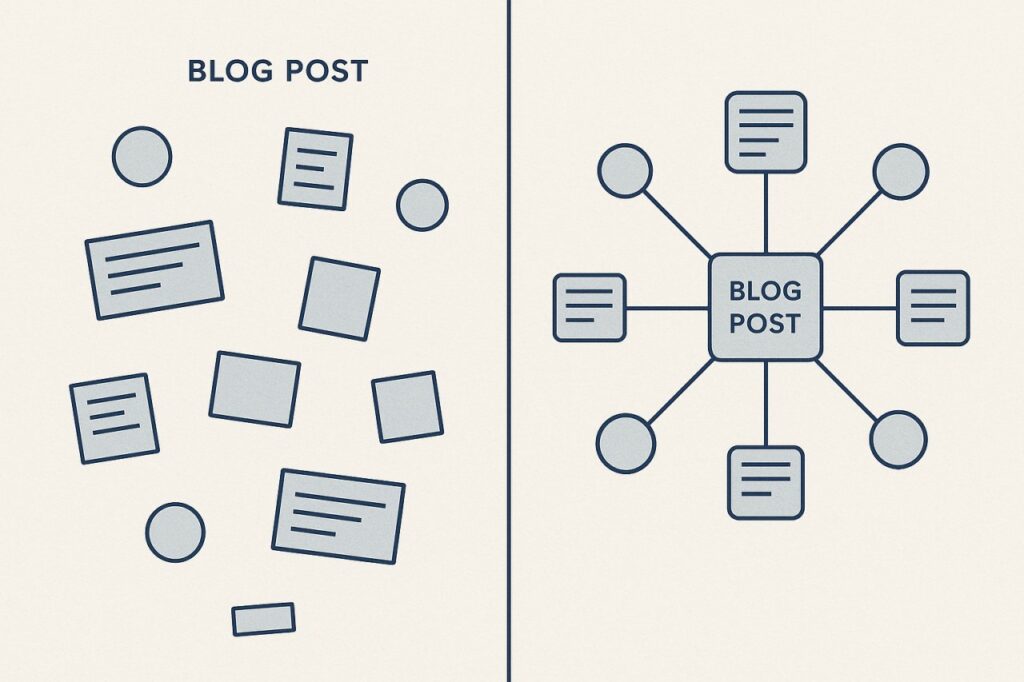
Content clusters flip that script. Instead of publishing isolated posts hoping one will rank, you build a network of interlinked articles around a core topic. You create depth, demonstrate expertise, and show Google you’re not just covering a subject — you own it.
This isn’t theory. Sites that organize content into clusters see measurable gains in rankings, organic traffic, and time on site. But most people still get the execution wrong.
What Content Clusters Actually Are (And Why They’re Not Just Categories)
A content cluster is a collection of related articles built around one pillar page. The pillar page covers the broad topic at a high level. The cluster articles — sometimes called supporting content or spoke pages — dive deep into specific subtopics.
Everything links back to the pillar. The pillar links out to each cluster article. Google sees this structure and understands: this site has comprehensive coverage of this topic.
Here’s what makes clusters different from traditional blog categories: strategic intent. A category is just a label. A cluster is an architecture. You’re designing the user journey and the crawler path simultaneously.
The Pillar-Cluster Model in Action
Let’s say you run a WordPress consulting site. Your pillar page might be “WordPress Security: Complete Guide.” That’s your authority anchor — comprehensive, evergreen, designed to rank for the head term.
Your cluster articles tackle specific angles:
- How to Harden WordPress Login Security
- Best Security Plugins for WordPress
- WordPress Malware Removal: Step-by-Step Process
- Two-Factor Authentication Setup for WordPress
- Database Security Best Practices
Each article links to the pillar. The pillar links to each one. You’ve created a web of relevance that reinforces topical authority.
Why Google Cares About Topical Authority
Google’s algorithm has shifted dramatically toward understanding topics, not just keywords. The search engine wants to rank sites that demonstrate depth and expertise across a subject area — not just sites that mention a keyword enough times.
Content clusters signal that depth. When you publish ten interconnected articles about WordPress security, Google sees evidence of genuine expertise. You’re not chasing traffic with one-off posts. You’re building a knowledge hub.
The internal linking structure reinforces this. Every link passes authority, yes, but more importantly, it creates semantic relationships that help Google understand how your content fits together.
Most Sites Get Clusters Wrong — Here’s How to Do It Right
The concept sounds simple. The execution trips people up constantly.
Start with a Pillar Topic That Actually Matters
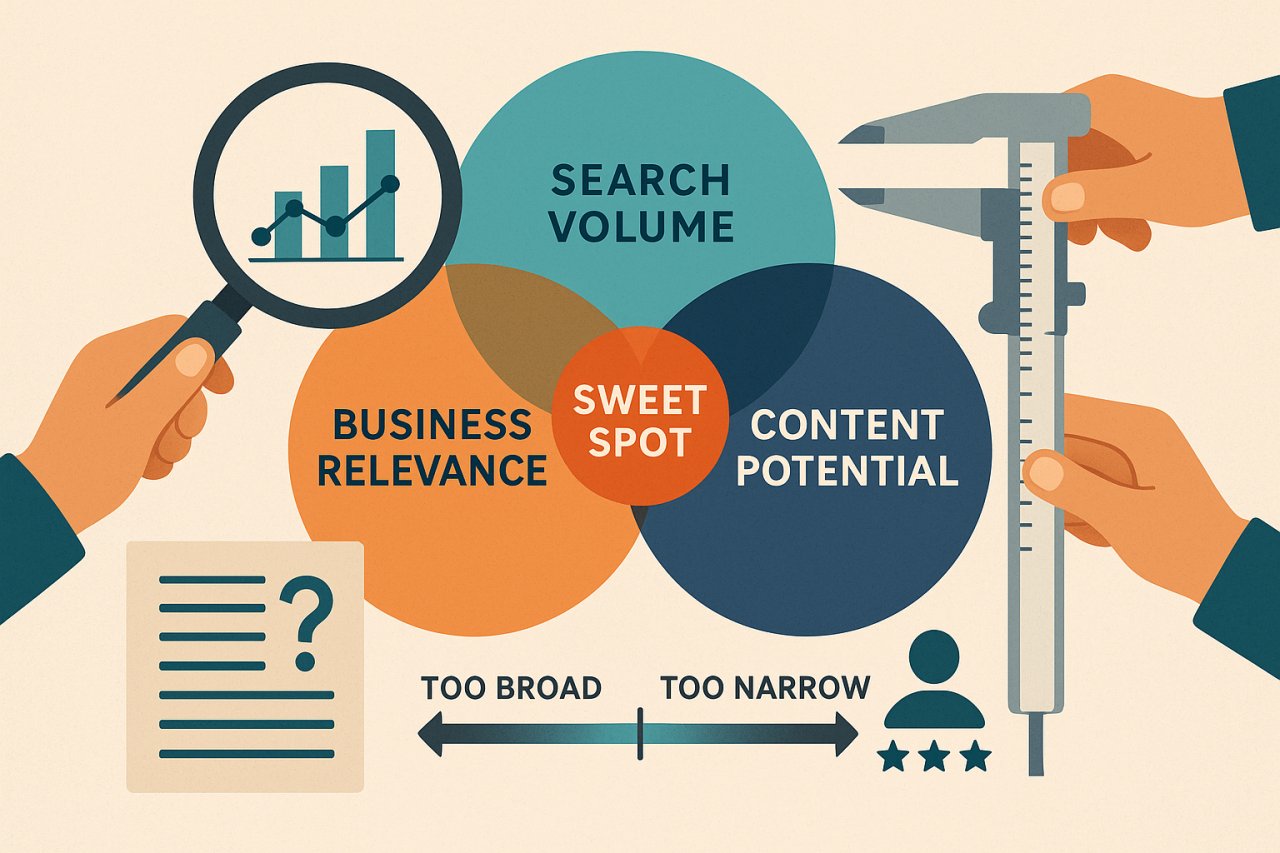
Your pillar can’t be too broad or too narrow. “Marketing” is too broad. “How to Write Instagram Captions for Coffee Shops in Portland” is too narrow.
A good pillar topic has search volume, business relevance, and room for 8-12 supporting articles. You should be able to brainstorm cluster topics immediately without straining.
Use keyword research tools to validate demand, but trust your expertise too. If customers ask about it constantly, it’s pillar-worthy.
Design the Cluster Before You Write
Don’t wing it. Map out the entire cluster on paper or in a spreadsheet before writing a single word.
List your pillar page at the top. Underneath, brainstorm every meaningful subtopic worth its own article. Aim for 8-12 cluster pieces. Fewer than that and you’re not demonstrating real depth. More than 15 and you’re probably forcing it.
Each cluster article should answer a specific question or solve a discrete problem. If you can’t articulate the unique value of a cluster piece in one sentence, cut it.
The Pillar Page Isn’t Just an Outline
A weak pillar page is just a glorified table of contents — one paragraph per subtopic, then a link to the full article. That’s lazy.
Your pillar should be comprehensive enough to stand alone. Someone reading only the pillar should walk away with real value, not just a menu of options. Go deep on the fundamentals. Provide frameworks, explain principles, give context.
The cluster articles add granular detail and tactical steps the pillar doesn’t have room for. That’s the division of labor.
Internal Linking Is Where Clusters Live or Die
You can plan the perfect cluster, write brilliant content, and still fail if the internal linking is half-assed.
Every cluster article must link to the pillar. Non-negotiable. Use descriptive anchor text that includes your target keyword naturally. Not “click here” or “read more” — actual context.
The pillar must link to every cluster article. Ideally, these links appear contextually within the content, not just in a bulleted list at the bottom.
Here’s where it gets interesting: cluster articles should also link to each other when relevant. If your article on WordPress security plugins mentions two-factor authentication, link to your 2FA setup guide. Those horizontal connections strengthen the entire web.
The Anchor Text Trap
Don’t over-optimize anchor text. Using “WordPress security guide” 47 times across your cluster looks spammy. Vary your anchors:
- Use partial match: “comprehensive security guide” instead of exact match every time
- Use branded: “our WordPress security resource”
- Use natural language: “we covered this in the security guide”
The goal is to help users navigate, not to manipulate rankings. When you prioritize user experience, the SEO takes care of itself.
Contextual Beats Navigational
A list of related articles at the bottom of a post is better than nothing. But contextual links woven into the narrative are exponentially more powerful.
When a reader encounters a concept that deserves deeper exploration, that’s the moment to link. “Database security requires specific configuration changes — here’s our step-by-step database hardening guide.”
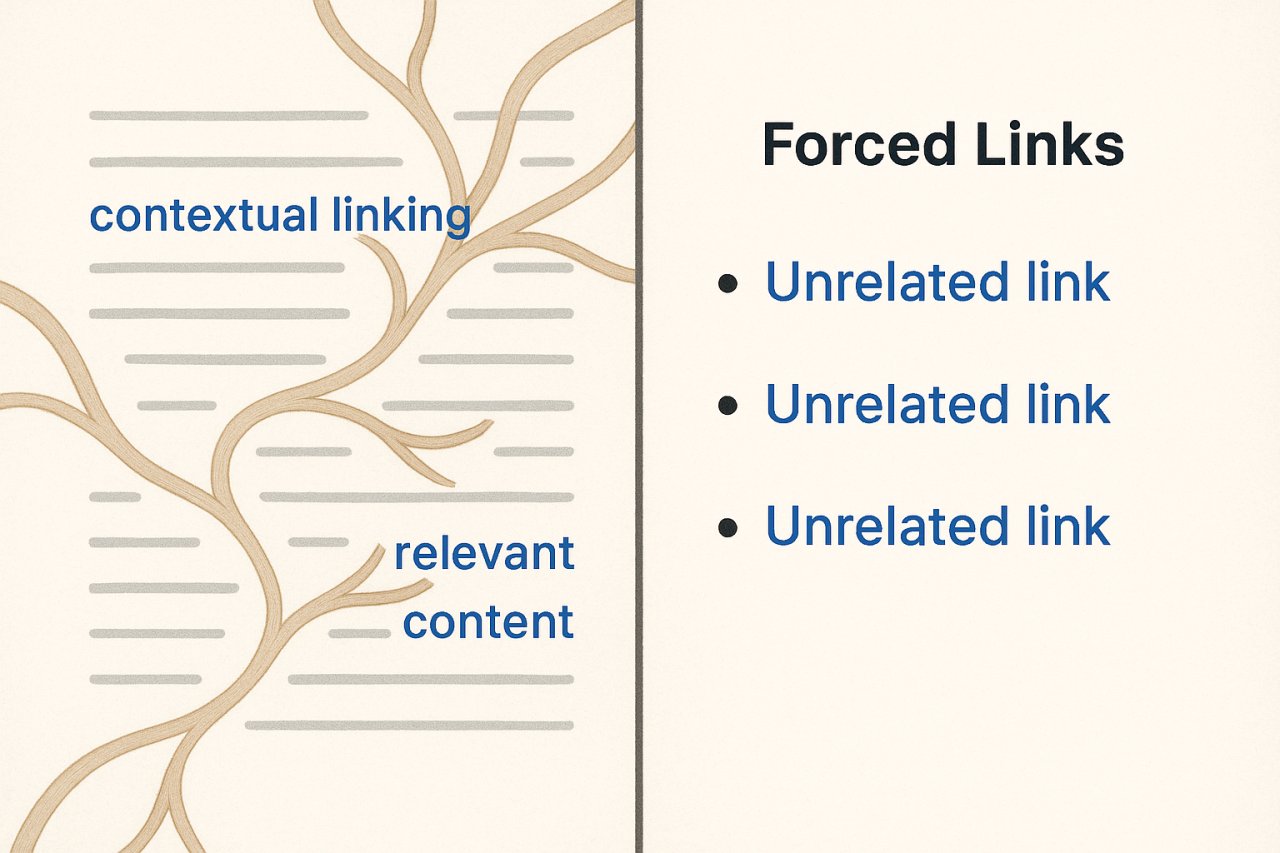
That’s a natural, valuable link. The reader clicks because they want to know more, not because you told them to.
Scaling Clusters Across Your Entire Site
One content cluster is a good start. Three to five clusters transform your site’s architecture.
But here’s the maintenance problem: as you add new content, you need to continuously update internal links. That new WordPress security article you published last week? It should link to the pillar and get linked from existing cluster articles where relevant.
Most people don’t do this. They publish, move on, and the new content sits in isolation. The cluster degrades over time.
Automation Can Solve the Maintenance Problem
Manually maintaining internal links across dozens or hundreds of articles is tedious. You’ll forget. You’ll miss opportunities. The links will grow stale.
This is where intelligent automation helps. Tools like AI Internal Links analyze your content and suggest contextual linking opportunities automatically. Instead of combing through old posts looking for places to add a link, the system surfaces them for you.
The key is contextual intelligence. Dumb automation just pattern-matches keywords. Smart automation understands semantic relationships — it knows “malware removal” is related to “security hardening” even if they don’t share exact keywords.
That’s the difference between helpful linking and keyword stuffing.
Keep the Human in the Loop
Automation handles the grunt work. You make the strategic decisions.
Review suggested links. Reject anything that feels forced. Approve links that genuinely add value. Over time, the system learns your preferences and gets better at surfacing the right opportunities.
The goal isn’t to remove yourself from the process. It’s to multiply your effectiveness so you can maintain cluster integrity at scale without burning weekends updating old posts.
How to Know If Your Clusters Are Working
Metrics tell the truth. If your content cluster strategy is working, you’ll see specific signals in Google Search Console and Google Analytics.
Impressions for the pillar page should increase steadily. Google’s showing it more because the site is demonstrating topical authority.
Cluster articles should start ranking for long-tail variations. You won’t rank for everything immediately, but over 3-6 months, you should see movement on the specific phrases each cluster article targets.
Internal search and navigation patterns change. Users click through from pillar to cluster articles and vice versa. Time on site increases. Bounce rate drops. These behavioral signals tell Google the content is valuable.
The Compounding Effect
Clusters don’t deliver overnight wins. They compound.
Month one, you publish the pillar and two cluster articles. You see modest traffic. Month three, you’ve added five more cluster pieces. Rankings start improving. Month six, the entire cluster is indexed and interconnected. That’s when traffic really moves.
Patience is required. But the long-term payoff — durable rankings, sustained traffic, genuine authority — is worth it.
The sites that dominate their niches aren’t chasing the next trending topic. They’re building depth that competitors can’t match.
Common Cluster Mistakes That Kill Results
Building clusters around topics you don’t actually care about. If it’s not central to your business, don’t build a cluster. You won’t maintain it. Choose topics that align with revenue, not just traffic potential.
Creating redundant content to hit a cluster quota. If two cluster articles cover essentially the same thing, merge them. More isn’t always better.
Ignoring existing content. Before you create a new cluster, audit what you already have. You might already have 60% of the content — you just need to organize and interlink it.
Letting clusters go stale. Topics evolve. Update your pillar annually. Refresh cluster articles when information changes. Dead clusters signal to Google that the site isn’t maintaining authority.
Start Small, Scale Smart
Don’t try to build five content clusters simultaneously. Start with one.
Pick your most important topic. Map the cluster. Write the pillar page. Publish cluster articles over 8-12 weeks. Nail the internal linking. Watch what happens.
Once you’ve proven the model works, replicate it. Build a second cluster. Then a third. Each one strengthens the others because topical authority has network effects.
The sites winning in organic search aren’t doing anything magical. They’re just organized, consistent, and strategic about how they structure content. You can do the same thing.
You just have to start.