

Table of Contents
You’ve published 300 blog posts. Google indexes maybe 40% of them consistently. The rest? They sit in a crawl purgatory, visited once every few months if you’re lucky.
The problem isn’t your content quality. It’s that Google doesn’t know which pages matter because your internal link structure doesn’t tell it. Every time you hit publish without strategic internal links, you’re asking Google to guess.
Why Internal Links Control What Google Sees
Think of your site as a city. Pages are buildings. Internal links are roads.
Google’s crawler is a delivery truck with limited time. It follows the biggest, most obvious roads first. If a building (your page) sits at the end of a dirt path that branches off a side street that branches off a secondary road — that building rarely gets visited.
Link equity flows like water. Your homepage has the most. It splits among the pages it links to. Those pages split their share further. By the time you’re four clicks deep into your site structure, pages are fighting for drops.
This isn’t theoretical. Look at your Google Search Console coverage report. Pages with crawl depth greater than 3 typically get crawled 10x less often than pages two clicks from your homepage.
The PageRank Distribution Problem
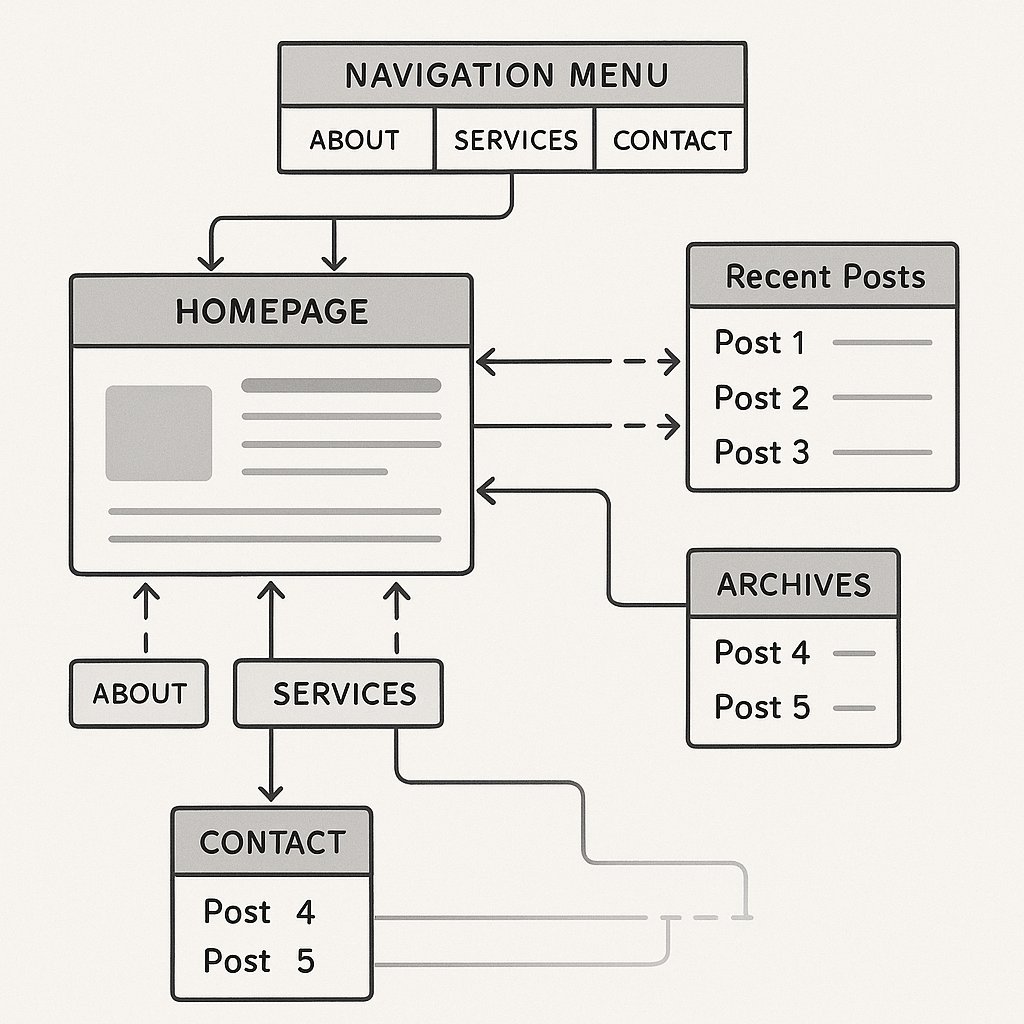
Here’s what happens on most WordPress sites: your homepage links to your main categories in the navigation. Those category archives link to recent posts. Older posts? They exist in the archives somewhere, linked from a date-based URL structure that buries them deeper every month.
Google sees this. It concludes older content matters less.
Even if that old post ranks #5 for a keyword driving 500 visits monthly — it’s being starved of internal link equity because your site structure accidentally deprioritized it.
WordPress Makes This Worse by Default
Out of the box, WordPress creates internal links in three ways: navigation menus, recent posts widgets, and related posts (if your theme includes them). That’s it.
No strategic linking from high-authority pages to conversion-focused content. No topical clusters connecting related articles. No way to push authority toward your money pages except manually editing old posts — which nobody does consistently.
How Strategic Internal Linking Changes Site Performance
I’ll give you a concrete scenario. You run a WordPress site about productivity software. You have:
– A high-traffic guide: Best Project Management Tools (8,000 visits/month)
– A conversion-focused review: Asana vs Monday.com Deep Comparison (200 visits/month)
The comparison page converts at 12%. The guide converts at 1.8%. But Google sends 40x more traffic to the guide because it has 40x more internal links pointing to it — most from your archives and category pages.
One strategic internal link from the guide to the comparison changed everything. Traffic to the comparison page tripled in six weeks. Overall revenue from that topic increased 34%.
That’s one link.
Topical Clusters Actually Work
You’ve heard this advice before: organize content into topic clusters with a pillar page and supporting articles that link to each other.
Most sites don’t do it because it requires going back and editing 30 old posts every time you publish a new one in that topic area.
But when you actually implement it, Google’s understanding of your topical authority shifts. Instead of seeing isolated articles, it sees a interconnected knowledge base. Rankings for the entire cluster often rise together.
The mechanics: your pillar page links to every supporting article. Every supporting article links back to the pillar. Supporting articles link to each other where contextually relevant. Google crawls the pillar page, follows links to the cluster, and sees a cohesive content hub rather than scattered blog posts.
The Internal Linking Mistakes That Kill Rankings
Let’s talk about what not to do. These patterns show up on 80% of WordPress sites I audit.
Footer Link Spam
Your footer has 40 links. Categories, tags, archive pages, legal pages, social profiles. Google doesn’t treat footer links the same as contextual links in your content.
Contextual links carry more weight. A link from within a paragraph, surrounded by relevant text, tells Google: this destination is directly related to what I’m discussing. A footer link says: this exists somewhere on my site.
If your only internal linking strategy is navigation and footer links, you’re not really doing internal linking.
Generic Anchor Text Everywhere
Every link says click here, read more, or this post. Google learns nothing from that anchor text. Your readers learn nothing. You’re wasting link equity.
Descriptive anchor text matters. Not for manipulation — Google’s smart enough to spot exact-match anchor text abuse. But for clarity. When you link to your guide about schema markup, the anchor text should mention schema markup. Obvious? Yes. Common? No.
Only Linking to Recent Content
WordPress’s recent posts widget creates a recency bias. Your newest 5 articles get links from your sidebar. Everything else slowly fades into obscurity as it ages.
Your best-performing content should get the most internal links, regardless of publish date. That 18-month-old guide driving 3,000 visits monthly deserves more links than this week’s mediocre blog post.
Building a WordPress Internal Linking Workflow That Scales
Here’s the problem with manual internal linking: it doesn’t scale. You can maintain it for 50 posts. Maybe 100 if you’re disciplined. At 300+ posts, it collapses.
You need a system.
Start With Your Priority Pages
Identify your top 20 pages by traffic, conversions, or strategic importance. These are your anchor pages. Every new post you publish should link to at least one of them where contextually relevant.
Reverse the process: go back and add links from these high-authority pages to new content in the same topic area. This immediately gives new posts crawl priority and link equity they wouldn’t have otherwise.
Create Content Upgrade Paths
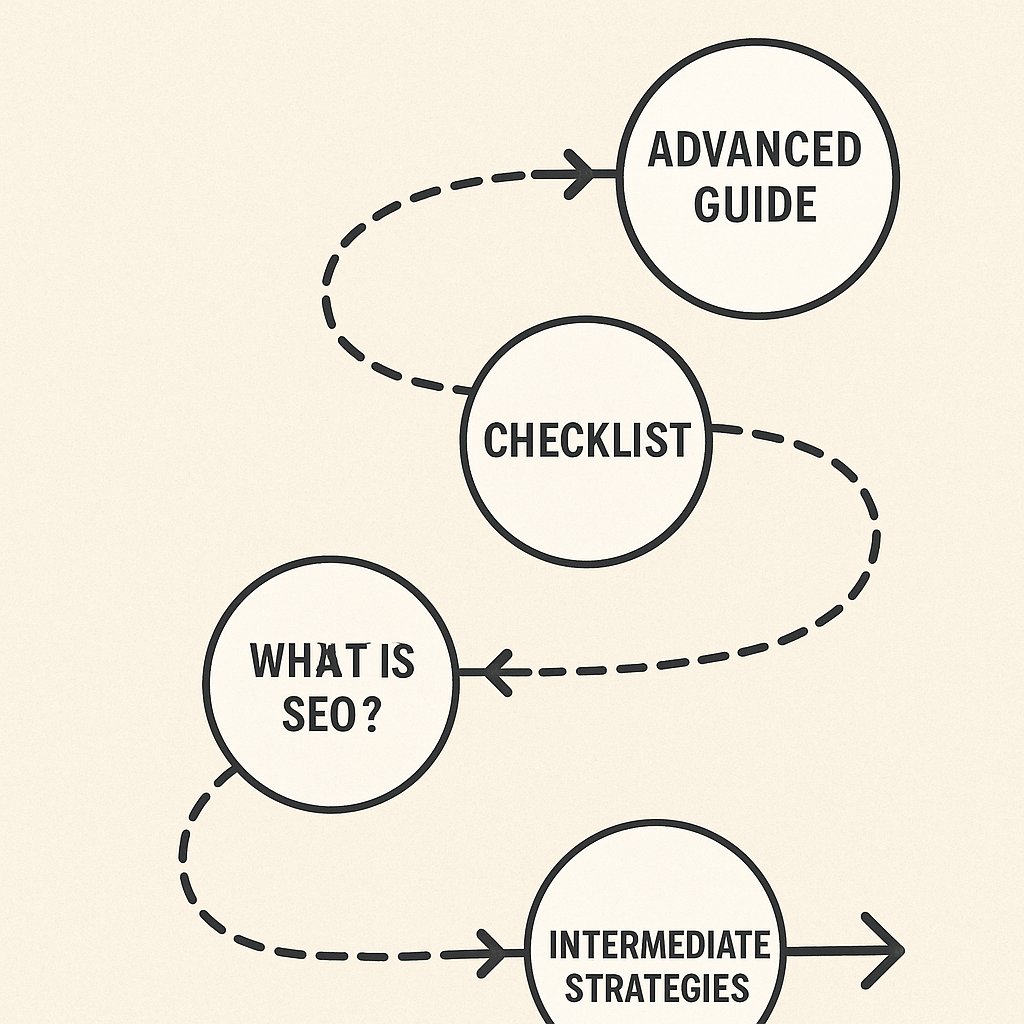
Think of your site like a video game. Players (readers) start at beginner content. Internal links guide them toward intermediate, then advanced content.
A reader lands on What is SEO? from Google. That post should link to On-Page SEO Checklist. That checklist should link to Advanced Title Tag Optimization. Each link moves them deeper into your expertise and closer to a conversion point.
Most sites link randomly. Strategic sites link with reader progression in mind.
Automate the Repetitive Parts
You shouldn’t manually comb through 300 posts looking for internal linking opportunities every time you publish something new. That’s busywork pretending to be strategy.
Automation handles the obvious connections. Tools like AI Internal Links can scan your content, identify semantic relationships, and suggest contextually relevant links between posts. You review and approve. The plugin adds them.
This doesn’t replace strategic thinking — you still need to manually link from high-authority pages to conversion content. But it eliminates the grunt work of finding every mention of keyword research across 200 posts and linking them to your keyword research guide.
Measuring Internal Linking Impact
You can’t optimize what you don’t measure. Here’s what to track.
Crawl Frequency Changes
Google Search Console shows crawl stats. After adding internal links to a previously neglected page, watch its crawl frequency. You should see an increase within 2-3 weeks.
If you don’t — the links aren’t being discovered, which means the pages linking to it aren’t being crawled either. That tells you to add links higher up in your site hierarchy.
Indexation Rate
Run a site:yourdomain.com search in Google. Compare it to the number of published posts in WordPress. The gap is your indexation problem.
After implementing better internal linking, this gap should shrink. Pages that were technically indexed but rarely crawled start appearing in search results more consistently.
Ranking Movement for Target Pages
Track specific pages you’re pushing internal link equity toward. If you added 10 contextual links to your conversion-focused guide, rankings for its target keywords should improve within 4-6 weeks.
If they don’t, either the page has other issues (content quality, technical problems) or the internal links aren’t contextually relevant enough to signal topical connection.
The Long-Term Internal Linking Strategy
Internal linking isn’t a one-time audit. It’s an ongoing editorial process.
Every quarter, review your top-performing content. Ask: What related content have I published since I last updated this? Add links. Update sections. Keep your best pages fresh and interconnected.
Your site structure should evolve with your content. As you cover more topics, older pillar pages need updates to link to new supporting content. New pillar pages need links from existing authority pages to gain traction.
The sites that dominate search results aren’t the ones that published the most content. They’re the ones that organized their content so Google can understand and trust their topical authority.
Internal linking is how you show Google what you’re an expert in. Stop treating it like an afterthought.