
Table of Contents
- Why Most WooCommerce Sites Fail at SEO
- Product Page Optimization: Beyond Basic Meta Tags
- Category Pages: The Underutilized Ranking Engine
- Site Architecture That Google Understands
- Site Speed: The Conversion Killer
- Content Marketing That Drives Product Sales
- Conversion-Focused SEO Audits
- The Compound Effect of Small Wins
You’ve got hundreds of products, dozens of categories, and a site structure that makes sense to you but confuses search engines. Meanwhile, your competitors are ranking for the exact keywords your customers are typing.
Here’s the truth: e-commerce SEO isn’t just technical cleanup. It’s about making your store intelligible to both Google and shoppers. When done right, it’s the difference between 50 visitors a day and 5,000.
Why Most WooCommerce Sites Fail at SEO
WooCommerce gives you flexibility, but it doesn’t give you SEO out of the box. You can launch a store in an afternoon, but without deliberate optimization, you’re invisible.
The common mistakes stack up fast. Duplicate content across product variations. Thin category pages with nothing but a grid of products. Internal linking that connects nothing to anything. Site speed that makes mobile users bounce before the page loads.
Google’s crawl budget doesn’t care about your entire catalog. If your architecture is a mess, the algorithm picks a few pages to rank and ignores the rest.
The Architecture Problem Nobody Talks About
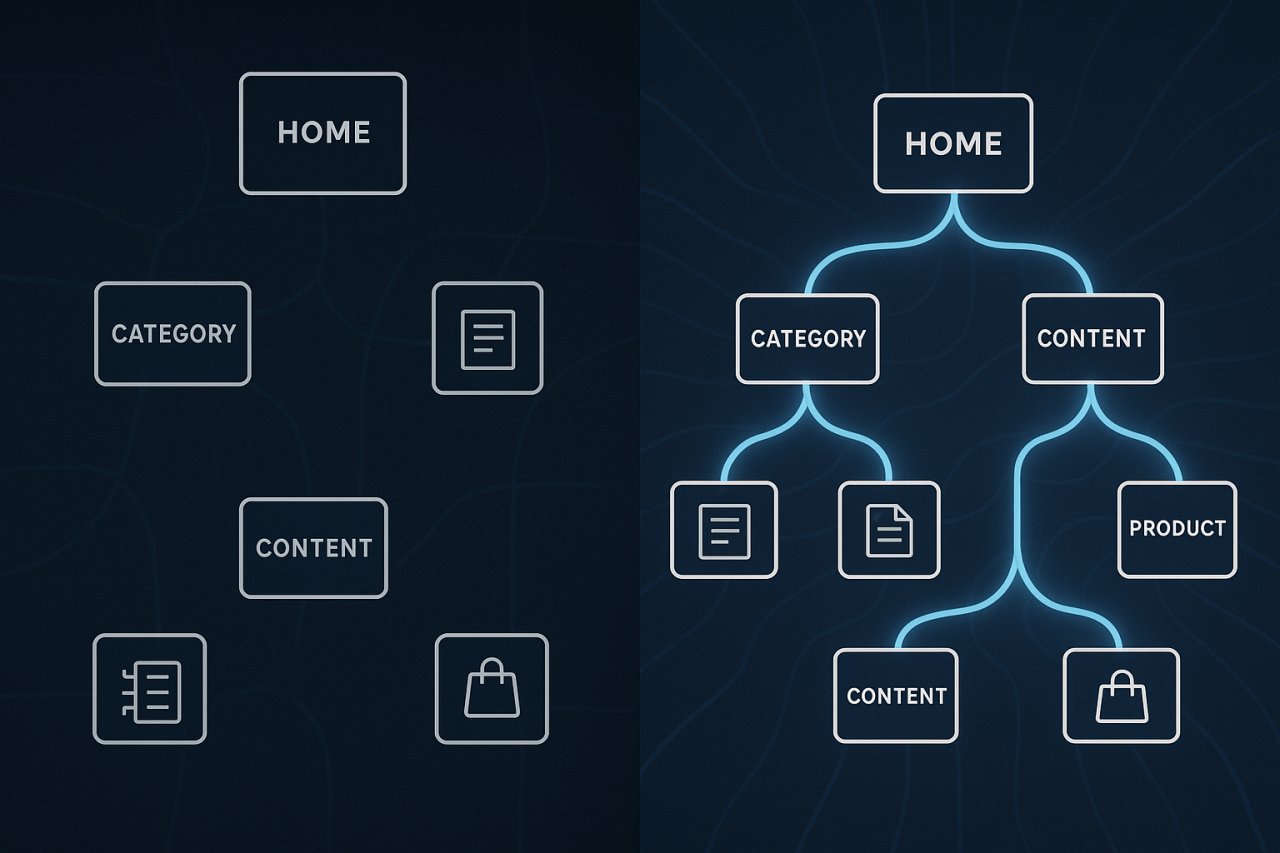
Most store owners think in terms of products. Google thinks in terms of topics and relationships. If you’ve got 200 running shoes, Google needs to understand how they relate to each other — and to your content about running, foot health, and training guides.
Flat architecture kills this. When every product is three clicks from the homepage with no logical grouping, you’re asking Google to guess.
Product Page Optimization: Beyond Basic Meta Tags
Your product pages are where conversions happen, but they’re also where most WooCommerce sites copy-paste manufacturer descriptions and call it SEO.
Unique product descriptions aren’t optional. They’re the foundation. If your blender has the same text as 47 other sites selling the same blender, Google picks one to rank — and it’s probably not yours.
Write descriptions that answer buying questions. Not “This blender has 1200 watts” but “The 1200-watt motor pulverizes frozen fruit in seconds, so your morning smoothie doesn’t turn into a waiting game.”
Title Tags That Actually Convert
Your product title tag formula should be: Primary Keyword | Benefit or Feature | Brand.
Bad: “Blue Running Shoes | Athletic Footwear | MyStore”
Good: “Men’s Trail Running Shoes with Ankle Support | Lightweight & Waterproof | Nike”
The second one tells Google what it is AND gives shoppers a reason to click when they see it in search results.
Schema Markup for Products
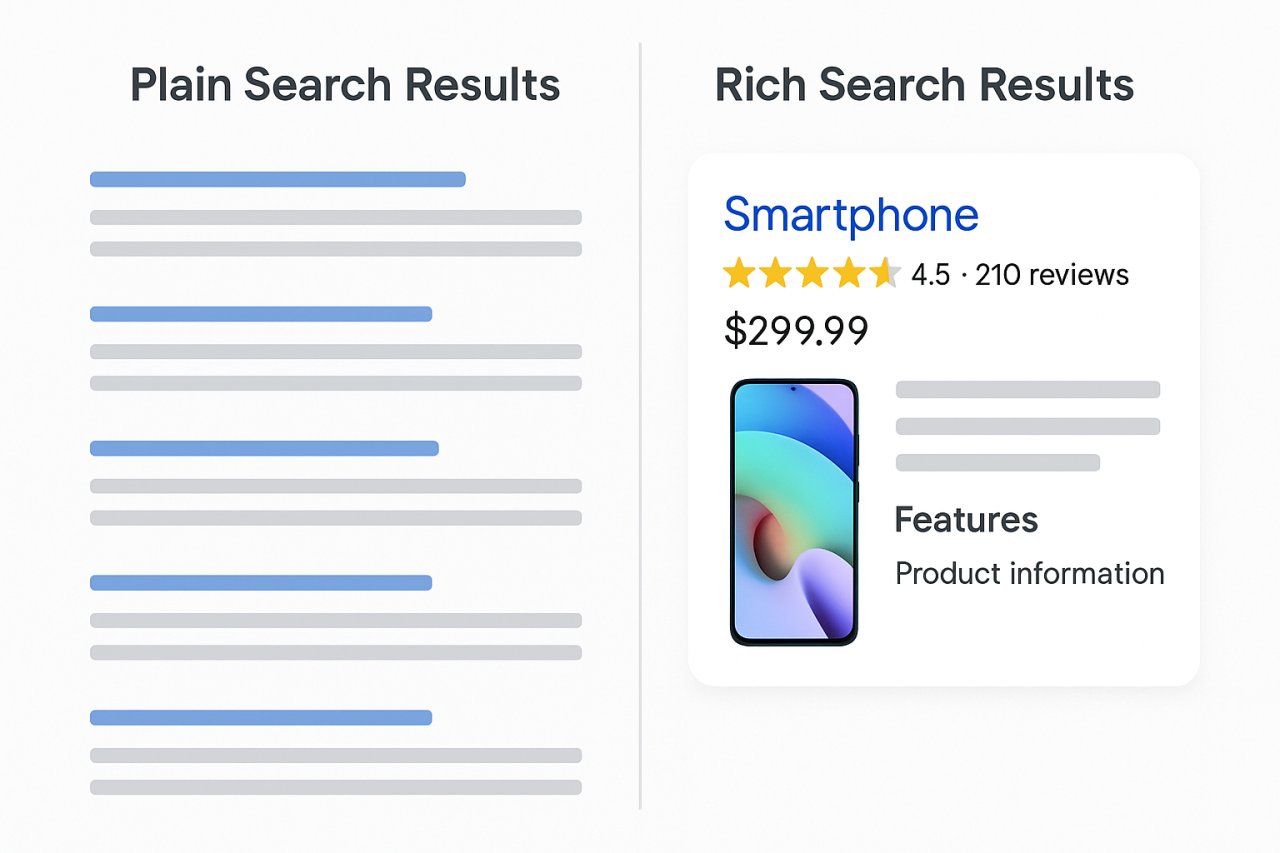
Product schema tells Google: this is a product, here’s the price, here’s the availability, here are the reviews. It feeds the rich results that make your listing stand out.
WooCommerce doesn’t add this automatically. You need a plugin (like Schema Pro or Rank Math) or custom implementation. The payoff is immediate: rich snippets with star ratings and price get 30% more clicks than plain blue links.
Category Pages: The Underutilized Ranking Engine
Category pages are where most stores waste their biggest opportunity. A page titled “Running Shoes” with 60 products and zero unique content isn’t going to rank.
Google wants to see that you’re an authority on running shoes, not just a warehouse that stocks them.
Add Real Content Above the Product Grid
300-500 words of useful, category-specific content at the top of the page. Not fluff — actionable guidance.
For a “Trail Running Shoes” category: talk about terrain types, ankle support vs. flexibility, waterproofing trade-offs. Then let the product grid do its job.
This content also gives you a place to naturally target long-tail keywords that individual product pages can’t own.
Faceted Navigation Without Duplicate Content
Filters are essential for usability but a nightmare for SEO if you let every filter combination create a new URL. “Shoes > Red > Size 10 > Under $100” shouldn’t be a separate indexed page.
Use canonical tags or noindex directives on filtered views. Let Google index only the main category page and maybe a handful of strategically chosen filter combinations that target real search queries.
Site Architecture That Google Understands
Flat stores confuse crawlers. Deep stores bury products. The sweet spot: every product reachable in 3 clicks or less from the homepage.
This is where internal linking becomes critical. You need category pages linking to subcategories and products. Products linking to related products. Blog posts linking to relevant products.
Most store owners do this manually, which means it never gets done properly — or it gets done once and then neglected as the catalog grows.
Automated Internal Linking for E-commerce
Managing internal links across hundreds of products manually is impossible. You need automation that understands context.
Tools like AI Internal Links analyze your catalog and connect related products, categories, and content automatically. When you publish a blog post about “best running shoes for beginners,” the plugin finds your beginner-friendly products and links them naturally — without you lifting a finger.
This isn’t just convenience. Well-structured internal linking distributes PageRank, helps Google understand your topical clusters, and keeps users moving through your store instead of bouncing.
A product buried six clicks deep with no internal links is invisible to Google, no matter how well optimized its meta tags are.
Breadcrumbs and URL Structure
Your URL should tell the story: yourstore.com/running-gear/shoes/trail-running/nike-pegasus
This hierarchy helps Google understand relationships. It also generates breadcrumb navigation (with proper schema markup) that appears in search results.
Keep URLs clean. No dates, no product IDs, no unnecessary parameters.
Site Speed: The Conversion Killer
A one-second delay in page load time costs you 7% of conversions. For e-commerce, speed isn’t just an SEO ranking factor — it’s revenue.
WooCommerce sites bloat fast. Product images, plugin conflicts, unoptimized databases. By the time you’ve added a dozen extensions, your homepage takes four seconds to load.
Image Optimization for Product Pages
Compress every image before uploading. Tools like ShortPixel or Imagify handle this automatically. Serve images in WebP format with fallbacks for older browsers.
Lazy loading is non-negotiable. Don’t load 60 product thumbnails on a category page if the user only sees 12 above the fold.
Caching and CDN
WooCommerce’s dynamic cart and checkout pages make caching tricky, but your product and category pages should be cached aggressively.
WP Rocket handles WooCommerce-specific caching rules out of the box. Pair it with a CDN like Cloudflare or BunnyCDN to serve static assets from servers close to your users.
Database Cleanup
WooCommerce stores transient data, order records, and revision history that bloat your database. Plugins like WP-Optimize clear out this cruft without breaking anything.
Run a cleanup monthly. The performance gain compounds over time.
Content Marketing That Drives Product Sales
You can’t rank for commercial keywords with product pages alone. The competition is too fierce. You need content that ranks for informational queries and funnels traffic to your products.
Write buying guides, comparison posts, how-tos. “Best Trail Running Shoes for Wide Feet” ranks easier than a product page for a specific shoe — and it introduces your entire catalog to searchers.
Linking Content to Products
Every blog post should link to relevant products. Not with awkward “check out our store” CTAs, but with natural mentions in context.
When you write “ankle support matters on rocky terrain,” link the phrase to your high-support trail shoe category. Readers who care about that feature will click.
This is where automated internal linking shines again. The right tool adds these connections as you publish, building a web of relevance across your entire site.
Conversion-Focused SEO Audits
Most SEO audits focus on rankings. For e-commerce, you need to focus on rankings that convert.
Track which keywords drive traffic that actually buys. A keyword that sends 1,000 visitors with a 0.1% conversion rate is worse than one that sends 100 visitors at 3%.
Monitor Product Page Performance
Google Search Console shows you which products are getting impressions but low clicks. These are your optimization targets. Improve the title tag, add a compelling meta description, check if the price is competitive.
If a product ranks on page two, it’s close. A few high-quality backlinks or better internal linking can push it to page one.
Fix Crawl Errors and Indexing Issues
WooCommerce generates URLs you don’t want indexed: cart pages, checkout, account pages. Make sure these are blocked in robots.txt or set to noindex.
Check for 404 errors from discontinued products. Either 301 redirect to a similar product or to the parent category. Dead ends lose trust and waste crawl budget.
The Compound Effect of Small Wins
E-commerce SEO isn’t one big fix. It’s dozens of small optimizations that compound over time.
Optimize ten product pages this week. Add unique content to five categories next week. Clean up your internal linking structure. Speed up your images.
Six months from now, your traffic curve looks completely different — not because of one genius tactic, but because the fundamentals are rock solid.
Google rewards sites that make sense. Stores that are fast, well-structured, and genuinely helpful. You’re not gaming an algorithm — you’re building a better shopping experience that happens to rank well.
Start with architecture. Everything else builds on top of that.