
Table of Contents
Most WordPress sites treat published content as permanent. Write it, publish it, move on. But Google’s index isn’t static. Fresh competitors appear. Search intent evolves. Your once-relevant article becomes outdated not because it’s wrong, but because it no longer matches what searchers expect when they type that query today.
Here’s the repeatable workflow to catch decay early, fix it systematically, and redistribute authority to revived pages at scale.
What Content Decay Actually Looks Like on WordPress
Content decay isn’t a traffic cliff. It’s a slow bleed. A post that brought 500 visits monthly now brings 150. Six months later, 60. You check Search Console: impressions held steady, but average position dropped from 4.2 to 11.8.
Three forces cause this:
- Freshness signals weakening — Google favors recently updated content for query types that demand current information, like tool reviews or tactical how-tos.
- Intent drift — The searcher’s job-to-be-done changed. A keyword that once wanted a definition now expects a comparison table or implementation guide.
- Internal link erosion — You published 40 new posts since that article went live. None link to it. Its PageRank share quietly diluted.
WordPress makes this worse because most sites publish chronologically. Your strongest content from 2022 sits buried three years deep in the blog archive. No internal links. No visible navigation path. Google’s crawl budget follows your newest posts, not your best ones.
The fix isn’t writing new content. It’s systematically reviving what already ranks.
Step 1: Identify Which Pages Are Decaying
Open Google Search Console. Set the date range to compare the last three months against the same period a year ago. Export the Pages report.
Sort by largest impression drop where clicks also declined. Ignore pages that lost impressions but held click-through rate — that’s a SERP feature stealing visibility, not decay.
You’re looking for URLs where:
- Impressions stayed flat or grew slightly
- Clicks dropped 30%+
- Average position fell by 3+ spots
This pattern means Google still shows your page, but lower. Searchers scroll past it. That’s decay.
Flag 10 to 15 URLs. Prioritize posts that once drove significant traffic (100+ monthly clicks) and ranked in positions 3 to 10. Position 1 and 2 pages rarely decay without external disruption. Position 15+ pages need more aggressive fixes than a refresh provides.
If you lack a year of data, use a shorter window — 90 days versus the prior 90. The signal’s noisier but still actionable.

Step 2: Diagnose Why Rankings Dropped
Decay has fingerprints. Before you rewrite anything, figure out what changed.
Open the decayed URL and its top three current competitors in private browsing. Ask:
- Do competitors answer the query faster? If they put the core answer in the first 200 words and you bury it after 600 words of setup, that’s why.
- Do competitors include elements you lack? Screenshots, tables, video embeds, and structured step lists all signal comprehensiveness to Google.
- Is your publish date visible and stale? A 2021 timestamp on a “best practices” post tells searchers the advice might be outdated, even if it isn’t.
- Does your title still match search intent? If the top five results all use “vs” or “compared” and yours says “complete guide,” you’re misaligned.
Run the URL through Screaming Frog or your crawler of choice. Check:
- How many internal links point to this page? If it’s fewer than five and the page isn’t brand new, you’ve likely got an authority distribution problem.
- Is the word count significantly shorter than current top-five results? Google doesn’t rank by length, but if competitors cover eight subtopics and you cover three, that gap matters.
Write down two to three specific reasons the page underperforms. “It’s old” isn’t specific. “Competitors have comparison tables and mine is pure text” is.
Step 3: Execute the Content Refresh
You’re not rewriting from scratch. You’re sharpening what already works.
Update Information and Examples
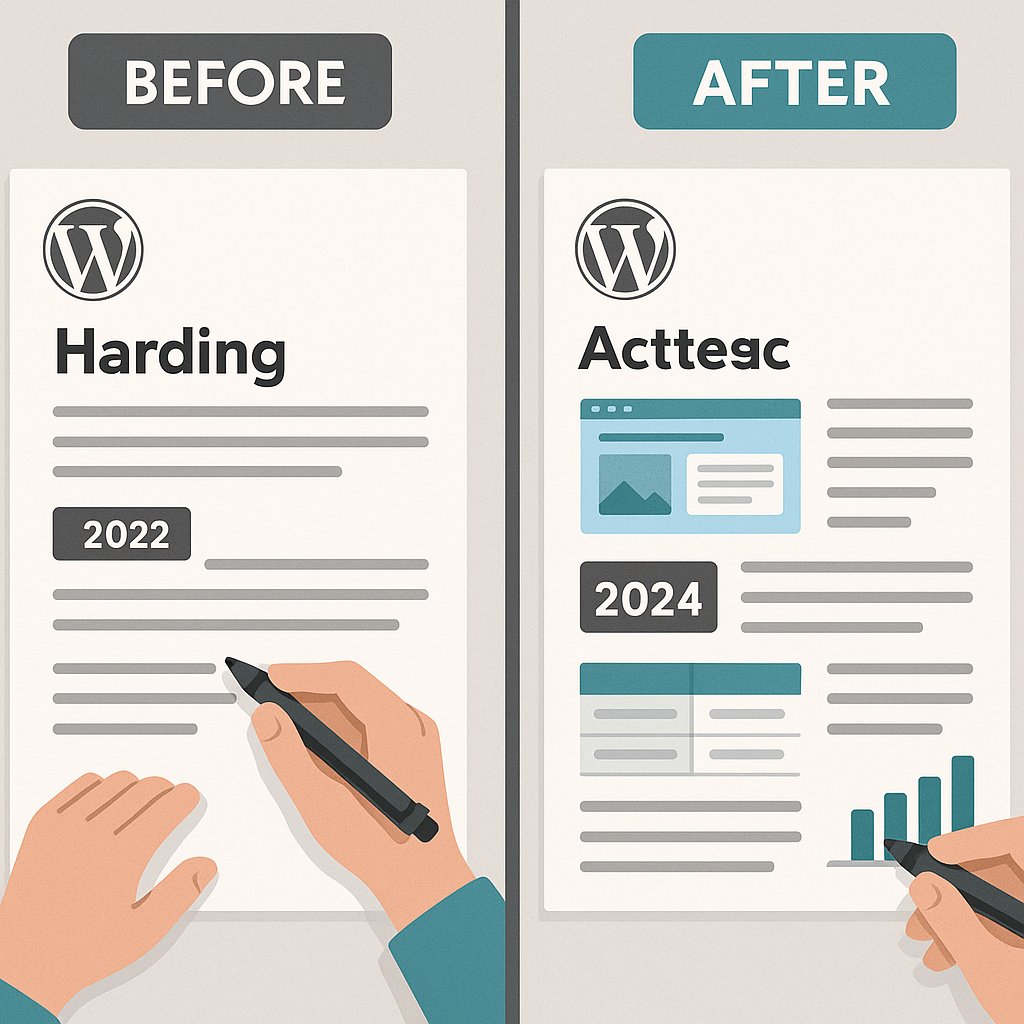
Find every reference to a year, version number, or time-sensitive claim. Update or remove it. If you mentioned “Google’s 2021 algorithm update,” either refresh the example or cut it.
Replace outdated screenshots. A WordPress dashboard screenshot from version 5.4 screams neglect. Readers notice. Google’s quality raters definitely notice.
If you cited a tool that’s been acquired or shut down, swap it for a current alternative. Dead links to defunct products corrode trust faster than typos.
Strengthen On-Page Signals
Change the publish date in WordPress to today. This isn’t deceptive if you’re genuinely improving the content. It resets Google’s freshness timer.
Rewrite the title tag to match current SERP intent. If all top results now say “how to” and yours says “guide to,” adjust it. Keep the core keyword, shift the framing.
Add a table of contents if competitors have one and you don’t. WordPress plugins like LuckyWP make this trivial. It improves dwell time and earns you a sitelinks search box in results.
Enrich thin sections. If step three in your process is two sentences and competitors dedicate 200 words, expand it. Add a concrete example, a screenshot, or a common mistake to avoid.
Don’t inflate word count for its own sake. If you can tighten 1,800 words to 1,400 without losing clarity, do it. Conciseness beats length when the answer quality matches.
Step 4: Rebuild Internal Link Equity
A refreshed post with zero new internal links gains some traction from the freshness boost, but it won’t reclaim its old position. You’ve improved the page; now tell Google it matters by pointing authority at it.
Manually audit your five to ten highest-authority pages — your homepage, your most-linked pillar posts, your about page. Can you naturally add a contextual link to the refreshed content? If yes, add it.
Then audit the 20 most recent posts. Skim each for mentions of the topic your refreshed post covers. Add links where they fit. Don’t force it, but most sites underlink by default, so you’ll find opportunities.
The manual approach works for ten pages. It doesn’t scale to 50 or 200.
This is where automated internal linking changes the workflow. After you refresh a decaying post, you need every related page on your site to consider linking to it. Tools like AI Internal Links scan your content, identify semantic relevance, and insert contextual links automatically. You’re not individually editing 80 posts to revive one URL — the system redistributes authority based on topic similarity.
Set a rule: every refreshed post gets tagged for link injection. The plugin handles discovery and placement. You verify the suggestions fit your voice, approve them, and move on.
For decayed content, this solves the core problem: your old posts have value, but your site architecture doesn’t reflect it. New posts link to new posts. Old posts gather dust. Automated internal linking breaks that cycle.
After refresh and relink, monitor the URL in Search Console weekly for 30 days. You should see position improvement within two weeks if the refresh addressed the right gaps. If you don’t, revisit your diagnosis — you might’ve fixed the wrong problem.
Turn This Into a Maintenance Routine
Content decay isn’t a one-time crisis. It’s a constant process. Your February 2025 post will decay by October 2026 unless you intervene.
Schedule a quarterly decay audit. Export Search Console data, flag decaying URLs, refresh the top ten, and redistribute internal links. An hour of work per post, 10 posts per quarter, keeps your archive driving traffic instead of rotting invisibly.
The alternative is publishing new content forever to offset decay. That’s expensive, slow, and unnecessary when reviving existing rankings takes a fraction of the effort.
Start with your single worst-decayed post. Run it through this workflow. If you recover even half the lost traffic, you’ve just proven the playbook works on your site. Then scale it.