

Table of Contents
- Search Intent Comes Before Everything Else
- Heading Structure Isn’t Just for Readers
- Semantic Keywords Beat Keyword Density
- Internal Links Do Heavy Lifting in Long Content
- UX Elements That Improve Engagement Signals
- Images Aren’t Just Decoration
- Meta Elements Still Matter
- Measure What Matters After Publishing
Long-form content — anything above 1,500 words — demands a different optimization approach. You’re not just optimizing for keywords. You’re building an experience that keeps someone scrolling for ten minutes straight while Google’s algorithms measure every interaction signal you generate.
Here’s what most guides won’t tell you: the best on-page SEO for long-form content is invisible to the reader but crystal clear to search engines.
Search Intent Comes Before Everything Else
You can nail every technical element and still rank on page three if you misread what people actually want.
Search intent isn’t about matching keywords — it’s about matching the mental state of the searcher. Someone typing “best running shoes” wants product reviews and buying guides. Someone typing “how to choose running shoes” wants education first, recommendations second.
Look at the top five results for your target keyword. What format dominates? Listicles? How-to guides? Comparison charts? That’s your blueprint.
If you’re writing a 3,000-word guide and all top results are 800-word listicles, you’ve misread the room. Either pivot your format or target a different keyword where depth is rewarded.
Map Your Outline to SERP Patterns
Open five top-ranking articles in separate tabs. Extract every H2 and H3. You’ll see patterns — certain subtopics appear in four out of five articles. Those aren’t coincidences. They’re expected content elements for that query.
Your outline should cover those expected elements, then add something fresh. This is how you signal comprehensiveness while standing out.
Match Depth to Intent Complexity
Some topics need 3,000 words. Others suffocate under that weight. A complete guide to email marketing automation? Go deep. A comparison of two project management tools? Keep it tight.
Depth isn’t always an advantage. If you’re padding sections just to hit a word count, you’re training readers to skim — and Google measures that bounce.
Heading Structure Isn’t Just for Readers
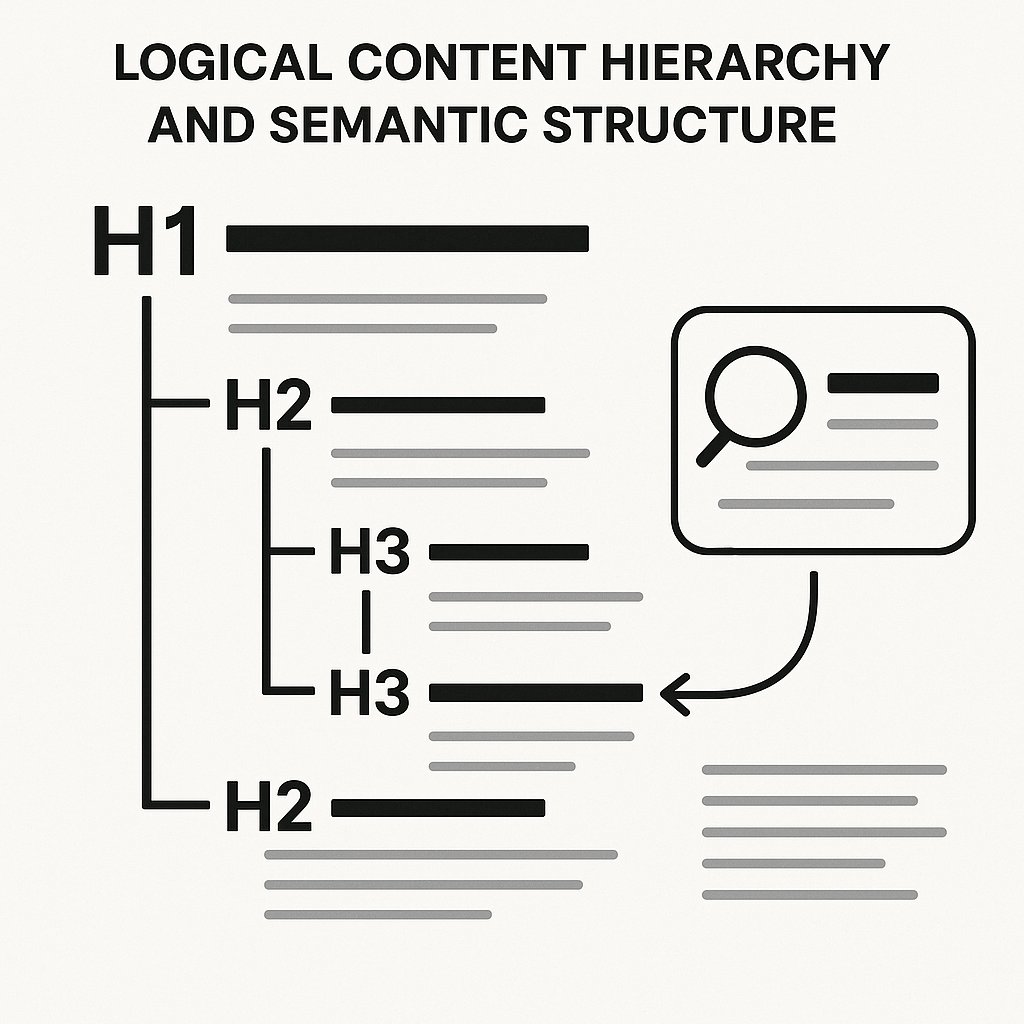
Your H1 through H3 hierarchy does two jobs: it guides human readers and it tells Google exactly what your content covers.
One H1 per page. That’s your primary topic declaration. Make it match search intent, not cleverness. “The Complete Guide to Internal Linking” beats “Why Your Site’s Hidden Web Matters.”
H2s should divide your content into major themes. Each one should be specific enough that someone could skip directly to it and understand the section’s purpose immediately.
Why H3s Matter More Than You Think
Most writers treat H3s as afterthoughts. That’s a mistake. Each H3 signals a distinct subtopic within a broader section — and Google uses these to build featured snippets, jump links, and passage ranking.
Bad H3: “More Tips”
Good H3: “Use Jump Links to Reduce Scroll Depth”
The second version can rank as a passage on its own. The first one tells Google nothing.
Keep Hierarchy Logical
Never jump from H2 to H4. It breaks semantic structure and confuses screen readers. If you need more than three heading levels, your section is probably trying to do too much — split it.
Semantic Keywords Beat Keyword Density
Forget the old “use your exact keyword 15 times” advice. Google’s language models understand context, synonyms, and related concepts.
Semantic SEO means surrounding your primary keyword with related terms that reinforce the topic. Writing about internal linking? Naturally work in terms like “anchor text,” “crawl depth,” “site architecture,” and “PageRank flow.”
You don’t stuff these in. You use them because they’re genuinely part of explaining the topic well. If your writing sounds natural when read aloud, you’re doing it right.
Use LSI Keywords Without Overthinking Them
Latent Semantic Indexing (LSI) is a fancy way of saying “related terms.” Don’t obsess over tools that generate LSI keyword lists. Just write comprehensively about your topic and you’ll hit them naturally.
Want proof? Write 1,500 words about link building without using the words “backlinks,” “domain authority,” or “referring domains.” You can’t. They’re semantically tied to the topic.
Mention Brand Names and Tools Naturally
When you’re explaining a concept, referencing real tools or platforms adds credibility. “Use a caching plugin” is vague. “Install WP Rocket or LiteSpeed Cache” is actionable.
This isn’t about stuffing brand mentions for SEO — it’s about writing content someone can actually implement after reading.
Internal Links Do Heavy Lifting in Long Content
A 2,500-word article should have 8–12 internal links, minimum. Not dumped in a “related posts” widget at the bottom. Woven into the content where they genuinely add value.
Each link should do one of three things:
- Send readers deeper into a concept you can’t fully explore in this article
- Connect related topics to build topical authority clusters
- Guide users through a logical content journey (beginner → intermediate → advanced)
Anchor Text Needs to Be Descriptive
Don’t link “click here” or “this article.” Use keyword-rich anchor text that tells both readers and Google what the destination page covers.
Bad: “Learn more about this topic here”
Good: “Check out our complete guide to schema markup”
The second version helps Google understand that the linked page is authoritative on schema markup.
Automate What You Can’t Scale Manually
If you publish 20+ articles per month, manually adding contextual internal links becomes impossible. You forget which older posts exist. You miss natural linking opportunities. Orphan pages pile up.
Tools like AI Internal Links solve this by automatically identifying relevant linking opportunities across your entire site. It reads your content, understands context, and inserts links with natural anchor text — the kind you’d write yourself if you had infinite time.
Don’t Overlook External Links
Two or three external links to authoritative sources actually boost your credibility. Linking to a study, a tool’s documentation, or a respected industry blog shows you’ve done your research.
Google doesn’t penalize you for linking out. It penalizes you for hoarding credibility.
UX Elements That Improve Engagement Signals
On-page SEO isn’t just meta tags and keywords. It’s everything that keeps someone on the page, scrolling, clicking, and — most importantly — not hitting the back button.
Add a Table of Contents for Articles Over 1,500 Words
A clickable TOC does two things: it helps readers navigate to the section they care about, and it generates jump links in SERPs. Those jump links can boost CTR by 20% or more because they make your result look feature-rich.
Most WordPress SEO plugins can auto-generate TOCs. Turn it on. There’s zero downside.
Break Up Text With Subheadings Every 200–300 Words
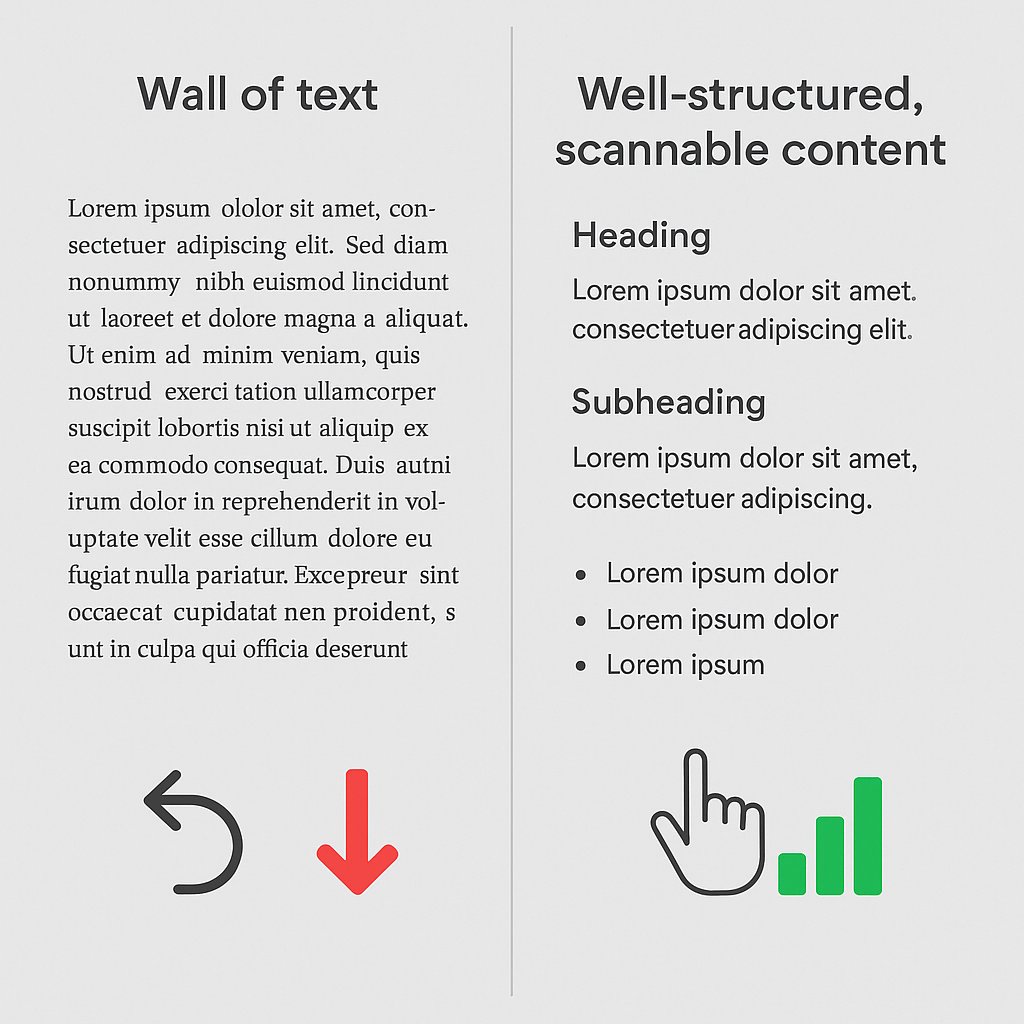
Walls of text kill engagement. Even if your writing is brilliant, nobody wants to stare at 12 consecutive paragraphs.
Use H3s to create natural break points. This isn’t just for aesthetics — it’s for scannability. Most readers skim before they commit to reading deeply.
Use Bulleted Lists for Multi-Item Concepts
When you’re listing features, steps, or examples, bullets make information easier to process. Compare:
“Key ranking factors include content quality, backlink profile, user engagement metrics, technical performance, and mobile usability.”
Versus:
Key ranking factors include:
- Content quality and depth
- Backlink profile strength
- User engagement metrics
- Technical performance
- Mobile usability
The second version is objectively easier to read. And easier to read means longer dwell time.
Images Aren’t Just Decoration
Every image in a long-form article should serve a purpose: illustrate a concept, break up text, or provide visual proof of a claim.
Optimize Alt Text for Context, Not Keyword Stuffing
Alt text should describe what’s in the image while naturally incorporating relevant keywords. “Screenshot of Google Search Console performance report showing click-through rate data” beats “SEO tool dashboard.”
This helps visually impaired users and gives Google more context about your content.
Compress Images Without Destroying Quality
A 2MB hero image will obliterate your Core Web Vitals score. Use tools like ShortPixel or Imagify to compress without visible quality loss. Serve WebP format when possible.
Page speed is a direct ranking factor — and images are the #1 cause of slow load times.
Meta Elements Still Matter
Your title tag and meta description won’t make you rank, but they absolutely control whether people click when you do rank.
Write Title Tags That Promise and Deliver
Your title tag has two jobs: match the search query and stand out from nine other results.
Bad: “Internal Linking Guide”
Good: “Internal Linking Strategy: How to Build Authority Clusters That Rank”
The second version tells searchers exactly what they’ll learn and hints at a framework (authority clusters), which is more compelling than a generic “guide.”
Meta Descriptions Should Expand on the Promise
You have 155 characters to convince someone your result is worth the click. Don’t waste it repeating the title. Add detail, urgency, or a specific benefit.
“Learn the exact internal linking structure used by sites ranking #1 for competitive keywords. Step-by-step walkthrough included.”
That tells me what I’ll learn and how it’ll be delivered. I’m clicking.
Measure What Matters After Publishing
On-page optimization doesn’t end when you hit publish. Track these metrics in the first 30 days:
- Average time on page: Under two minutes on a 2,000-word article? Readers are bouncing. Revisit structure and hooks.
- Scroll depth: If 70% of visitors never scroll past the first screen, your intro isn’t pulling them in.
- Internal link click-through rate: Are people actually clicking your contextual links? If not, they’re not compelling or relevant enough.
Use Google Search Console to identify pages ranking 8–20 for target keywords. Those are your optimization opportunities — small tweaks can push them onto page one.
Refresh the content every 6–12 months. Update stats, add new sections, improve internal linking. Google rewards freshness when it adds genuine value.
On-page SEO for long content isn’t a one-time task. It’s an ongoing process of aligning structure, semantics, and user experience to signal both relevance and authority. Do it right, and your content works for you long after you’ve moved on to the next piece.