
Understanding INP’s Technical Architecture
INP measures the latency of all user interactions throughout a page’s lifecycle, capturing clicks, taps, and keyboard inputs. Unlike FID which only tracked the first interaction delay, INP evaluates every single interaction and reports the worst case scenario (or near-worst, specifically the 98th percentile).
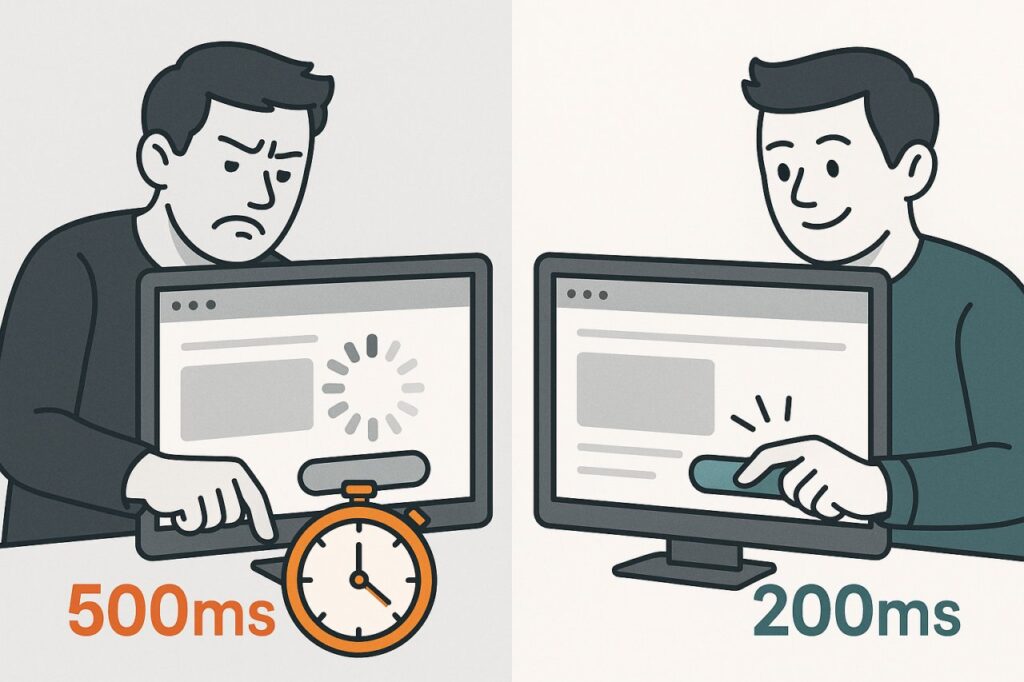
The metric encompasses three critical phases: input delay (time from user action to event handler execution), processing time (duration of event handler execution), and presentation delay (time to render the next frame). A good INP score is 200 milliseconds or less, while anything above 500ms is considered poor.
This comprehensive approach means that a page performing well on FID could still fail on INP if subsequent interactions are sluggish. Google’s research indicates that 90% of a user’s time on a page occurs after initial load, making INP a more realistic measure of actual user experience.
Why Google Made the Switch
FID’s fundamental limitation was its narrow focus on first interaction only. A page could score perfectly on FID while delivering a terrible experience for every subsequent click. Real-world data from Chrome User Experience Report (CrUX) showed that pages with good FID scores often had significant responsiveness issues that FID simply couldn’t detect.
INP captures the reality that users interact with pages multiple times per session, scrolling, clicking buttons, opening menus, submitting forms, and navigating content. By measuring the 98th percentile of all interactions, INP ensures that even edge cases are accounted for in the overall performance assessment.
Technical Implementation Strategies for INP Optimization
JavaScript Execution Management
The primary culprit behind poor INP scores is long-running JavaScript tasks that block the main thread. Any task exceeding 50ms is considered long and can delay interaction responses. Breaking up these tasks through code splitting and lazy loading is essential for maintaining responsiveness.
Implement task yielding strategies using setTimeout or requestIdleCallback to allow the browser to handle user interactions between chunks of JavaScript execution. Modern frameworks like React 18 introduced automatic batching and transitions that help prioritize user interactions over background updates.
For computationally intensive operations, move processing to Web Workers to keep the main thread free for interaction handling. Analytics scripts, A/B testing tools, and marketing pixels are common sources of main thread blocking that should be deferred or moved to workers whenever possible.
Render Optimization Techniques
After JavaScript processes an interaction, the browser must recalculate styles, layout, and paint the next frame. Complex DOM manipulations can extend this phase significantly. Use CSS containment properties (contain: layout, paint, size) to limit the scope of reflows and repaints.
Implement virtual scrolling for long lists instead of rendering thousands of DOM nodes simultaneously. Libraries like react-window or tanstack-virtual can reduce rendering time from seconds to milliseconds for large datasets. One e-commerce site reduced their product listing INP from 890ms to 180ms by implementing virtual scrolling on category pages.
Avoid forced synchronous layouts where JavaScript reads layout properties (like offsetHeight) immediately after modifying the DOM. These operations force the browser to recalculate layout synchronously, blocking the main thread. Batch DOM reads and writes separately using requestAnimationFrame for optimal performance.

Advanced Measurement and Debugging Tools
Chrome DevTools Performance Profiler
The Performance panel in Chrome DevTools now includes dedicated INP tracking with interaction markers showing exact timing breakdowns. Enable the “Web Vitals” option in the rendering drawer to see real-time INP measurements as you interact with your page.
The Performance Insights panel (newer than the standard Performance panel) automatically identifies INP issues and provides actionable recommendations. It highlights long tasks, expensive event handlers, and rendering bottlenecks with millisecond-level precision.
Real User Monitoring Solutions
Web Vitals JavaScript library from Google allows capturing INP data from actual users through the onINP callback. Integrate this with your analytics platform to understand how different user segments, devices, and connection speeds experience your site’s responsiveness.
Tools like Sentry, Raygun, and SpeedCurve offer dedicated INP monitoring with automatic alerting when scores degrade. They provide session replay functionality showing exactly which interactions caused poor scores, invaluable for reproducing and fixing issues.
Google Search Console now displays INP data in the Core Web Vitals report, showing which URLs fail the threshold and how many real users are affected. This data comes from CrUX and represents actual Chrome users’ experiences over the previous 28 days.
Synthetic Testing Approaches
While INP is primarily a field metric requiring real user interactions, tools like Lighthouse provide related metrics. The Total Blocking Time (TBT) metric correlates strongly with INP and can be measured in lab conditions. A TBT under 200ms typically indicates good INP performance.
WebPageTest offers scripted interaction testing where you can define specific click sequences and measure response times. Their Opportunities and Experiments feature can automatically test performance improvements before implementing them in production.
Common INP Failure Patterns and Solutions
Third-Party Script Interference
Analytics tags, advertising scripts, and chat widgets frequently inject heavy JavaScript that blocks the main thread. A financial services company discovered that their chat widget was causing 45% of their INP failures, with scores jumping from 250ms to 680ms when the widget loaded.
Solution: Implement facade patterns where lightweight placeholders replace third-party embeds until user interaction. Use the loading=”lazy” attribute and defer script loading until after critical interactions are possible. Consider Partytown, a library that relocates third-party scripts to Web Workers.
Framework Hydration Delays
React, Vue, and Angular applications often suffer from slow hydration periods where the page appears interactive but clicks don’t register because JavaScript bundles are still parsing and executing. This creates a frustrating experience where users click multiple times with no response.
A major media site reduced their INP by 320ms by implementing partial hydration with Astro, only hydrating interactive components while leaving static content as plain HTML. Progressive hydration techniques ensure critical interactive elements hydrate first, improving perceived responsiveness.
Expensive Event Handlers
Search-as-you-type features, real-time validation, and auto-save functionality often trigger on every keystroke, running expensive operations synchronously. An e-commerce site’s product search was executing database queries and DOM updates on every keypress, causing INP scores above 800ms.
Solution: Implement debouncing and throttling to limit execution frequency. Use AbortController to cancel pending requests when new input arrives. For real-time features, consider optimistic UI updates that provide immediate feedback while processing happens asynchronously in the background.
Impact on Search Rankings and Visibility
Google’s page experience signals use Core Web Vitals as a confirmed ranking factor, though the exact weight remains undisclosed. Studies from various SEO platforms show correlations between good INP scores and improved rankings, particularly for competitive commercial keywords.
Searchmetrics analysis of 10,000+ domains found that pages with INP scores under 200ms had 13% higher average rankings compared to pages above 500ms when other factors were controlled. The effect was most pronounced for queries with high commercial intent and strong competition.
Beyond direct ranking impact, INP affects user behavior metrics that indirectly influence SEO. Pages with poor INP see higher bounce rates, lower time on site, and fewer conversions—signals that search engines interpret as indicators of poor quality or relevance.
Mobile vs Desktop Performance Gaps
INP scores typically vary significantly between devices due to processing power differences. Mobile devices often show 2-3x worse INP scores than desktop for the same page. Since Google uses mobile-first indexing, your mobile INP performance directly impacts rankings.
A SaaS company discovered their desktop INP was excellent at 150ms, but mobile users experienced 520ms—failing the Core Web Vitals threshold. After optimizing JavaScript execution and reducing render complexity, they achieved 240ms on mobile and saw a 7% increase in organic traffic within six weeks.
Future-Proofing Your INP Strategy
Google continues refining Core Web Vitals based on real-world usage patterns. The Chrome team actively researches new interaction types and measurement methodologies, suggesting future updates to how INP is calculated or weighted.
Invest in performance budgets that include INP thresholds alongside traditional metrics like page weight and request counts. Integrate INP testing into CI/CD pipelines using tools like Lighthouse CI or Calibre to catch regressions before they reach production.
Adopt performance-oriented development practices: code reviews that examine main thread impact, bundle analysis to identify heavyweight dependencies, and regular audits of third-party scripts. Companies treating performance as a feature rather than an afterthought consistently maintain good Core Web Vitals scores.
The shift from FID to INP represents Google’s evolution toward measuring real user experience rather than technical proxies. As interaction quality becomes increasingly central to search rankings, mastering INP optimization isn’t just technical debt—it’s a competitive SEO advantage that directly impacts visibility, traffic, and ultimately revenue.