
Table of Contents
You can have the fastest hosting, the cleanest code, and perfect Core Web Vitals. But if your internal link structure is a mess, Google will still struggle to find half your pages.
This isn’t about link juice. It’s about crawl efficiency — how easily search engines navigate and index your entire site. And on WordPress, where content piles up fast, this becomes a real technical bottleneck.
Why Crawl Budget Actually Matters for WordPress Sites
Crawl budget sounds like something only enterprise sites worry about. That’s wrong.
Google allocates a limited number of crawls per site based on site health, authority, and how often you publish. If you’re running a content site with 200+ articles, a news blog, or an eCommerce store with frequent updates, you’re hitting those limits faster than you think.
Here’s what happens: Google’s bot lands on your homepage, follows a few links, crawls some category pages, maybe hits your sitemap. But if your best content is buried four clicks deep with no internal links pointing to it, the crawler might never reach it. Or it reaches it weeks later.
That article you optimized perfectly? It’s invisible until Google finds it.
Internal links are the roads your crawlers travel on. No roads, no traffic. Bad roads, slow traffic. You’re not just organizing content for users — you’re building infrastructure for bots.
The Orphan Page Problem
An orphan page has zero internal links pointing to it. It exists on your site, it’s in your sitemap, but nothing connects to it from your content.
Google can find it through the XML sitemap, but it reads like an isolated document with no context. No surrounding content, no semantic relationships, no signals that this page matters.
Orphan pages rank poorly. Or they don’t rank at all.
And on WordPress, orphan pages multiply fast. You publish a post, forget to link it from related content, move on to the next topic. Three months later, you have 15 orphan articles sitting in your archive doing nothing.
How Internal Links Signal Content Priority
Google doesn’t treat all your pages equally. It looks at your internal link graph to figure out which pages you consider important.
Your homepage has the most authority because everything links to it. Category pages come next. Individual posts? That depends entirely on how well you’ve wired them together.
If a post has 10 internal links from other articles, Google sees it as significant. If it has one link from a sidebar widget, it’s background noise.
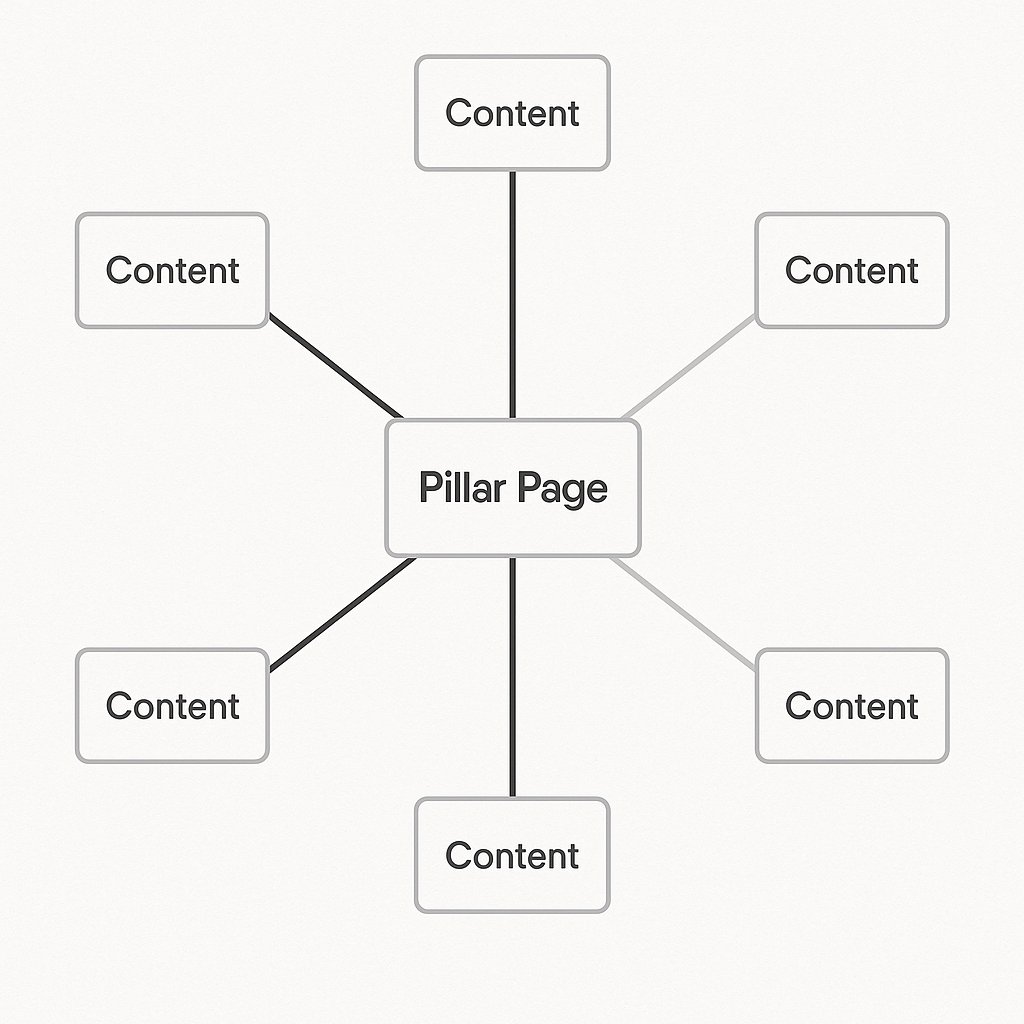
This is why pillar pages work. You’re not just organizing content — you’re telling Google this is the hub for this topic by surrounding it with contextual links from related posts.
Core Web Vitals: The Speed Trap
Core Web Vitals get all the attention in technical SEO discussions. And sure, they matter.
Largest Contentful Paint (LCP), First Input Delay (FID), Cumulative Layout Shift (CLS) — these metrics measure user experience, and Google uses them as ranking factors. Slow sites lose rankings.
But here’s the trap: site owners obsess over shaving 0.2 seconds off load time while ignoring fundamental architecture issues. You can have a lightning-fast site that Google still struggles to navigate because your content structure is chaotic.
Speed matters. But discoverability matters more.
The Plugin Arms Race
WordPress site owners install plugins like they’re collecting Pokémon. Caching plugin, image optimization, lazy loading, minification, CDN integration, database cleanup.
You end up with seven plugins doing overlapping jobs, slowing down your admin panel, and occasionally breaking your site after an update.
Most WordPress speed optimization follows the same playbook: WP Rocket or W3 Total Cache for caching, ShortPixel or Smush for images, Cloudflare for CDN. These work. But they’re addressing symptoms, not the underlying architecture.
A well-structured site with average hosting will outrank a poorly structured site on premium hosting.
Navigation Structure vs Technical Performance
You can optimize every technical metric and still have a site that underperforms because your information architecture is broken.
Think about how users and bots navigate your site. If your main menu has 12 top-level items, three levels of dropdowns, and no logical hierarchy, you’re forcing both into guesswork.
Internal links create shortcuts. They let users jump from topic to topic without backtracking through menus. They let Google discover your entire content library in fewer hops.
This isn’t just UX. It’s technical infrastructure.
Site Architecture That Actually Scales
Most WordPress sites grow organically — which is a polite way of saying randomly. You start with five posts, then 50, then 200, and suddenly your category structure makes no sense.
A solid architecture starts with hierarchy and relationships.
The Silo Model
Content silos group related articles under thematic umbrellas. You create a pillar page for your main topic, then link all related subtopic posts back to it.
Example: A marketing site might have a pillar page on Email Marketing Strategy, with individual posts on subject lines, automation workflows, segmentation tactics, and deliverability.
Each subtopic post links to the pillar. The pillar links to each subtopic. Google sees a tightly connected cluster of related content and understands your site has depth on this subject.
This works because you’re mimicking how Google thinks: topics, not keywords.
Flat vs Deep: How Many Clicks Matter
Google prefers flat site architecture — where every page is reachable in three clicks or fewer from the homepage.
Deep architecture buries content. A post that requires five clicks to reach (homepage → category → subcategory → archive page → post) looks unimportant. Google might not even crawl it regularly.
You fix this with crosslinks. Even if a post lives deep in your category structure, internal links from high-traffic articles can pull it closer to the surface.
The Contextual Link Advantage
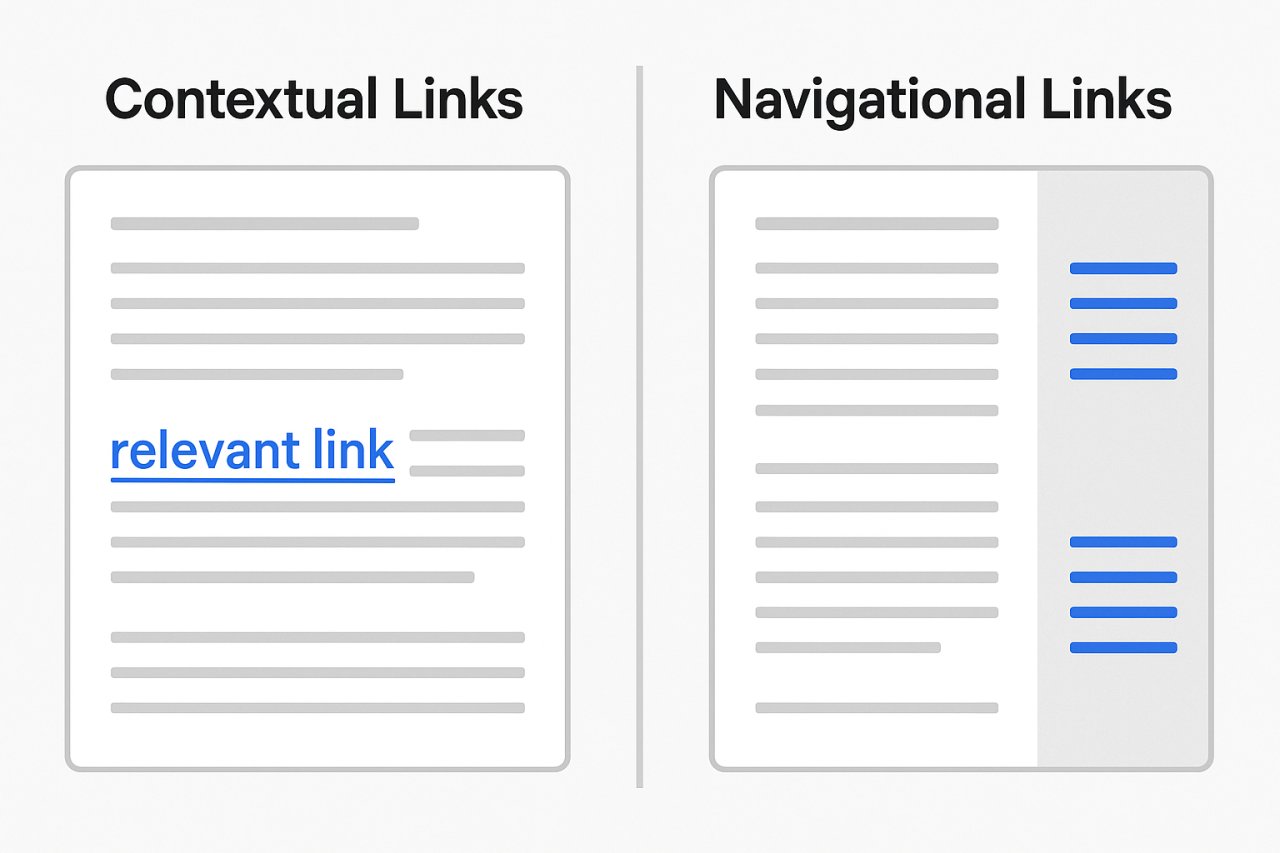
Not all internal links are equal. A link in your sidebar appears on every page, so Google treats it like navigation — helpful, but not a strong endorsement.
A contextual link embedded in the body of a post carries weight. It says this content is directly relevant to what you’re reading right now. Google interprets this as a semantic connection.
If 10 posts about SEO strategy link to your article on keyword research, Google understands that your keyword research guide is central to that topic cluster.
XML Sitemaps: Necessary but Not Sufficient
Every SEO plugin generates an XML sitemap. It’s the easiest technical win.
But sitemaps are a backup, not a strategy. They tell Google what pages exist, but they don’t explain how those pages relate to each other or why they matter.
Internal links provide context. They show relationships. They guide crawlers through your most important content first.
If your site relies entirely on the sitemap for discoverability, you’re leaving rankings on the table.
Indexation Issues and How Internal Links Solve Them
You publish a post. It shows up in your sitemap. But three weeks later, it still isn’t indexed.
Google Search Console shows Discovered – currently not indexed. Translation: Google found the URL but doesn’t consider it worth crawling yet.
This happens when Google sees no signals that the page matters. No links from existing content, no traffic, no external mentions.
Adding internal links from high-traffic posts changes that calculation immediately. The next time Google crawls those posts, it follows the new links, reconsiders the priority, and indexes the page.
It’s not magic. It’s basic crawl logic.
The Manual Linking Bottleneck
Here’s the problem: maintaining internal links manually doesn’t scale.
When you have 20 posts, you can keep mental track of what links where. At 50 posts, it’s harder. At 200, it’s impossible.
You write a new article. You know it should link to three or four older posts. But which ones? You search your site, skim through candidates, add a few links, and move on. Meanwhile, 15 other published posts would benefit from linking to your new article — but you’ll never go back and update them.
This is where most sites stall out. The internal link graph stops evolving because manual maintenance becomes a full-time job.
Automated Internal Linking as Technical Infrastructure
Automation isn’t about laziness. It’s about treating internal linking as ongoing infrastructure maintenance, not a one-time setup task.
Tools like AI Internal Links analyze your content library and suggest contextually relevant links across posts. Instead of hunting through 200 articles to find where your new guide should link, the system maps semantic relationships automatically.
This keeps your link graph current. New posts get wired into existing clusters. Old posts gain fresh connections without manual audits.
From a technical SEO perspective, this solves two problems: it eliminates orphan pages before they happen, and it maintains crawl paths to your entire content library.
Practical Steps to Improve Crawl Efficiency Today
You don’t need to overhaul your entire site. Start with high-leverage fixes.
Run a crawl audit. Use Screaming Frog or Sitebulb to map your internal link structure. Identify orphan pages, broken links, and content that’s buried too deep.
Fix orphans first. Every orphan page should have at least 2-3 contextual links from related posts. These links need to make sense — don’t force connections that confuse readers.
Audit your pillar pages. If you have cornerstone content, make sure it’s surrounded by internal links. Those links should flow in both directions: pillar to subtopic, subtopic back to pillar.
Check your crawl stats in Search Console. Look at pages crawled per day and crawl demand. If Google is consistently crawling the same pages and ignoring others, your internal link structure is the likely culprit.
Build links into your publishing workflow. When you publish a new post, add internal links pointing to it from at least three older posts within 24 hours. This signals freshness and relevance immediately.
Why Technical SEO Is Really About Architecture
Most discussions about technical SEO for WordPress focus on performance optimization: caching, CDNs, image compression, minified code. These matter.
But they’re table stakes. Every competitor can install the same plugins and hit the same speed benchmarks.
Site architecture is your competitive edge. How you organize content, how you connect posts, how you guide crawlers and users through your site — that’s harder to copy and more impactful for rankings.
Google rewards sites that make it easy to understand their content. Internal links are how you explain your site structure in a language search engines understand.
You’re not just linking posts. You’re building the roadmap Google follows to decide what you’re an authority on.