
Understanding Orphan Pages and Their Hidden SEO Damage
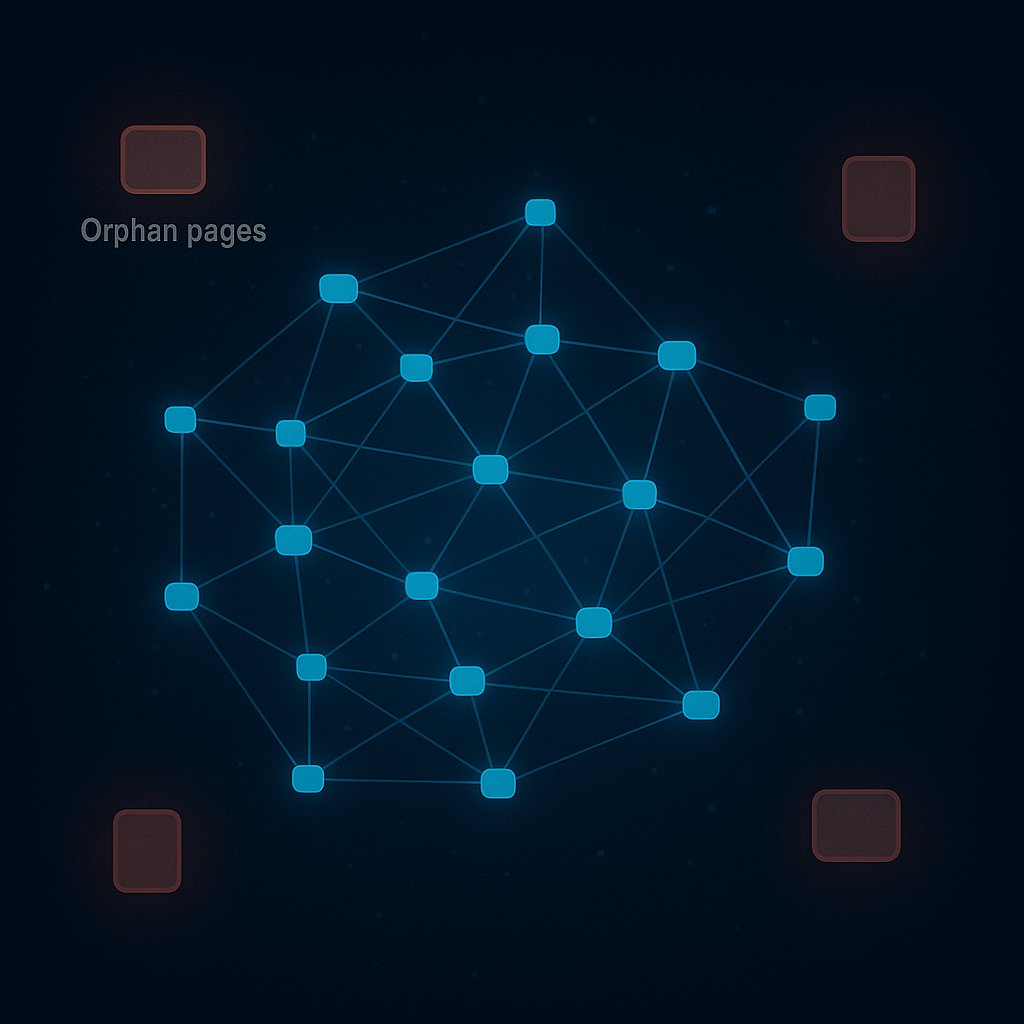
Orphan pages represent one of the most overlooked technical SEO issues on WordPress sites. These forgotten pages exist in your site’s database and can be accessed via direct URLs, yet they remain completely disconnected from your site’s internal linking structure. Think of them as islands in an archipelago with no bridges connecting them to the mainland.
The problem with orphan pages extends beyond mere accessibility. Search engine crawlers discover new content primarily by following links from one page to another. When a page has zero internal links pointing to it, crawlers may never find it during their routine crawls. Even if the page was initially discovered through your XML sitemap, the absence of internal links signals to search engines that this content lacks importance within your site’s hierarchy.
WordPress sites are particularly susceptible to orphan pages due to how content gets created and managed over time. Draft posts that were published, deleted category archives, updated permalinks, theme migrations, and plugin conflicts can all generate orphaned content. The larger your site grows, the more likely these disconnected pages accumulate in the shadows of your content library.
Why Orphan Pages Hurt Your Search Rankings
Search engines evaluate content relevance partly through the context provided by internal links. When a page receives links from related content using descriptive anchor text, it helps algorithms understand what the page is about and how it fits within your site’s topical ecosystem. Orphan pages miss this critical contextual validation entirely.
Link equity distribution becomes severely hampered when pages sit isolated. Even high-quality content that could rank well remains powerless without the authority boost that comes from strategic internal linking. This creates a situation where you’re investing resources into creating valuable content that generates zero return on investment.
User experience suffers considerably when orphan pages exist on your site. Visitors who land on these pages through external backlinks or social media shares find themselves trapped with no logical path to explore related content. High bounce rates and poor engagement metrics from these pages can negatively impact your overall site performance signals.
Common Causes of Orphaned Content on WordPress
Content restructuring often leaves pages stranded. When you reorganize your site architecture, remove old categories, or consolidate topics, existing internal links break or disappear. Pages that previously received links from navigation menus or sidebar widgets become orphaned when those elements are redesigned.
Plugin deactivation can instantly create orphans. Many WordPress plugins automatically insert links between related posts, products, or portfolio items. When you deactivate these plugins without replacing their linking functionality, previously connected pages become isolated.
Theme changes represent another common culprit. Your previous theme might have included custom post type archives, related post sections, or breadcrumb navigation that linked to specific pages. Switching themes without ensuring these linking structures carry over leaves orphans scattered across your site.
Manual content creation habits contribute significantly. Content creators often publish new articles without considering how they connect to existing content. Without a systematic internal linking workflow, new pages remain disconnected unless someone deliberately builds links to them.
Detecting Orphan Pages Through WordPress Audits
Identifying orphan pages requires systematic auditing approaches that reveal the hidden gaps in your site structure. Multiple detection methods exist, each offering different perspectives on your internal linking health.
Using Google Search Console for Initial Discovery
Google Search Console provides valuable signals about pages that might be orphaned. Check the Coverage report for pages marked as ‘Discovered – currently not indexed.’ While this status doesn’t automatically indicate an orphan page, it often reveals content that lacks sufficient internal links to warrant crawling and indexing.
The Page Experience report can highlight pages with poor engagement metrics. Orphaned pages that receive minimal traffic despite being indexed often appear here with concerning bounce rates and dwell times. These metrics suggest visitors can’t navigate effectively from these pages to other relevant content.
Crawl-Based Detection Methods
Website crawlers simulate how search engines navigate your site by following links. Tools like Screaming Frog, Sitebulb, or OnCrawl can identify orphan pages by comparing your XML sitemap against pages discovered through crawling.
The process works by crawling your entire site starting from your homepage, following every internal link encountered. After the crawl completes, these tools compare the list of crawled URLs against your sitemap URLs. Any page that appears in your sitemap but wasn’t discovered during the crawl is likely an orphan.
This method proves particularly effective for larger WordPress sites where manual checking becomes impractical. The visual reports generated highlight exactly which pages need attention and where linking opportunities exist.
Database Query Approaches
For technically proficient users, WordPress database queries can identify posts and pages that receive zero internal links. This method requires careful execution but provides definitive results about which content truly stands alone.
The advantage here lies in identifying orphans before they cause SEO problems. Regular database checks during content audits ensure new orphans get caught and fixed promptly rather than accumulating over months or years.

Analytics-Based Identification
Google Analytics reveals orphan pages through behavior flow analysis and landing page reports. Pages that only receive traffic from external sources or direct URLs, with zero navigation from other pages on your site, warrant investigation.
Look specifically at pages with high exit rates and low secondary page views. This pattern suggests visitors land on the page but find no compelling path to continue exploring your site, often because internal links are absent or poorly placed.
Step-by-Step Process to Fix Orphaned Pages
Resolving orphan pages requires strategic thinking about how each piece of content fits within your site’s broader topical structure. The fixing process should prioritize pages based on their potential SEO value and business importance.
Evaluate Content Quality First
Before investing time in linking to orphaned pages, assess whether they deserve to be saved. Some orphan pages exist for good reasons—they’re outdated, low-quality, or no longer relevant to your current content strategy.
Create three categories: high-value pages worth immediate attention, medium-value pages that need updates before linking, and low-value pages that should be redirected or deleted. This triage approach ensures you’re directing effort toward content that actually moves the needle for your SEO performance.
High-value orphans typically include comprehensive guides, cornerstone content, conversion-focused pages, or articles that previously ranked well but lost visibility. These deserve priority treatment with multiple high-quality internal links from relevant pages.
Identify Contextually Relevant Linking Opportunities
Effective orphan page fixes require more than just adding random links. The goal is establishing logical connections that make sense for both users and search engines.
Review your orphaned page’s topic and identify existing published content that naturally relates to it. Look for pages where mentioning this orphaned content would genuinely enhance the reader’s understanding or provide valuable additional resources.
Consider the search intent behind both the orphan page and potential linking sources. If your orphan targets commercial intent while your linking source serves informational queries, the connection might feel forced. Maintain natural topical flow throughout your linking decisions.
Implement Strategic Internal Links
Once you’ve identified appropriate linking opportunities, add links using descriptive, keyword-rich anchor text that accurately represents the orphan page’s content. Avoid generic phrases like ‘click here’ or ‘learn more’ that provide no contextual value.
Place links within the main content body rather than sidebars or footers. Search engines assign more weight to in-content links, particularly those appearing in the first half of your article. Position your links where they naturally fit within the narrative flow.
Aim for multiple links to each orphaned page from different sources. A single link technically resolves the orphan status, but multiple connections from topically related pages strengthen the semantic relationship and distribute link equity more effectively.
Update Navigation and Taxonomy Structures
Some orphaned pages should appear in your primary navigation, category archives, or tag pages. Review whether your current taxonomies adequately represent all your important content categories.
Breadcrumb navigation serves as another powerful tool for reducing orphans. Properly configured breadcrumbs ensure every page connects back through its category hierarchy to your homepage, creating baseline connectivity even for otherwise isolated content.
Consider implementing related post sections that automatically suggest contextually similar content. While not replacing strategic manual links, these features create additional pathways between related pages and catch orphans that might otherwise slip through.
Automation Strategies for Ongoing Orphan Prevention
Manually fixing orphan pages solves immediate problems but doesn’t prevent new orphans from appearing. Sustainable solutions require systematic approaches that catch and resolve orphans as they emerge.
Establishing Editorial Workflows
Create content publication checklists that include internal linking requirements. Before any new post goes live, content creators should identify at least three existing articles to link from and three existing articles to link to.
This bidirectional linking approach ensures every new piece of content integrates properly into your existing content ecosystem from day one. It prevents orphans at creation rather than fixing them after SEO damage accumulates.
Regular Audit Schedules
Implement monthly or quarterly audits specifically focused on identifying new orphan pages. The frequency depends on your publishing volume—high-output sites need more frequent checks than those publishing sporadically.
Document your audit findings and track orphan resolution over time. This historical data helps identify patterns in how orphans emerge, allowing you to address root causes rather than just symptoms.
Leveraging Automated Internal Linking Solutions
For sites with extensive content libraries or limited manual resources, automated solutions provide scalable orphan prevention. Tools like AI Internal Links analyze your content semantically and automatically insert contextually relevant links between related pages.
These AI-powered approaches understand topical relationships beyond simple keyword matching, creating natural link networks that both users and search engines appreciate. The automation happens continuously as you publish new content, ensuring orphans never accumulate in the first place.
The advantage of intelligent automation lies in its ability to identify non-obvious linking opportunities that manual efforts might miss. Semantic analysis reveals thematic connections between articles that don’t share exact keyword phrases, creating richer content clusters.
Measuring the SEO Impact of Orphan Page Fixes
Tracking the results of your orphan remediation efforts validates your investment and guides future optimization priorities.
Crawl Frequency and Indexation Changes
Monitor how quickly search engines recrawl previously orphaned pages after you add internal links. Google Search Console’s URL Inspection tool shows the last crawl date for any page, helping you confirm that Googlebot is now discovering your fixed orphans.
Watch for increases in indexed pages as orphans move from ‘Discovered – currently not indexed’ to fully indexed status. This transition demonstrates that your linking improvements are successfully communicating page importance to search algorithms.
Organic Traffic Growth
Track organic search traffic to previously orphaned pages over 30, 60, and 90-day periods following your fixes. Many orphan pages show measurable traffic increases within weeks as search engines recrawl them with their new linking context.
Segment this traffic data by landing page to identify which orphan fixes delivered the strongest results. This insight helps prioritize future efforts toward orphan pages with similar characteristics or topics.
Ranking Position Improvements
Use rank tracking tools to monitor whether previously orphaned pages begin ranking for their target keywords after receiving internal links. The impact often appears first for long-tail variations before extending to more competitive head terms.
Compare ranking velocity between orphan pages that received different quantities or qualities of internal links. This A/B testing approach reveals how many links from what types of pages generate optimal results for your specific site.
Engagement Metric Changes
Analyze whether fixing orphans improves user engagement metrics like pages per session, average session duration, and bounce rate. Previously isolated pages should now contribute to longer user journeys as visitors follow your newly implemented internal links to related content.
Improved engagement signals feed back into search rankings as behavioral factors, creating a positive reinforcement cycle where better internal linking drives better user experience which drives better rankings.
Advanced Considerations for Large WordPress Sites
Enterprise WordPress installations and high-volume content sites face unique challenges with orphan page management that require sophisticated approaches.
Multisite Network Complications
WordPress multisite networks create additional orphan risks when subsites link between each other inconsistently. A comprehensive orphan audit must account for cross-site linking patterns and ensure important pages on smaller subsites receive links from the network’s authoritative sites.
Centralized content strategy across multisite installations prevents orphans by establishing clear guidelines for how subsites should reference and link to each other’s content.
International and Multi-Language Sites
WordPress sites serving multiple languages through plugins like WPML or Polylang must ensure language versions don’t become orphaned from their equivalents. Each language version should maintain its own internal linking structure while also connecting properly to alternate language versions through hreflang implementation.
Orphan pages in secondary languages often go unnoticed longer because content teams focus primarily on the main language. Regular audits must specifically check each language independently.
E-Commerce and Custom Post Type Considerations
WooCommerce stores and sites using custom post types for portfolios, case studies, or directories create unique orphan scenarios. Product pages may become orphaned when removed from categories during catalog updates. Custom post type archives might lack proper navigation integration.
The key to preventing e-commerce orphans lies in maintaining robust category structures and ensuring every product appears in logical taxonomies that themselves receive prominent site-wide linking.
Custom post types require special attention in your internal linking strategy because they often fall outside standard blog-focused linking workflows. Build dedicated navigation paths and related content sections specifically for these content types.
Long-Term Maintenance and Prevention Best Practices
Sustainable orphan page prevention requires cultural shifts in how your team approaches content creation and site management.
Documentation and Knowledge Transfer
Document your internal linking philosophy, standards, and workflows in team guidelines. When new content creators join your team, they should understand immediately how to integrate their work into the existing content ecosystem through proper linking.
Create templates for different content types that include linking placeholder sections, reminding authors to add relevant internal connections before publishing.
Technology Stack Integration
Choose plugins and themes that support strong internal linking by default. Features like related posts, breadcrumbs, and category displays should work together to minimize orphan risk.
When evaluating new WordPress tools, consider their impact on your internal linking structure. Will this plugin create new post types that might become orphaned? Does this theme change how navigation works in ways that could disconnect existing pages?
Continuous Education
Keep your content team educated about the SEO importance of internal linking and orphan prevention. Regular training sessions highlighting examples from your own site make the concepts concrete and actionable.
Share success stories when fixing orphan pages leads to measurable traffic gains. These case studies motivate teams to maintain good linking habits because they see direct business results.
The battle against orphan pages never truly ends, but with systematic detection methods, strategic fixing processes, and sustainable prevention workflows, you can ensure your WordPress site maintains a healthy internal linking structure that maximizes SEO performance and user experience. Every page you publish represents an investment—proper internal linking ensures that investment pays dividends rather than sitting idle and forgotten in your site’s database.