

If you’re managing an e-commerce site with 10,000 products, a news portal publishing hundreds of articles monthly, or a membership site with extensive archives, you’ve likely encountered the frustrating reality: Google doesn’t crawl everything, and it doesn’t crawl often enough. Understanding and optimizing crawl budget represents the difference between a thriving organic presence and a site that perpetually underperforms despite quality content.
Understanding Crawl Budget Fundamentals
Crawl budget determines how many pages Googlebot will crawl on your site within a given timeframe. This isn’t an arbitrary limitation—it’s Google’s way of allocating resources efficiently across billions of websites while respecting your server capacity.
What Actually Defines Crawl Budget
Google’s crawl budget consists of two primary components: crawl rate limit and crawl demand. The crawl rate limit represents the maximum fetching rate Googlebot can use without overwhelming your server. Google automatically adjusts this based on your site’s health signals—if your server responds quickly and reliably, you’ll typically see higher crawl rates.
Crawl demand, conversely, reflects how much Google wants to crawl your site based on popularity and staleness. Fresh content that attracts links and engagement signals higher demand. A site that rarely updates and generates little user interest will naturally see reduced crawl demand, regardless of its technical capacity.
Why Large WordPress Sites Face Unique Challenges
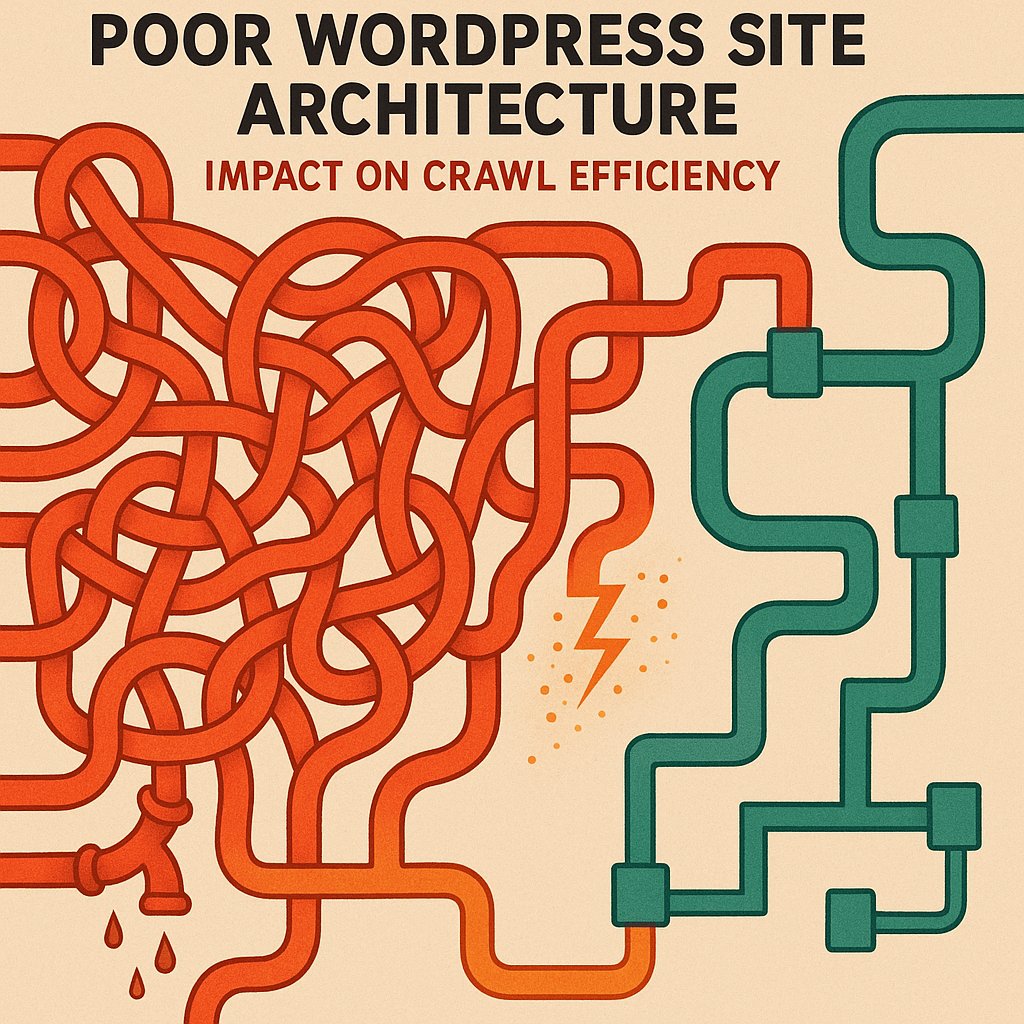
WordPress sites accumulate crawl budget waste differently than custom-built platforms. The plugin ecosystem, while powerful, generates numerous URL variations that consume precious crawl resources. Author archives, date archives, tag pages, category pages, search result pages, and pagination all create potential crawl budget drains.
A typical WordPress e-commerce site might have 5,000 actual products but expose 20,000+ URLs when you factor in sorting options, filtered views, and archive pages. Each of these URLs competes for crawl attention, often at the expense of your revenue-generating product pages.
Common Misconceptions About Crawl Budget
Many site owners believe crawl budget only matters for massive sites with millions of pages. This oversimplification causes mid-sized sites to ignore optimization opportunities. A WordPress site with 10,000 pages absolutely needs crawl budget consideration, especially if it publishes frequently or operates in competitive niches.
Another persistent myth suggests that crawl budget optimization is purely technical. While technical factors matter immensely, content quality and site popularity play equally important roles. A well-linked, authoritative site receives more generous crawl allocation than a technically perfect but obscure website.
How WordPress Architecture Impacts Crawl Efficiency
WordPress’s flexibility becomes a double-edged sword for crawl budget management. Understanding where your installation leaks crawl resources enables strategic intervention.
Plugin-Generated URLs and Crawl Waste
E-commerce plugins like WooCommerce generate filter URLs, sorting variations, and search result pages that can exponentially multiply your URL count. A single product might be accessible through dozens of different filtered category views, each representing a unique URL that Googlebot might attempt to crawl.
Membership plugins create profile pages, activity feeds, and user-generated content hubs that often provide minimal SEO value while consuming significant crawl resources. Forum plugins generate thread pagination and user profile pages that similarly drain budget without corresponding organic traffic potential.
The Hidden Cost of Duplicate Content
WordPress serves identical or near-identical content through multiple URL patterns by default. Your homepage content might be accessible via the root domain, /page/1/, and various archive combinations. Each instance Google crawls represents wasted opportunity to discover genuinely unique content.
Tag and category taxonomy pages frequently contain overlapping content, creating soft duplicates that confuse crawl priorities. When you publish a post in three categories and apply five tags, you’ve potentially created eight additional pages featuring that content—all competing for crawl attention.
Deep Site Architecture and Orphan Pages
Many WordPress sites develop organically without strategic architecture planning. This growth pattern creates deep hierarchies where important content sits five, six, or seven clicks from the homepage. Google’s crawlers follow links, and the deeper content resides in your link structure, the less frequently it gets crawled.
Orphan pages—content with no internal links pointing to them—represent the extreme manifestation of this problem. These pages might only be accessible through XML sitemaps, receiving minimal crawl attention despite potentially offering valuable content.
Recognizing Crawl Budget Problems on Your Site
Identifying crawl budget issues requires monitoring specific signals that indicate Googlebot isn’t efficiently discovering or indexing your content.
Delayed Indexation Patterns
If your new content takes days or weeks to appear in Google’s index despite being published and included in your sitemap, you’re experiencing crawl budget constraints. High-authority sites in competitive niches might see indexation within hours; sites with crawl budget issues wait substantially longer.
Track your average time-to-index by noting publication timestamps and checking Search Console for index dates. Increasing delays over time signal growing crawl budget pressure as your site scales.
Important Pages Missing from the Index
Run site: searches for critical pages and check their index status in Search Console. If cornerstone content, key product pages, or important service descriptions aren’t indexed despite being published for weeks, crawl budget limitations likely prevent discovery.
This problem intensifies with site growth. A WordPress site might index reliably with 2,000 pages but struggle when reaching 8,000 pages if crawl budget optimization hasn’t kept pace with content expansion.
Understanding Googlebot Activity Patterns
Google Search Console’s Crawl Stats report reveals how Googlebot interacts with your site. Examine requests per day, pages crawled per day, and kilobytes downloaded per day. Declining trends despite content growth indicate crawl budget constraints.
Pay particular attention to crawl response time. If your server consistently takes over 500ms to respond, Google will reduce crawl rate to protect your server, artificially limiting how much of your site gets crawled regardless of content quality.
The 3-Click Rule and Implementing Shallow Architecture
The most powerful crawl budget optimization for large WordPress sites involves restructuring to ensure all important content sits within three clicks of the homepage.
Why Three Clicks Matters for Crawl Priority
Google’s crawlers follow links, and they prioritize pages closer to your homepage. The homepage typically holds the highest authority and receives the most frequent crawls. Pages one click away inherit substantial crawl priority; pages two clicks away receive moderate attention; pages three clicks away get crawled less frequently but still reliably.
Beyond three clicks, crawl frequency drops dramatically. Pages requiring four, five, or six clicks often get crawled sporadically or not at all unless they attract external links or sitemap inclusion compensates for poor internal linking.
Practical Implementation for WordPress Sites
Achieving shallow architecture on WordPress requires intentional internal linking strategy. Your navigation menu provides first-level links—use these slots wisely for your most important category or section pages. These pages then link to individual posts or products, creating the second level.
Implement contextual links within content to ensure important pages receive multiple pathways from high-authority sections. A cornerstone guide published three years ago shouldn’t rely solely on category archives for internal links—newer content should link to it contextually, maintaining its visibility in your link structure.
Category and Taxonomy Optimization
Flatten your category hierarchy wherever possible. Instead of deeply nested categories like Home > Products > Electronics > Computers > Laptops > Gaming Laptops, consider broader categories with refined filtering. This reduces the click depth required to reach individual products.
Limit the number of active tags and categories. Every taxonomy term creates an archive page that consumes crawl budget. Ruthlessly consolidate or eliminate low-value taxonomy terms that serve minimal organizational purpose.
Pagination and Archive Management
WordPress creates paginated archives automatically, but most sites don’t need extensive pagination in their crawl profile. Implement rel=’prev’ and rel=’next’ tags correctly, or consider using Load More functionality with JavaScript to limit the number of paginated URLs exposed to crawlers.
For large sites, noindexing deep pagination pages (page 10+) prevents crawl budget waste while maintaining crawlability for users who do navigate that deep. Google rarely needs to index page 47 of your blog archives.
Advanced Crawl Budget Optimization Strategies
Beyond architectural improvements, several technical optimizations dramatically improve crawl efficiency for WordPress installations.
Strategic Internal Linking Infrastructure
Internal linking represents your most powerful crawl budget optimization tool. Every link you add creates a pathway for Googlebot, distributing crawl attention according to your priorities rather than WordPress’s default patterns.
Prioritize linking to your most important pages from your homepage, category pages, and popular posts. Create hub pages that link to related content clusters, establishing clear topical relationships that guide crawlers efficiently through your site. Tools like AI Internal Links can automate this process, analyzing your content to create contextually relevant internal links that improve both crawl efficiency and topical authority.
XML Sitemap Optimization
Your XML sitemap shouldn’t include every URL your site generates. Exclude low-value pages like author archives (unless you run a multi-author publication where author pages matter), tag archives with few posts, and search result pages. Focus your sitemap on indexable content that deserves crawl priority.
Split large sitemaps into multiple files organized by content type and priority. Separate products, blog posts, and static pages into distinct sitemaps, making it easier for Google to understand your site structure and prioritize accordingly.
Robots.txt and URL Parameter Handling
Use robots.txt strategically to prevent crawling of administrative sections, search result pages, and filtered views that don’t require indexing. WordPress installations often expose /wp-admin/, /wp-includes/, and similar technical directories that consume crawl budget without SEO benefit.
For e-commerce sites using URL parameters for filtering and sorting, configure parameter handling in Search Console. Tell Google which parameters don’t change content meaningfully, preventing unnecessary crawling of ?sort=price-high, ?sort=price-low, and similar variations of the same product listing.
Managing Faceted Navigation and Filters
Faceted navigation—allowing users to filter products by multiple attributes simultaneously—creates exponential URL combinations. A site with five filter types and three options each generates 243 possible URL combinations per category.
Implement strategic noindexing for filtered pages, use canonical tags pointing to the main category page, or employ JavaScript-based filtering that doesn’t create new URLs. Allow indexing only for filter combinations that represent genuine search demand and have unique, valuable content.
Monitoring, Measuring, and Maintaining Optimization
Crawl budget optimization isn’t a one-time project but an ongoing process requiring regular attention and adjustment.
Leveraging Google Search Console Data
Search Console’s Coverage report shows which pages Google has crawled and indexed, which are excluded, and why. Monitor this report weekly for large sites, looking for increases in excluded pages or crawl errors that indicate emerging issues.
The Crawl Stats report provides detailed data about Googlebot’s activity patterns. Track total crawl requests, average response time, and crawl request breakdown by file type. Improving response times often yields immediate crawl budget improvements as Google increases crawl rate in response to better performance.
Conducting Regular Technical Audits
Quarterly crawl audits using tools like Screaming Frog or Sitebulb identify architectural drift as your site grows. These audits reveal increasing click depth, proliferating duplicate content patterns, and orphan pages that might be escaping your attention in day-to-day operations.
Audit your internal linking distribution to ensure important pages maintain strong internal link equity. Create reports showing which pages receive the most internal links and verify that this distribution aligns with your business priorities.
Continuous Improvement and Scaling
As your WordPress site grows, crawl budget optimization becomes increasingly critical. Establish processes that prevent crawl budget waste as new content publishes. Implement publication checklists ensuring new posts include strategic internal links and proper canonicalization.
Monitor your content portfolio regularly and update or consolidate underperforming content. A thousand thin, outdated posts consume crawl budget while providing minimal value. Consolidating them into comprehensive, updated guides reduces crawl demands while improving content quality.
Large WordPress sites that proactively manage crawl budget see consistent indexation, better rankings for important pages, and more efficient organic growth compared to sites that allow WordPress defaults to dictate crawler behavior.
Real-World Implementation for Different Site Types
Crawl budget optimization strategies vary based on your WordPress site’s purpose and scale.
E-Commerce Sites and Product Catalogs
E-commerce WordPress sites face unique challenges with dynamic product inventories, seasonal items, and extensive filtering options. Prioritize crawl budget for in-stock products with strong margins. Consider noindexing out-of-stock product pages or implementing structured redirects to similar available products.
Create strategic category hierarchies that group products logically while maintaining shallow depth. Your homepage should link to main categories; categories should link directly to products when possible, avoiding unnecessary subcategory layers.
News and Publishing Platforms
News sites publishing dozens or hundreds of articles daily need aggressive crawl budget management to ensure new content gets discovered quickly. Implement homepage promotion for breaking news, feature sections that link to recent important content, and reduce emphasis on deep archives.
Consider implementing progressive noindexing for content older than 12-24 months unless it maintains ongoing relevance and traffic. Historical articles can remain on your site for users without consuming fresh crawl budget.
Membership and Community Sites
WordPress membership sites generate enormous quantities of user-generated content, profile pages, and activity feeds. Most of this content provides value to logged-in members but not to organic search.
Implement aggressive robots.txt blocking and noindexing for user profiles, activity feeds, and private content areas. Focus crawl budget on your public content marketing pages, product descriptions, and genuinely valuable community resources that attract organic traffic.
Crawl budget optimization for large WordPress sites demands attention to architectural fundamentals, technical configuration, and ongoing monitoring. Sites that treat crawl budget as a finite resource to be allocated strategically consistently outperform competitors that allow WordPress defaults and organic growth patterns to dictate crawler behavior. By implementing the 3-click rule, optimizing internal linking, and ruthlessly eliminating crawl waste, you ensure Google discovers, crawls, and indexes your most important content reliably and frequently.