
The Thin Content Challenge Facing WordPress Publishers
Thin content has emerged as one of the most persistent SEO challenges for WordPress site owners, particularly following Google’s Helpful Content Update rollouts. Unlike technical issues that produce clear error messages, thin content operates in a gray area where pages technically function but provide insufficient value to users or search engines. WordPress sites, with their ease of publishing and tendency toward rapid content creation, often accumulate these low-value pages faster than site owners realize.
The consequences extend beyond individual page rankings. Thin content creates a ripple effect across your entire WordPress site, diluting authority, wasting crawl budget, and ultimately signaling to Google that your domain may not prioritize quality. For site owners managing hundreds or thousands of posts, the task of identifying and resolving thin content can feel overwhelming. Yet addressing this issue systematically transforms site performance in measurable ways.
This guide provides WordPress-specific strategies for detecting thin content, understanding its impact on your SEO foundation, and implementing practical fixes that restore search visibility. We’ll examine how internal linking serves as both a diagnostic tool and a recovery mechanism, connecting weak pages to your site’s authoritative content while improving overall site architecture.
Understanding Thin Content in the WordPress Ecosystem
What Qualifies as Thin Content in 2026
Thin content defies simple word count definitions. A 300-word article that comprehensively answers a specific question delivers more value than a 2000-word piece padded with generic statements. Google evaluates content through multiple dimensions: depth of information, unique insights, user intent satisfaction, and expertise demonstration.
For WordPress sites, thin content typically manifests in several recognizable patterns. Product pages with only manufacturer descriptions and no original analysis or user guidance represent thin content. Blog posts that restate widely available information without adding perspective or practical application qualify as thin. Tag and category archive pages displaying minimal context beyond listing titles create thin content experiences. Author bio pages containing just a headshot and two-sentence description fail to provide substantial value.
The Helpful Content Update specifically targets pages created primarily for search engines rather than humans. WordPress makes it dangerously easy to publish quickly, and many site owners have accumulated pages optimized around keyword variations rather than genuine user questions. These pages often feature similar structures, repetitive phrasing across multiple posts, and surface-level treatment of topics that deserve comprehensive coverage.
The Google Helpful Content Update Impact
Google’s Helpful Content Update fundamentally changed how search algorithms assess content quality at the site level rather than just individual pages. This site-wide evaluation means that thin content on one section of your WordPress site can suppress rankings across your entire domain. The algorithm applies a classifier that identifies sites with significant amounts of unhelpful content, then adjusts their overall visibility in search results.
WordPress sites experienced this impact differently depending on their content mix. Affiliate sites with numerous product roundups lacking genuine testing or expertise saw dramatic traffic declines. News sites publishing high volumes of brief updates without substantial reporting faced ranking suppression. Tutorial sites with step-by-step guides that skipped crucial details or context experienced reduced visibility.
The update rewards sites demonstrating genuine expertise and first-hand experience. For WordPress publishers, this means thin content isn’t just about length but about demonstrating knowledge depth that could only come from direct involvement with the topic. Generic advice anyone could write after five minutes of research no longer suffices for competitive rankings.
Why WordPress Sites Are Particularly Vulnerable
WordPress’s strength as a content management system simultaneously creates thin content vulnerabilities. The platform’s intuitive publishing interface lowers barriers to content creation, encouraging frequent posting that sometimes prioritizes quantity over quality. Many WordPress themes generate multiple pages automatically—author archives, tag pages, date-based archives—that duplicate content or provide minimal unique value.
Plugin ecosystems compound this challenge. E-commerce plugins create product variation pages that differ only in color or size specifications. Multilingual plugins generate alternate language versions that rely entirely on machine translation. Event calendar plugins produce individual event pages with sparse details. Each represents potential thin content unless deliberately enhanced.
WordPress site owners often inherit thin content when acquiring established domains or migrating from other platforms. Legacy posts published during earlier, less sophisticated SEO eras remain in the database, accumulating in categories and cluttering sitemaps. Without systematic audits, these pages persist indefinitely, slowly eroding site-wide authority as Google’s algorithms grow increasingly sophisticated in identifying low-value content patterns.
Detecting Thin Content on Your WordPress Site
Manual Content Audit Techniques
Effective thin content detection begins with manual review of your WordPress site’s content inventory. Start by exporting your complete post and page list from the WordPress dashboard, including publication dates, word counts, and category assignments. Sort this inventory by word count ascending to identify suspiciously brief content that warrants immediate review.
Examine your shortest pages in their actual published context. Read them as a user would, asking whether the page satisfactorily answers the query implied by its title and URL. Does the content provide information unavailable elsewhere on the web? Does it demonstrate expertise or first-hand experience? Would you feel satisfied finding this page in search results, or would you immediately hit the back button?
Pay particular attention to WordPress-generated pages beyond your main content. Review category and tag archive pages for thin descriptions or missing context. Examine author bio pages for substance. Check attachment pages that display single images without accompanying context. Inspect any custom post type archives your theme or plugins created. These systematically generated pages often escape editorial scrutiny while accumulating in search indexes.
Using Google Analytics for Low-Value Page Identification
Google Analytics reveals thin content through user behavior patterns. Pages with high bounce rates combined with low average engagement time signal content that fails to satisfy visitor intent. In your WordPress Analytics integration, create a custom report filtering for pages with less than 30 seconds average session duration and bounce rates exceeding 80 percent.
Examine pages receiving minimal organic traffic despite being indexed for months or years. While not all low-traffic pages qualify as thin content, those that never attracted visitors despite targeting keywords with search volume suggest the content failed to meet quality thresholds for ranking. Compare these pages against higher-performing content on similar topics to identify quality gaps.
Track exit pages that show users leaving your WordPress site after viewing. High exit rates on pages users reach through internal navigation suggest the content disappointed expectations set by your internal links. This pattern often indicates pages that appear relevant based on anchor text but deliver insufficient depth when visitors arrive.
Search Console Signals That Point to Thin Content
Google Search Console provides direct signals about how Google perceives your WordPress content. The Coverage report identifies indexed pages receiving zero impressions over extended periods—these pages exist in Google’s index but are never shown to users, typically because algorithms determined they lack value for any query.
Examine the Impressions column in the Performance report, sorted ascending. Pages receiving minimal impressions despite being indexed often suffer from thin content issues or face intense competition from higher-quality alternatives. Cross-reference these pages with your WordPress post inventory to identify patterns—are certain categories consistently underperforming? Do posts from specific time periods show weak engagement?
The Crawl Stats section reveals how Googlebot allocates crawl budget across your WordPress site. If Google crawls thin content pages frequently while ignoring more substantial content, it suggests your internal linking structure inappropriately prioritizes low-value pages. This misallocation wastes crawl resources and delays discovery of your best content.
WordPress-Specific Detection Methods
Leverage WordPress’s database structure for systematic thin content detection. Many SEO plugins for WordPress include content audit features that flag short posts, missing meta descriptions, or low keyword density. While these technical metrics don’t perfectly correlate with content quality, they provide useful starting points for manual review.
Check your WordPress Media Library for orphaned images and attachment pages. These pages often rank in search results despite containing only an image and auto-generated text. Review your comment archives for spam or low-quality discussion that dilutes content value on otherwise solid posts. Examine pingback and trackback links that create thin interconnected pages.
Your WordPress theme may generate pages you’ve overlooked. Review your site’s sitemap file to identify all URLs being submitted to search engines. Compare this against your mental inventory of published content—you’ll often discover archive pages, pagination pages, or filter pages you didn’t realize existed. These template-generated pages frequently qualify as thin content requiring noindex tags or removal from sitemaps.
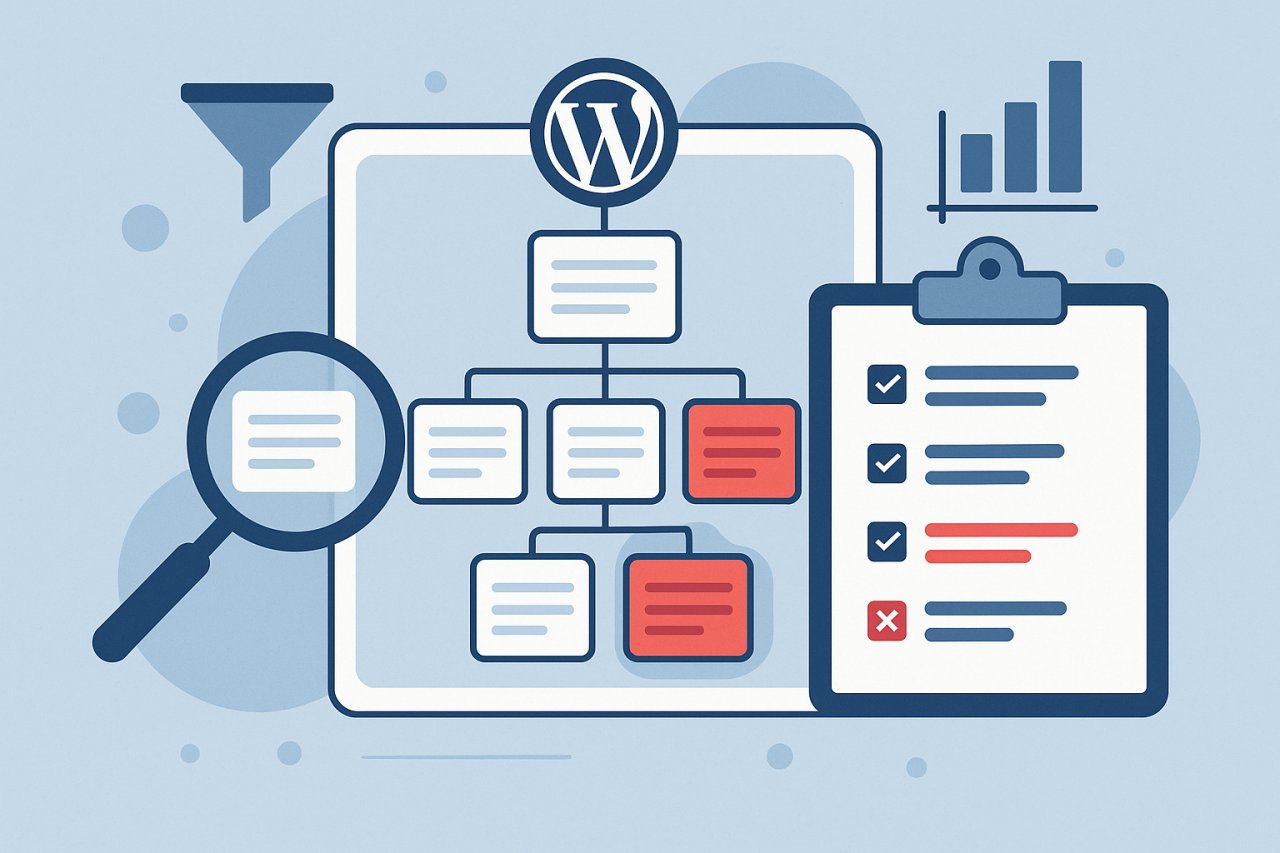
The SEO Impact of Thin Content
How Thin Pages Dilute Site Authority
Every page on your WordPress site represents a claim for search engine attention and authority. When your domain contains numerous thin pages alongside quality content, it dilutes the signals you send about your site’s overall expertise. Google’s algorithms increasingly evaluate sites holistically, assessing what percentage of indexed pages deliver genuine value versus filler material.
Thin content weakens topical authority by creating noise around your core subject matter. If your WordPress blog publishes fifty mediocre posts about a topic alongside ten exceptional deep-dive articles, search engines struggle to identify your site as a definitive resource. The thin content suggests your expertise is superficial despite those outstanding pieces buried among low-quality material.
This dilution affects link equity distribution throughout your WordPress site. Internal PageRank flows from your homepage and external backlinks to other pages through your internal link structure. When thin content pages capture portions of this equity through standard navigation and archives, valuable authority disperses to pages that can’t convert it into rankings. The thin pages fail to rank themselves while preventing authority concentration on pages with genuine ranking potential.
Crawl Budget Waste on Low-Value Pages
Google allocates finite crawl resources to your WordPress site based on domain authority, server performance, and content update frequency. When significant portions of your site consist of thin content, Googlebot wastes crawl budget processing pages that won’t rank or convert. This becomes particularly problematic for larger WordPress sites publishing frequently or maintaining extensive archives.
Thin category and tag archive pages consume substantial crawl resources because WordPress regenerates them each time you publish new posts. If you’ve accumulated hundreds of seldom-used tags, each creates an archive page Google must recrawl regularly. These pagination-heavy archives force Googlebot to process multiple pages to find minimal new content.
The opportunity cost of crawl budget waste grows with your WordPress site’s publishing velocity. If Google crawls one hundred thin archive and attachment pages daily instead of your latest comprehensive articles, those new posts experience delayed indexing. Search engines may take days or weeks to discover your best content while repeatedly crawling worthless pages, directly impacting your ability to capture timely traffic.
User Experience and Bounce Rate Correlations
Thin content creates negative user experiences that extend beyond search rankings. Visitors who click through to your WordPress site expecting comprehensive information and encounter superficial articles feel disappointed. This dissatisfaction manifests in immediate bounces, low time on site, and reduced likelihood of return visits or conversions.
Google increasingly incorporates user experience signals into ranking algorithms. While not announcing specific metrics, patterns suggest that pages where users quickly return to search results receive ranking penalties. Your thin content pages that fail to satisfy search intent generate these negative engagement signals, reinforcing algorithmic suppression of your overall domain.
The cumulative effect damages brand perception beyond SEO metrics. Visitors who encounter thin content pages form impressions about your WordPress site’s overall quality. They become less likely to trust recommendations on other pages, even your strongest content. This erosion of credibility affects conversions, social sharing, and long-term audience building regardless of where you eventually rank in search results.
Proven Strategies to Fix Thin Content
Content Expansion and Enrichment Tactics
Expanding thin content into comprehensive resources represents the most effective recovery strategy when the topic justifies deeper treatment. For WordPress blog posts, this means revisiting old articles and adding sections that address related questions your original version ignored. Look for opportunities to include first-hand examples, case studies from your experience, or data analysis that transforms generic advice into specific guidance.
Enrich product pages by adding detailed usage guides, comparison tables with competing products, and answers to common customer questions. Include photos or videos demonstrating the product in realistic contexts. For service pages, add client testimonials with specific results achieved, detailed methodology explanations, and transparent pricing information that helps prospects make informed decisions.
Update your thin WordPress posts with current information that reflects industry changes since original publication. Add sections addressing new developments, revised recommendations based on recent experience, and acknowledgment of limitations in earlier advice. This approach transforms outdated thin content into evergreen resources that genuinely help users while signaling to Google that you maintain content quality over time.
Strategic Content Consolidation
When multiple thin WordPress posts address similar topics, consolidation creates single authoritative resources. Identify clusters of related thin content where merging creates more value than maintaining separate pages. This commonly occurs with keyword variation posts where each targets slight phrase differences but covers essentially identical information.
Implement 301 redirects from consolidated posts to your new comprehensive version to preserve any existing link equity and prevent broken links. Update your WordPress menu structure and internal links to point to the consolidated resource. Ensure the merged article addresses all specific queries and keywords the individual posts targeted, preventing traffic loss from consolidation.
Consolidation works particularly well for WordPress sites with seasonal content, event coverage, or product update announcements. Instead of maintaining separate thin posts for each year’s version, create single comprehensive guides that incorporate historical context while staying current. This approach reduces thin page count while building more substantial resources that accumulate authority over time.
When to Noindex or Delete Pages
Some thin content pages serve internal purposes without needing search visibility. WordPress administrative pages, thank you pages after form submissions, or logged-in user areas should carry noindex tags to prevent search indexing. Apply noindex to WordPress-generated archives with no unique content like author pages on single-author blogs or date-based archives that duplicate category organization.
Delete pages that provide no value to users or your business. Old product pages for discontinued items, outdated event listings, expired promotions, and test posts created during site development clutter your WordPress database without contributing to SEO goals. Use your hosting backup before deletion to maintain recovery options if you later discover unanticipated consequences.
Exercise caution with deletion when pages have accumulated backlinks or significant age. Google treats deleted pages as 404 errors, which can waste crawl budget if numerous. For pages with backlinks, implement 301 redirects to relevant existing content rather than allowing 404 errors. Monitor your Search Console coverage report after deletions to ensure removed pages exit Google’s index cleanly.
Leveraging Internal Links to Strengthen Thin Pages
Strategic internal linking transforms moderately thin WordPress posts into valuable supporting content within broader topic clusters. Pages that can’t stand alone as comprehensive resources often serve perfectly as deep-dive sections supporting Pillar content. Link these pages from and to related articles in ways that guide users through complete learning paths.
Contextual internal links from high-authority pages pass equity that helps thin pages rank for their specific narrow topics. When your WordPress site’s most authoritative posts link to supporting content with relevant anchor text, those links signal topical relationships that Google uses for understanding content purpose and quality. This interconnection elevates thin pages from isolated weak posts into integrated knowledge base components.
Automated internal linking becomes particularly valuable for WordPress sites with extensive archives where manual linking grows impractical. Tools like AI Internal Links can identify contextual opportunities to connect thin pages with related content throughout your site, strengthening pages through association with your best material while improving overall site architecture without time-intensive manual review.
Internal Linking Solutions for Thin Content Recovery
How Contextual Links Support Thin Pages
Contextual internal links provide thin WordPress pages with topical authority they lack independently. When multiple authoritative pages on your site link to a moderately thin piece using relevant anchor text, those links create what SEO professionals call link equity flow. This concentrated attention from your strongest content elevates the thin page’s perceived importance and topical relevance.
The contextual placement matters significantly. Links naturally embedded within related content paragraphs carry more weight than navigational footer links or generic related post widgets. For thin product pages, contextual links from buying guides or category overviews provide stronger support than sidebar links. For blog posts, in-content references from comprehensive articles signal genuine topical relationship.
Varied anchor text across these contextual links helps thin pages rank for multiple related queries. If your thin page discusses a specific aspect of a broader topic, links from different authoritative pages might use different anchor text variations that capture distinct search intents. This diversity prevents over-optimization while maximizing the thin page’s visibility across related query variations.
Building Pathways from Authority Pages
Your WordPress site’s authority pages—those ranking well and receiving consistent organic traffic—serve as equity distribution hubs. Identify these performers through Google Analytics and Search Console, then systematically review them for opportunities to link out to thin content that provides relevant supplementary information. Each authority page can typically support three to five contextual links without appearing overly link-heavy.
Create clear information hierarchies where thin pages function as supporting detail for authoritative pillar content. Your comprehensive guide to a topic should link to thin pages that dive deeper into specific subtopics, while those specialized pages link back to the pillar resource. This bidirectional linking establishes topical relationships that help Google understand content structure while providing users with natural navigation between overview and detailed perspectives.
Update your WordPress homepage and category hub pages to prominently feature pathways toward both authority content and well-linked thin pages. These high-equity entry points can elevate thin pages by including them in curated content collections, featured resource sections, or editorial recommendations. The homepage link equity boost gives thin pages ranking advantages they can’t achieve independently.
Automated Internal Linking Approaches
Manually identifying internal linking opportunities across hundreds or thousands of WordPress posts becomes impractical as sites scale. Automated approaches analyze your entire content library to identify semantic relationships, then suggest or implement contextual links connecting related pages regardless of publication dates. These systems work continuously as you publish new content, maintaining link freshness without ongoing manual effort.
Automated internal linking particularly benefits thin content recovery by ensuring no pages become orphaned or under-linked. Systems monitor link distribution across your WordPress site, identifying pages receiving insufficient internal links relative to their topic relevance. They then generate suggestions or automatically insert contextual links from appropriate passages in other articles, strengthening thin pages systematically.
The quality of automated internal linking depends on contextual understanding rather than simple keyword matching. Advanced systems analyze full page content to determine topical relationships, identifying where links add genuine value for users rather than just SEO manipulation. For thin content strategy, this means pages receive links because they provide relevant supporting information, not simply because they contain target keywords.
Step-by-Step Recovery Plan for WordPress Sites
Immediate Actions to Mitigate Thin Content
Begin thin content recovery by auditing your most problematic pages immediately. Export your complete WordPress post list sorted by word count and engagement metrics. Identify the bottom twenty percent—these pages likely contribute most significantly to site-wide quality issues. Review each manually to determine appropriate action: expansion, consolidation, noindex, or deletion.
Implement noindex tags on obvious candidates like WordPress-generated archives providing no unique value. Use your SEO plugin to add noindex meta tags to author archives, date archives, and attachment pages unless your site specifically requires these in search results. This immediately prevents Google from considering these pages in quality assessments while allowing them to function for internal navigation.
Create a priority expansion list for thin content posts on topics central to your WordPress site’s purpose. Focus on pages that once received traffic but declined following Google updates—these show demonstrated potential when quality improves. Allocate dedicated time to transform these posts into comprehensive resources, aiming to triple or quadruple word count while adding unique insights from your expertise.
Long-Term Content Strategy Adjustments
Prevent future thin content accumulation by establishing minimum quality standards before publishing new WordPress posts. Set explicit requirements: minimum word counts appropriate to post type, mandatory inclusion of first-hand examples or data, required multimedia elements like custom images or videos. Make editorial review mandatory for posts shorter than site average to catch potential thin content before publication.
Revise your WordPress content calendar to emphasize depth over frequency. Instead of publishing five thin posts weekly, shift to two comprehensive articles that genuinely advance industry conversation. This quality-focused approach builds topical authority more effectively while avoiding thin content proliferation. Allocate time saved from reduced posting frequency to updating and expanding existing thin content.
Develop content templates for different post types that guide authors toward comprehensive coverage. Include section prompts that ensure key aspects receive attention: what problem does this solve, what alternatives exist, what specific steps should readers take, what mistakes should they avoid. These templates prevent authors from publishing without addressing fundamental user questions that differentiate helpful content from thin material.
Monitoring and Measuring Recovery Success
Track thin content recovery through multiple WordPress analytics dimensions. Monitor overall organic traffic trends following consolidation and expansion efforts. Track rankings for key pages you improved, noting movement over four to eight weeks as Google recrawls and reassesses expanded content. Measure engagement metrics like average session duration and pages per visit to confirm improved quality resonates with users.
Use Google Search Console to verify Google’s perception changes. Watch for increased impressions on improved pages as Google begins showing them for more queries. Monitor click-through rate improvements suggesting more compelling search snippets resulting from better content. Track coverage reports to confirm deleted or noindexed thin pages exit the index cleanly.
Establish quarterly thin content audits as ongoing WordPress maintenance. Content quality requirements evolve as competitors improve and Google’s algorithms advance. Pages adequate today may qualify as thin within months if industry standards rise. Regular audits prevent thin content reaccumulation while ensuring your WordPress site maintains quality standards that support long-term search visibility and user satisfaction.